Kawaii Halloween Decor Without Gore or Jump Scares

Create a gentle Halloween look with pastel colors, friendly ghosts, easy no-carve accents, and practical safety tips for your home.
Compared to the free version, Perplexity Pro is a significant upgrade. From better search functionality to advanced customization and community support, the $20 monthly subscription fee is worth it for many reasons.
Table of Contents
Perplexity Pro allows you to run at least 300 premium daily searches, which is a generous limit compared to just 5 searches on the free plan. This limit resets every 24 hours, and 300 should be more than enough for most users.
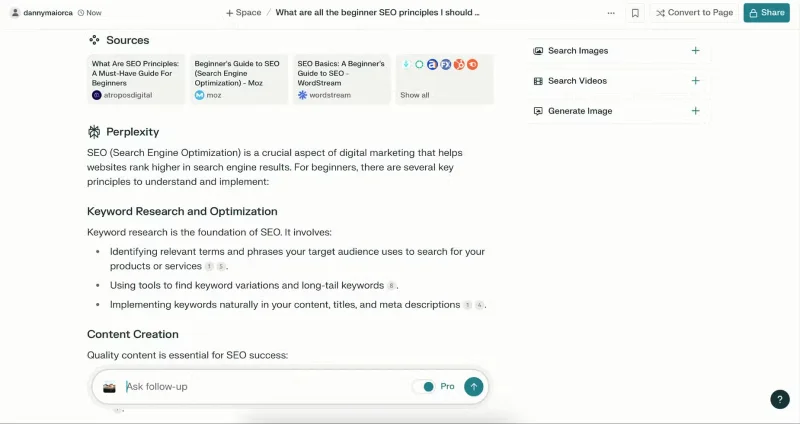
While you can search unlimitedly with ChatGPT Plus, Perplexity Pro is much better than ChatGPT. So when comparing ChatGPT Plus vs Perplexity, choose Perplexity if you mainly want to use your AI chatbot for searching.
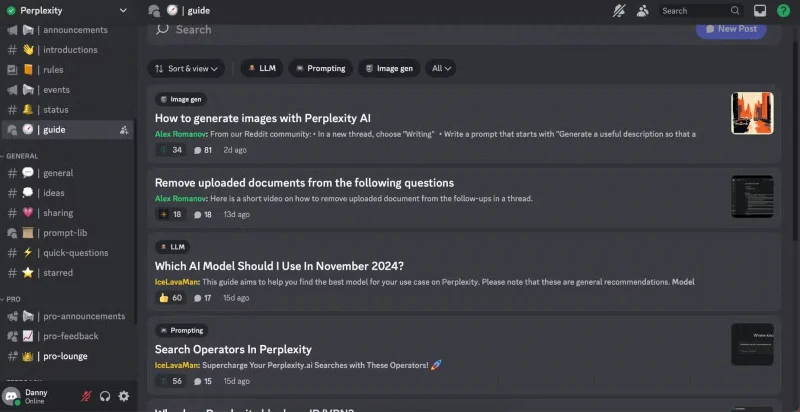
Once you sign up for Perplexity Pro, you can join the official Discord channel . At the time of writing in December 2024, the channel has over 100,000 members. Here, you can find other people who are also using Perplexity to chat. You can use many useful tips and tricks on Discord, such as setting up shortcuts, to enrich your experience and communicate more effectively. As you regularly interact with the community, you can also receive advice on how to use Perplexity more effectively.
Once you join Perplexity’s Discord channel, you can also reach out to the customer support team and get your issues resolved faster. You can also reach out via Intercom if you prefer, which is another quick way to communicate compared to email.
Since Perplexity also has a free version of its search engine, you might be wondering if it’s really worth using Perplexity Pro. The answer is yes; it’s better at retrieving more comprehensive results, which is important for in-depth research.
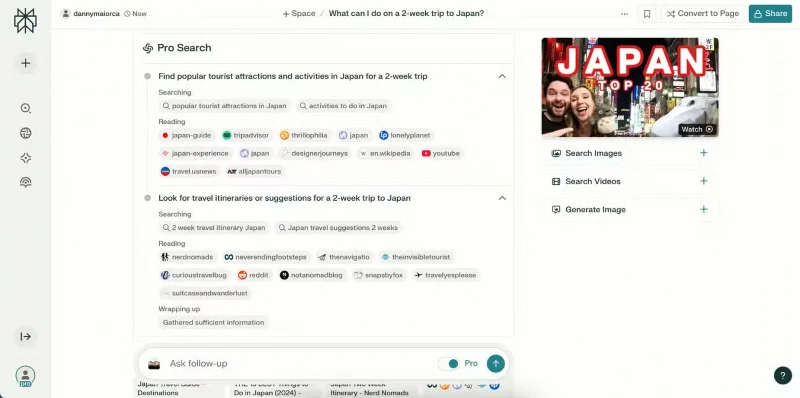
Perplexity tells you how it came to a conclusion with each Pro search at the top of the answer. You’ll see the overall steps taken during the search, and you can expand the drop-down tabs for more information. So if you want AI-powered Google search results that you can understand, Perplexity is a great choice.
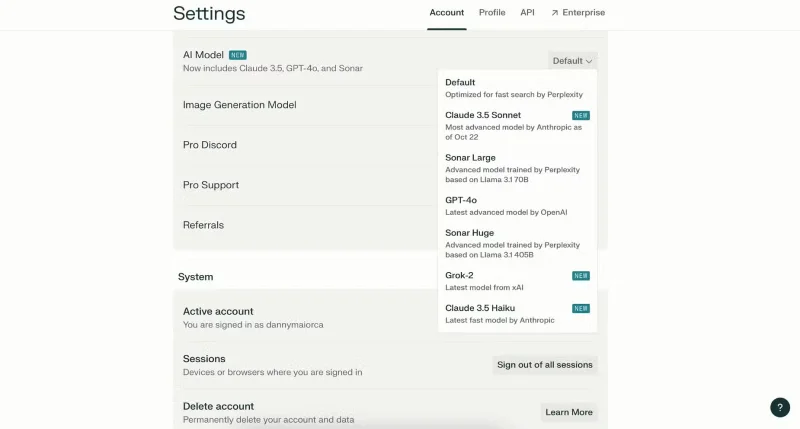
The AI language model you choose can sometimes change the response significantly. For this reason, you should choose something that is relevant to your query. After upgrading to Perplexity Pro, you can choose between multiple AI models from Claude, Sonar, Grok , and OpenAI by clicking on your profile icon, going to Settings > Perplexity Pro > AI Model , and expanding the drop-down menu.
Another advantage is that you can change Perplexity’s image generation model. Playground, DALL-E, and FLUX are your three options. AI art generation tools have their issues, some of them don’t generate certain visual aspects (e.g. text in images). So if you’re not getting the results you want, switching to a different model is a good idea. Go to Settings > Perplexity Pro > Image Generation Model to choose a different option. Playground is the default.
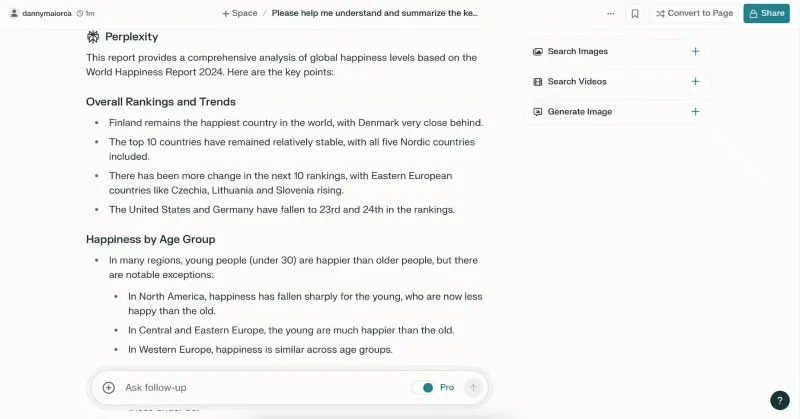
One of the best features of Perplexity Pro is that it can analyze your own files and images. Try it with documents, screenshots, and photos. It drills down to find details that other AI tools might have trouble identifying; for example, ask Perplexity to summarize a comprehensive report and tell you the most notable points. In addition to reasoning, Perplexity also offers related searches that can be helpful.
File and image analysis tools are one of the best ways to use AI as a student. For example, you can ask the software to analyze a research paper you’re working on—allowing for more context as you work. Perplexity Pro can also help you prepare for meetings and thesis defenses by providing comprehensive summaries and helping you dive deeper into a topic.
Perplexity Pro is arguably the best premium AI chatbot subscription, especially if you need to do comprehensive research. In addition to extensive daily searches, you also get access to multiple AI models and visualizations for more accurate results. Furthermore, its analytics tools provide very detailed analysis and additional questions to explore.
Create a gentle Halloween look with pastel colors, friendly ghosts, easy no-carve accents, and practical safety tips for your home.
Create a spooky office cubicle with Halloween desk decor ideas that keep your workspace usable, tidy, and mindful of workplace safety.
Plan a recognizable Halloween 2026 look with pop culture costumes inspired by Spider-Man, Supergirl, Toy Story 5, Moana, Mario, and Wednesday.
Sort leftover Halloween candy safely, share or repurpose sealed treats, and choose food use or compost for pumpkins based on their condition.
Compare workplace Halloween costume choices by respect, dress code, mobility, and safety—and learn when a subtle accessory or a policy check is the better option.
Find a couples costume that fits your style, budget, and comfort level, from Addams Family classics to original inside-joke duos.
Need a last-minute high school Halloween costume? Compare 10 easy closet-based ideas by prep time, comfort, school-day practicality, and simple safety checks.
Use a simple 2026 Halloween decorating timeline for indoor décor, outdoor displays, and fresh pumpkins, with practical adjustments for weather and events.
Mix five vivid, approachable Halloween cocktails with measured recipes, simple prep tips, and an alcohol-free option for your party guests.
Find 15 office-friendly Halloween costume ideas for 2026, with practical checks for dress codes, respectful themes, comfort, and workplace safety.








