Kawaii Halloween Decor Without Gore or Jump Scares

Create a gentle Halloween look with pastel colors, friendly ghosts, easy no-carve accents, and practical safety tips for your home.
Almost all of us take selfies or photos of other people regularly, but selfies and portraits don't always turn out as good as you'd like. That's where your editing skills come in. You can use AI to edit your selfies, but there are plenty of reasons to avoid going that route.
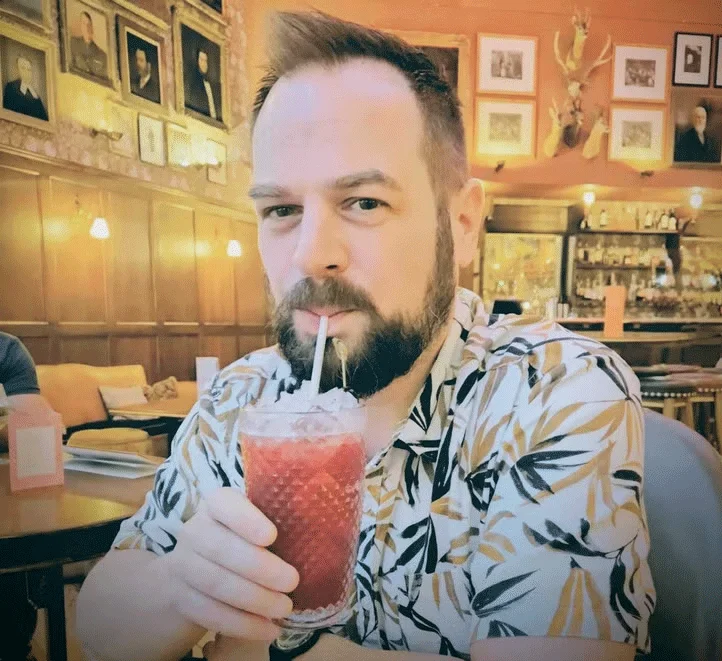
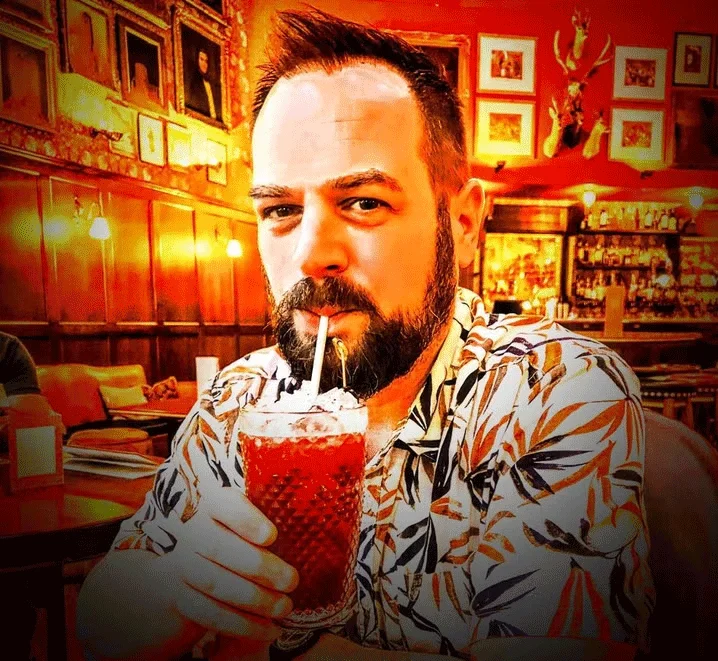
The author of the article combined AI editing and manual editing on his selfie to demonstrate each of the points below. The author also exaggerated the manual edits to make the effect more obvious.
Table of Contents
When you let Artificial Intelligence (AI) work on your selfies, many people argue that those selfies are no longer “you” in any way. Sure, they’ll still look a little like you, but they’ll be artificially enhanced versions of you. With smoother skin, blemishes removed, and other fundamental changes to your appearance.
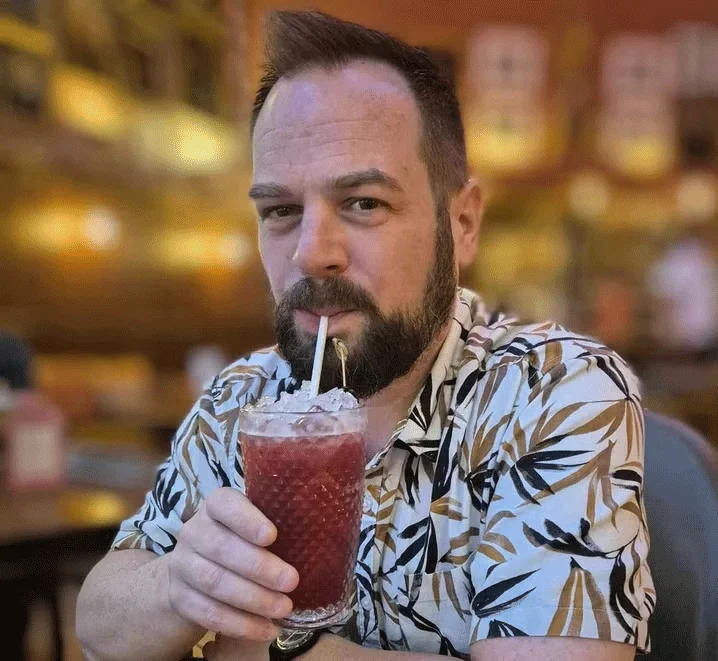
You could make the same argument about manual edits you make yourself, but at least you have control over those edits. When you let AI edit your selfies, you don’t know what specific changes have been made, and you trust the AI to make subtle changes without completely changing your appearance. The same goes for other people’s portraits.
While you may want to present the best version of yourself or your loved ones on Instagram or another social media site, be careful what you wish for. If an AI photo editor changes the way you and your friends look too much, you and they may have self-esteem issues because you don’t look like that in real life.
Just as manual editing, beauty filters, and even makeup to a certain extent, change the reality of how you look, so can AI photo editors. This can easily lead to self-esteem issues. You may start wanting to look like a fake version of yourself in real life and wonder why you don’t. It’s a dangerous path.
Because of the way the large language models that power artificial intelligence work , there is a high risk that AI photo editors will tend toward distorted beauty standards. In other words, established standards that don't actually match what real people look like.
There have always been unrealistic beauty standards promoted by celebrities and models. And with the rise of social media influencers and their influence on younger generations, these trends are very visible. This can lead AI photo editors to think that this is the norm and edit your selfies accordingly.
In addition to potentially damaging your self-esteem, any AI-edited selfie you post online will give others a false impression of your appearance. While your family and friends know the truth, everyone else will start to believe that you actually look like the AI-generated version of yourself.
Sure, Photoshop edits have improved photos for decades, but there has been an outcry over overly edited versions of celebrities in magazines, so it would be a shame to undo all the progress society has made in this area by letting AI edit people’s photos.
Even if you’re comfortable with all the other reasons in this article, letting an AI photo editor edit your selfies or portraits comes with a very real risk: the risk of over-editing, which can make you look weird at the end of the process.
While the capabilities of artificial intelligence are improving all the time (and at an incredible pace), it’s still pretty unreliable. Even minor edits can make you or the subject in one of your portraits look weird.
Showing an artificially edited version of yourself to others can have a negative impact on them. Especially if you are a social media influencer and have teenagers who want to copy whatever you do. If they don’t realize that you are using AI to edit your selfies, they may assume that your appearance is somehow achievable in real life.
Even if you’re not a social media influencer and only post selfies online to people you know, you can still influence those around you. At a time when it’s hard to tell fact from fiction, we need to be extra careful about presenting fake versions of ourselves and others.
You may feel that using AI to edit your selfies is sometimes a good thing. However, the more you do it, the more you become dependent on it. And as a result, you may lose the photo editing skills you have. Not only would that be embarrassing for you, but it would also be another step towards AI replacing humans in many jobs.
While you may not see it as a problem in a world where artificial intelligence is likely to take over certain jobs, do you really want to become so dependent on AI that you lose real skills? Probably not. That’s probably the most basic reason why you shouldn’t let AI edit your selfies or portraits. However, you may let AI edit landscapes and other types of photos in the future.
Ultimately, whether or not you let AI edit your selfies is a personal choice. However, for many photography purists, letting AI edit selfies and portraits will cause problems.
Create a gentle Halloween look with pastel colors, friendly ghosts, easy no-carve accents, and practical safety tips for your home.
Create a spooky office cubicle with Halloween desk decor ideas that keep your workspace usable, tidy, and mindful of workplace safety.
Plan a recognizable Halloween 2026 look with pop culture costumes inspired by Spider-Man, Supergirl, Toy Story 5, Moana, Mario, and Wednesday.
Sort leftover Halloween candy safely, share or repurpose sealed treats, and choose food use or compost for pumpkins based on their condition.
Compare workplace Halloween costume choices by respect, dress code, mobility, and safety—and learn when a subtle accessory or a policy check is the better option.
Find a couples costume that fits your style, budget, and comfort level, from Addams Family classics to original inside-joke duos.
Need a last-minute high school Halloween costume? Compare 10 easy closet-based ideas by prep time, comfort, school-day practicality, and simple safety checks.
Use a simple 2026 Halloween decorating timeline for indoor décor, outdoor displays, and fresh pumpkins, with practical adjustments for weather and events.
Mix five vivid, approachable Halloween cocktails with measured recipes, simple prep tips, and an alcohol-free option for your party guests.
Find 15 office-friendly Halloween costume ideas for 2026, with practical checks for dress codes, respectful themes, comfort, and workplace safety.








