Kawaii Halloween Decor Without Gore or Jump Scares

Create a gentle Halloween look with pastel colors, friendly ghosts, easy no-carve accents, and practical safety tips for your home.
Your computer monitor is your window into everything your PC does. Spending a little extra on an OLED display to make sure you get the most out of your device may seem unnecessary, but it's actually worth it.
Table of Contents
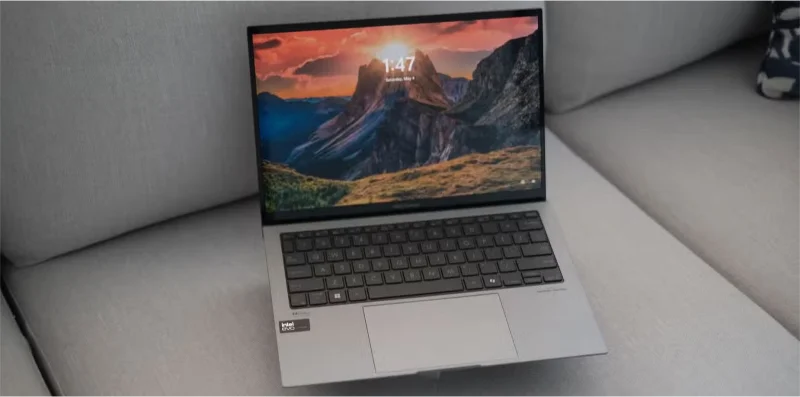
One of the biggest advantages of OLED displays is that they are self-emissive. This means that individual pixels can be turned off, creating “true black”. Deeper blacks give you more vibrant images.
On an LCD or LED display , black is displayed in the same way as any other color, meaning the display's backlight remains on. This results in a phenomenon known as "backlight bleeding," where the resulting blacks are not as dark as intended. This affects the overall quality and saturation of the image.
On OLED displays, however, when a region of the screen or even an individual pixel needs to go black, the display panel turns off those specific pixels. The result is virtually no backlight bleeding; the rest of the colors on the screen are also unaffected.
OLED isn't just great at blacks. Almost every color on an OLED display is more saturated than on an LED or LCD display, resulting in a more beautiful, true-to-life picture.
Another big advantage of OLED displays is viewing angle. Unlike traditional LCD or LED panels, OLED displays have a much wider viewing angle, ensuring you don’t experience any color banding or color shift issues when you’re not sitting at the optimal angle facing the screen.
OLED panels maintain much better color consistency than LCD or LED panels. Of course, you’ll never get 100% accurate color from every possible angle, but you can get viewing angles as wide as 170 degrees on most good OLED displays.
This is most noticeable on PC monitors when you’re sitting close to them. If you have a 24-inch or larger monitor, especially a curved one, any slight deviation in angle can cause image quality to degrade. If you’re playing a game with a lot of dark areas, this can have a huge impact on your ability to see the game clearly and your overall experience, no matter what you’re doing.
The ability to completely turn off the pixels of an OLED panel is also great for battery life, especially if you use the operating system in Dark Mode. Since most of the UI elements on the screen in Dark Mode will turn off the pixels or reduce their brightness, the overall power consumption of the display will be significantly reduced.
Since operating system components are what you look at the most, you can expect increased battery life with Dark Mode, no matter what operating system you're using. For best results, use Dark Mode across all your apps and browsers.
Additionally, OLED displays display better contrast at lower brightness levels, meaning you won’t have to crank up the brightness as much during everyday use. Over time, this also has a positive impact on battery life. It also helps reduce image retention on OLED displays.
OLED displays tend to have the lowest response times and the fastest refresh rates. This means you’ll get much smoother motion in fast-paced games or scenes, and is a must-have if you’re into competitive gaming or just want to upgrade your gaming experience. 60 FPS is no longer enough.
Additionally, OLED displays (mostly TVs) have motion smoothing features that can help make fast-paced scenes or games look less jerky. If you’re playing on a console and want to buy a TV or monitor, these features can be useful for a smoother gaming experience.
The benefits of smoother motion aren't limited to games, however. Other types of content like sports or movies benefit from this too.
Last but not least, OLED panels are thinner than the LCD or LED panels you see on the market. So whether you buy a TV or monitor, you’re getting thinner bezels and a better design. Depending on the type of OLED display you buy, this can have a huge impact on your viewing and user experience.
On laptops, smaller bezels mean you get a larger screen in a smaller device. The same goes for monitors and TVs, with slim designs looking better on a desk or wall. Buying the right OLED display can be tricky, but there are a few tips to help you choose the right one.
OLED displays may cost you a little extra, but with all the advantages they offer and the level of picture upgrade they provide, the extra money may be worth it.
Create a gentle Halloween look with pastel colors, friendly ghosts, easy no-carve accents, and practical safety tips for your home.
Create a spooky office cubicle with Halloween desk decor ideas that keep your workspace usable, tidy, and mindful of workplace safety.
Plan a recognizable Halloween 2026 look with pop culture costumes inspired by Spider-Man, Supergirl, Toy Story 5, Moana, Mario, and Wednesday.
Sort leftover Halloween candy safely, share or repurpose sealed treats, and choose food use or compost for pumpkins based on their condition.
Compare workplace Halloween costume choices by respect, dress code, mobility, and safety—and learn when a subtle accessory or a policy check is the better option.
Find a couples costume that fits your style, budget, and comfort level, from Addams Family classics to original inside-joke duos.
Need a last-minute high school Halloween costume? Compare 10 easy closet-based ideas by prep time, comfort, school-day practicality, and simple safety checks.
Use a simple 2026 Halloween decorating timeline for indoor décor, outdoor displays, and fresh pumpkins, with practical adjustments for weather and events.
Mix five vivid, approachable Halloween cocktails with measured recipes, simple prep tips, and an alcohol-free option for your party guests.
Find 15 office-friendly Halloween costume ideas for 2026, with practical checks for dress codes, respectful themes, comfort, and workplace safety.








