4 ways to pin windows on Windows screen
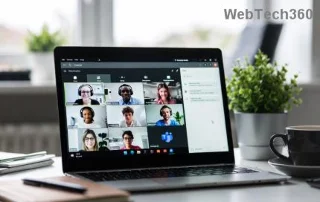
If you are wondering how to pin any window to always be on top of other windows (always on top), read this article right away!
Many hairstyles for straight hair to be copied and the tutorials to learn how to make them in a few simple steps. Here are the most beautiful hairstyles.
The biggest space hogs on your Android phone aren't always the things you can see. If your storage is filling up faster than usual, hidden files you never touch could be the culprit.
ADB not working or detecting your device on Windows? If Android can't connect via Android Debug Bridge (ADB), fixing this error requires just 3 basic steps.
Windows Defender is built into Windows 10 to find malware. To improve performance for tasks like compiling code or running virtual machines, you can add exceptions so Windows Defender will never scan those files.
A quick way to fix the most common wired network problems is to reset your Ethernet connection. Here are the steps to reset your Ethernet connection in Windows 11.
If you want, you can move the Documents folder and its contents to another location on your computer, following the instructions below.
When you can't open, edit, or delete a file in Windows File Explorer, the file is still open in a program running in the background or something isn't closing properly.
This is a way to harden and tweak your system so that updates happen on your own schedule, not Microsoft's.
Moving the Download folder from drive C to another drive on Windows 11 will help you reduce the capacity of drive C and will help your computer run smoother.
There is nothing complicated about how to do it.
There are many apps that help you add emoji to use on your iPhone, such as the Star Wars app. Users will have a lot of Star Wars-themed emoji to use for messages, or any content you want to use on your iPhone.
Starting with iOS 14, users will see a green or orange dot appear near the signal bar on the iPhone screen when opening certain applications. This is one of the new user privacy protection features added by Apple.
While you may already know and use Circle to Search for many things, let's explore some clever use cases.
Root Checker is an application that checks whether Android devices, from smartphones to tablets, have been rooted or not? Or whether the rooting process has been successful and worked effectively?
The problem of losing sound when updating Windows 11 can be related to the software, or from the sound driver on the computer. Below are instructions to fix the sound loss error when updating Windows 11.
You can use one of the following 6 methods to open Computer Properties (or System Properties) on Windows 10.
The following article will guide you on how to use Droidcam on your computer and phone as well as some suggestions for having a perfect video call!
With the right tools, you can scan your system and remove spyware, adware, and other malicious programs that may be lurking on your system.
Windows File Explorer offers a lot of options to change how you view files. What you might not know is that one important option is disabled by default, even though it's crucial to the security of your system.
The Recovery partition is a separate partition on your computer's hard drive or SSD and is used to restore or reinstall the operating system in case of system failure.
Compared to a computer, where you have a mouse to make precise selections, tapping in the right place on an iPhone (or iPad) is much harder. That is, until you learn about the hidden trackpad that's been right under your finger all along.
This is a collection of white wallpapers, white background images for all screen resolutions. If you like white, please refer to this album.
The default language change shortcut is Windows + Space which cannot be turned off by default, but you can also change the language shortcut according to the article below.
The Store has removed the persistent toggle and now only lets you pause app updates for 1–5 weeks. If you want to block forced app updates, you can try some of the settings below.
Microsoft enables password-protected sharing. If you find this setting unnecessary, you can disable password-protected sharing in Windows 11.
There are many ways to hide all the icons on the Windows desktop to get a clean, distraction-free interface. Here is a guide to hide icons on the Windows 11 desktop.
Apple does a better job than most companies when it comes to privacy. But not all of the default settings on the iPhone are in the user's best interest.
There are many reasons why Apple CarPlay may not work, stop working, or work incorrectly.
In case the settings you have changed affect the content on your computer, or there is a problem, you can reset Windows Settings, following the instructions below.