A common issue experienced by Hisense TV users is their TV turning off for no apparent reason. Nothing is more frustrating if you’re in the middle of your favorite TV show. Fortunately, there are some relatively straightforward solutions to this problem.

This article will tell you everything you need to know.
Cables
The best place to start when investigating your Hisense TV is to check your cables are connected properly. Ensure the power cable is fitted correctly and undamaged. Next, check your HDMI cable and connection.
The Hisense TV utilizes HDMI-CEC technology. While impressive, this can cause issues if there’s a faulty cable.
Remote Control
If you’ve checked the cables, but the issue persists, examine the remote control. An easy starter is to take the batteries out once your TV is on and see if it turns itself off. If not, it could be time to invest in some new batteries.
Check there are no buttons inadvertently held down, and give it a wipe with a damp cloth to make sure no hidden crumbs have become lodged somewhere they shouldn’t be.
Settings
One of the best reasons to own a Hisense TV is the number of options available to maximize your viewing pleasure. However, this means there are a few things you’ll need to tick off to try and resolve the issue.
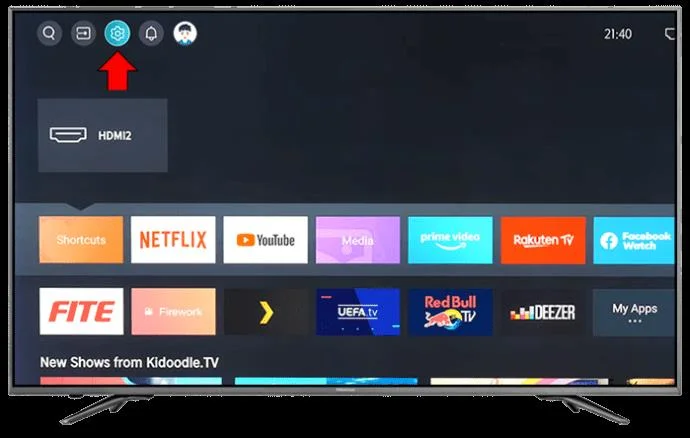
- Press “Quick Menu” on your remote.
- Next, click “Settings.”

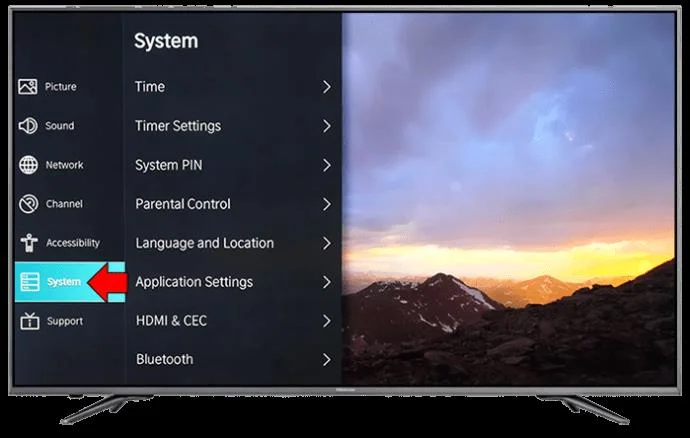
- Select “System.”

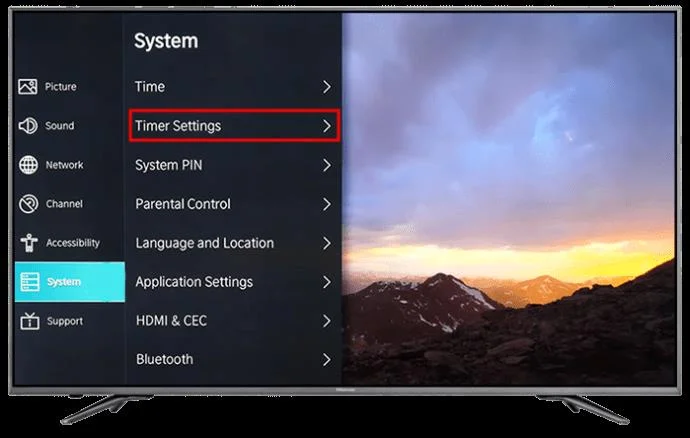
- Click “Timer Settings.”

You can disable the sleep timer setting, which will ensure your TV doesn’t switch to Standby mode after a certain time. You can also turn off the “Power Off” timer in case that has been turned on in development.
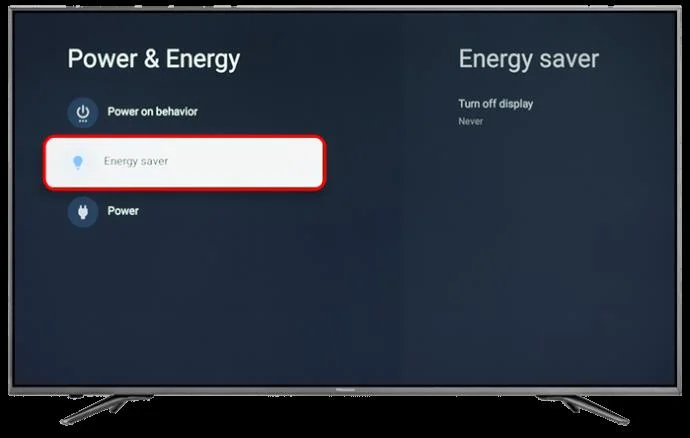
You can also check if the “Energy Saving” feature has been activated.
- Again, press “Quick Menu.”

- Select “Settings.”

- Press the “Energy Saving” option to check and deactivate if necessary.

Update Firmware
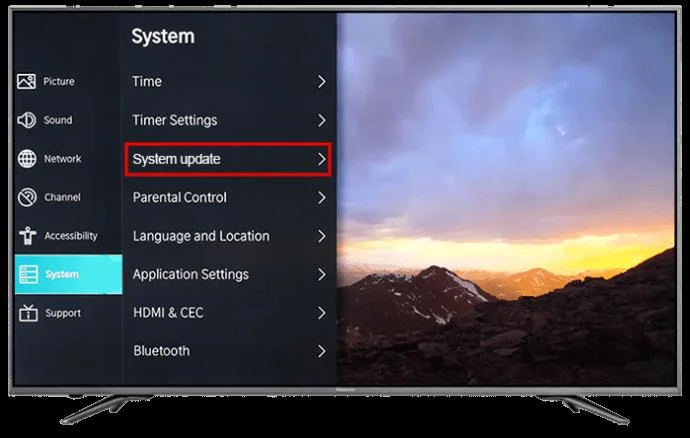
As with all smart TVs, the technology within your Hisense TV will receive constant updates, so here’s how to ensure you have the latest available update.
- Click “Settings.”

- Then, press the “System” option.

- Click “System Update.”

You can check the option so all future upgrades are installed automatically.
This will manually check for any upgrades that may have been missed.
Perform Factory Reset
Another thing you can try is to manually reset the settings on your Hisense TV. There are a couple of ways to do so.
- Press “Settings.”

- Click “Reset.”
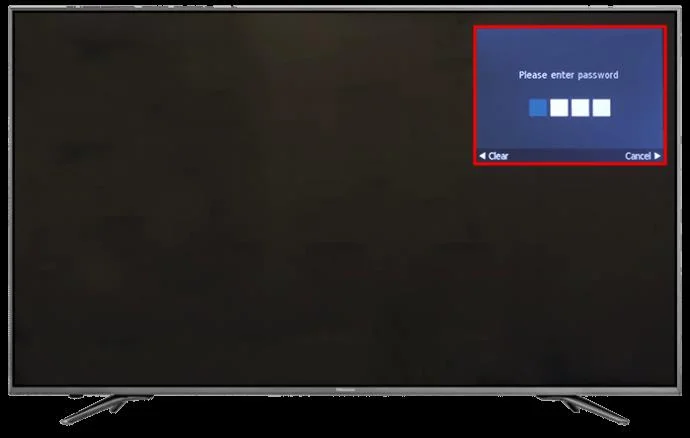
- Confirm your PIN. If you haven’t already set one up, try 0000, which is a standard one used in development.

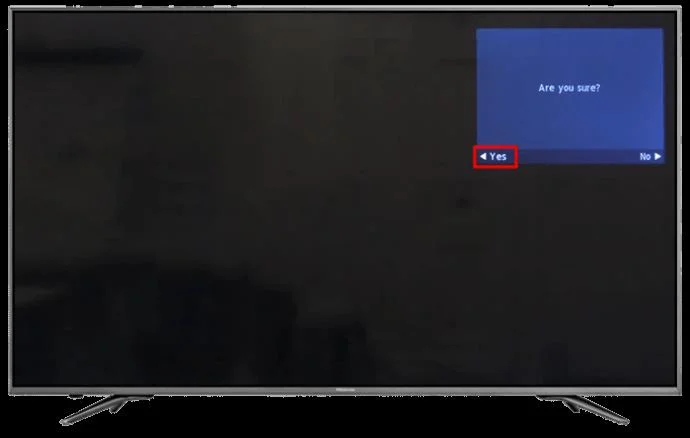
- Press “Yes” to confirm.

Either option will turn all settings to how they were initially inputted when built.
How to Setup a Pin on a Hisense TV
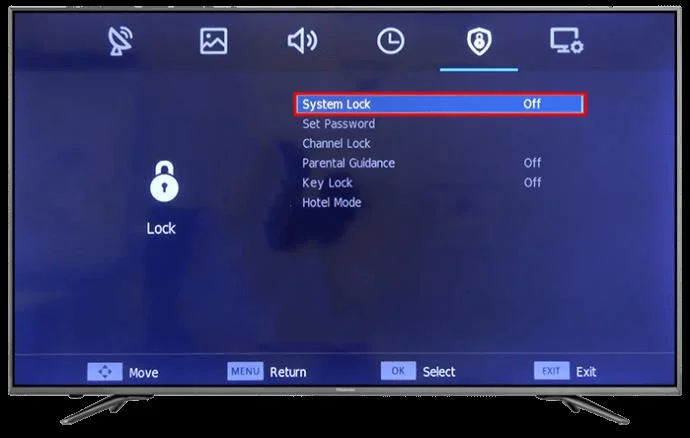
- Press “Menu.”

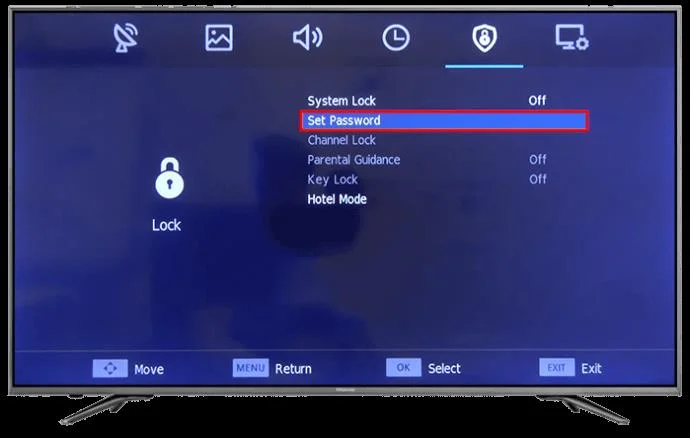
- Select “System Lock.”

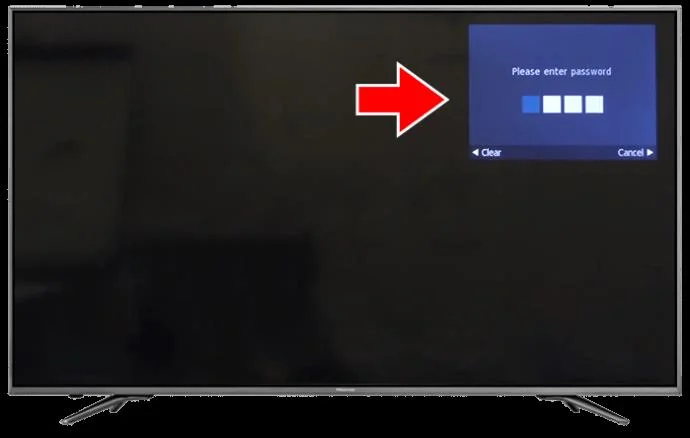
- It will ask for a password, so enter 0000.

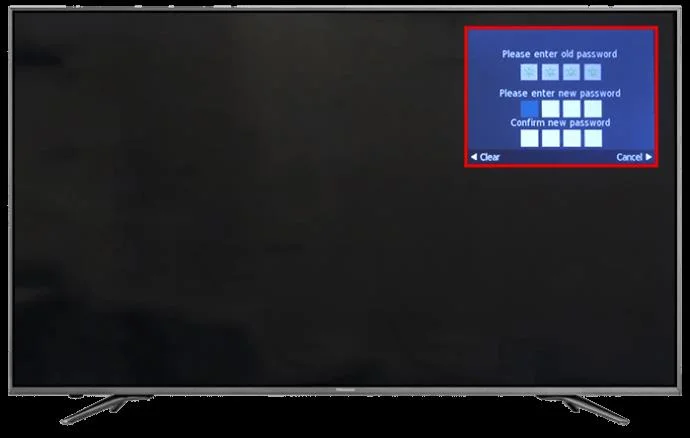
- Click “Set Password.”

- Choose and confirm your new PIN.

Overheating could be another cause. For this reason, it’s recommended to keep your TV away from any other heat sources, such as near a crowded plug socket. Also, ensure there’s enough airflow around the TV to assist the internal fan.
FAQs
Why is my Hisense TV stuck on the logo screen?
The main reasons your Hisense TV would be stuck on the logo screen are either the internal board malfunctioning or the software misbehaving. You can try the options above to help, or you can perform a manual reset without using the remote.
Does my Hisense TV come with a warranty?
Yes, all Hisense TVs come with a warranty of between 90 days and 2 years, depending on which model you have. To activate the warranty, you’ll need to complete a registration form and upload a copy of your receipt.
You should also check any purchaser warranties available from where you bought your TV.
Silence From Your Hisense
If you’ve ever experienced a TV switching off for no reason, you’ll know how frustrating it can be. Fortunately, these problems are often easy to fix. Better still, if you read the device’s instructional manual, you won’t have to take the TV to your nearest repair store.
Have you had any of these issues with your Hisense TV turning off for no reason? If so, did you use any of the tips and tricks featured in this article to fix it? Let us know in the comments section below.