Make Realistic Fake Blood Without a Cleanup Surprise

Mix a glossy prop-only fake blood batch, choose safer products for skin and costumes, and test cleanup before Halloween night.
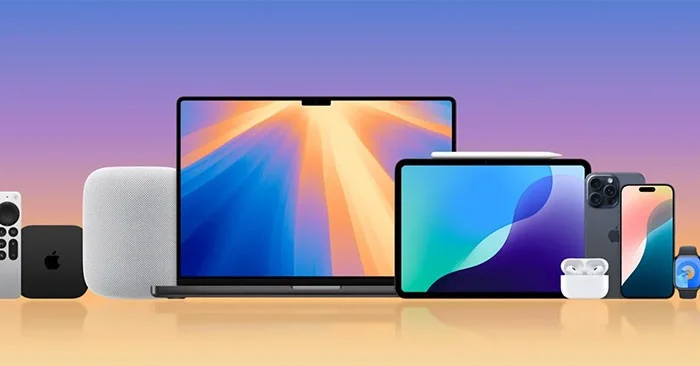
Apple's annual iPhone event is next week, September 9, where we'll see the iPhone 16, AirPods, several new Apple Watch models, and potentially more. But the introduction of new products also means we'll have to say goodbye to old ones. Here are some of the Apple products you won't be able to buy from the Apple Store after the keynote.
iPhone 15 Pro & iPhone 15 Pro Max
Since the iPhone XS and XR launched in 2018, Apple has discontinued its flagship iPhones just a year after they were introduced, likely because they were too similar. There’s no reason to expect that tradition to change, so we’ll probably say goodbye to Apple’s first titanium iPhone.
This is also likely to be the last iPhone Pro to come in the 6.1-inch and 6.7-inch screen sizes, as the iPhone 16 Pro is expected to have a larger display. The iPhone 15 Pro also comes in a beautiful Titanium Green color, a color that will likely be dropped from the 16 Pro lineup.
iPhone 14 Plus
The iPhone 14 Plus is Apple's first larger iPhone, following the failed iPhone 12 mini and iPhone 13 mini. It has the same 6.7-inch display and long battery life as the iPhone Pro Max, just for a cheaper price. The 14 Plus also brings back the "Plus" branding for the first time since 2017's iPhone 8 Plus.
Apple discontinued the iPhone 13 mini last September while continuing to sell the iPhone 13, so it's likely we'll see a similar strategy again this year - with the 14 Plus being killed off and the iPhone 14 living on for a while longer.
iPhone 13
Apple introduced the iPhone 13 in 2021, with a number of upgrades including longer battery life, a new camera system, and a smaller notch. It started at $799 and has been discounted several times over the years, now starting at $599. However, it's now nearly three years old and remains the oldest iPhone for sale on Apple's website.
If history repeats itself, the iPhone 13 will also disappear and the iPhone 14 will take its place at $599 — at least until the iPhone SE 4 comes out.
Apple Watch Series 9, Ultra 2 and SE 2
We can expect updates to all three Apple Watch models next week. The Series 10 is expected to come with a larger (and more powerful) display, a thinner case, and possibly a new chipset. The Ultra 3 is also expected to get a minor refresh this year, and the SE 3 is rumored to switch to a plastic case for a more affordable price.
If all Apple Watches are updated, Apple will likely stop selling all current-generation Series 9, Ultra 2, and SE 2 models.
AirPods 2 and AirPods 3
Apple has been selling the AirPods 2 since 2019, serving as the entry-level model at an affordable price with all the necessary features, and although the AirPods 3 were introduced in 2021 with Spatial Audio, better sound quality, and other features - Apple still kept the AirPods 2 in the lineup. However, that will soon change.
Next week, there are expected to be two new versions of the AirPods 4, a low-end version that replaces the AirPods 2 and a mid-range version that replaces the AirPods 3. The mid-range version is expected to include noise cancellation, unlike the AirPods 2. With both of these AirPods models being introduced, we may see the AirPods 2 and AirPods 3 disappear.
iPad mini 6 and iPad 10
We’ll see updates to Apple’s two cheapest iPads next week, the iPad mini 6 and the iPad 10. Even though Apple cut the price of the iPad 10 earlier this year, rumors suggest we’ll still see an update soon. There’s still a chance Apple will keep the iPad 10 around at an even lower $349 price after introducing the iPad 11, but the odds are a little slim.
As for the iPad mini, Apple has never kept an older model in recent history, so this one could also be discontinued after the keynote. The new model is expected to include support for Apple Intelligence, more storage, and possibly support for the Apple Pencil Pro.
Mix a glossy prop-only fake blood batch, choose safer products for skin and costumes, and test cleanup before Halloween night.
Create a gentle Halloween look with pastel colors, friendly ghosts, easy no-carve accents, and practical safety tips for your home.
Create a spooky office cubicle with Halloween desk decor ideas that keep your workspace usable, tidy, and mindful of workplace safety.
Plan a recognizable Halloween 2026 look with pop culture costumes inspired by Spider-Man, Supergirl, Toy Story 5, Moana, Mario, and Wednesday.
Sort leftover Halloween candy safely, share or repurpose sealed treats, and choose food use or compost for pumpkins based on their condition.
Compare workplace Halloween costume choices by respect, dress code, mobility, and safety—and learn when a subtle accessory or a policy check is the better option.
Find a couples costume that fits your style, budget, and comfort level, from Addams Family classics to original inside-joke duos.
Need a last-minute high school Halloween costume? Compare 10 easy closet-based ideas by prep time, comfort, school-day practicality, and simple safety checks.
Use a simple 2026 Halloween decorating timeline for indoor décor, outdoor displays, and fresh pumpkins, with practical adjustments for weather and events.
Mix five vivid, approachable Halloween cocktails with measured recipes, simple prep tips, and an alcohol-free option for your party guests.








