Solving Microsoft Teams Error Page Not Loading

😩 Encountering the frustrating Microsoft Teams "Error Page" Not Loading issue? You're not alone—this common glitch disrupts meetings, chats, and productivity across desktop, web, and mobile apps. Whether it's a blank screen, endless spinner, or persistent error message, it halts your workflow. But don't worry! This guide delivers precise, up-to-date fixes to resolve Solving Microsoft Teams "Error Page" Not Loading in minutes. Follow these steps, and you'll be back collaborating smoothly. Let's dive in!

Why Does the Microsoft Teams Error Page Fail to Load? Common Causes

Understanding the root causes empowers faster fixes. The Microsoft Teams Error Page Not Loading typically stems from:

  • Cache and Cookie Buildup: Outdated data clogs the app.
  • Network Glitches: Unstable connections or VPN conflicts.
  • Outdated App Version: Missing the latest patches.
  • Browser Extensions or Permissions: Interfering add-ons or blocked resources.
  • Server-Side Hiccups: Temporary outages on Microsoft's end.

👆 Quick check: First, verify Teams status at Microsoft Teams Status. If servers are down, wait it out. Otherwise, proceed to solutions.
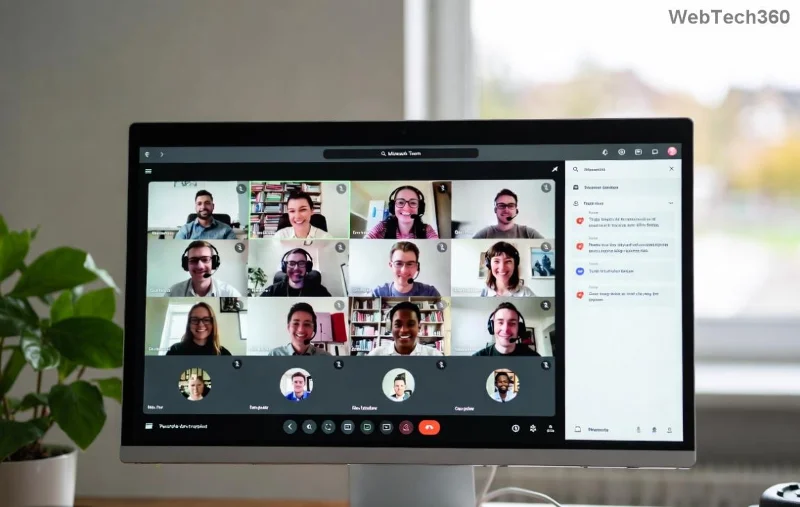
Microsoft Teams Error Page Not Loading screenshot showing blank error screen

Step-by-Step Fixes: Solving Microsoft Teams "Error Page" Not Loading

Start with the simplest solutions—they resolve 80% of cases. Test Teams after each step.

1️⃣ Clear Cache and Cookies (Fastest Fix for Web & Desktop)

  1. Open Teams in your browser or app.
  2. For Web Version: Press Ctrl+Shift+Delete (Windows) or Cmd+Shift+Delete (Mac). Select "Cookies and Cache" for the last hour/all time, then clear.
  3. For Desktop App: Go to your profile picture > Settings > General > Clear cache. Restart Teams.
  4. Sign out, close fully (use Task Manager on Windows), and sign back in.

Pro Tip: This wipes temporary files causing the Teams Error Page stall. Works like magic! ⭐

2️⃣ Update Microsoft Teams to the Latest Version

Outdated clients miss critical bug fixes. Check for updates:

  • Desktop: Profile icon > Check for updates.
  • Mobile: App Store/Google Play > Update.
  • Web: Use Edge or Chrome—Teams auto-updates.

Recent updates have patched similar Microsoft Teams Loading Issues. Always run the newest build!

3️⃣ Troubleshoot Network and Proxy Settings

  1. Switch networks (Wi-Fi to mobile data).
  2. Disable VPN or proxy: Settings > Network & Internet > Proxy > Off.
  3. Flush DNS: Command Prompt (Admin) > ipconfig /flushdns.
  4. Restart router/modem.

If corporate firewall blocks, contact IT. This fixes proxy-induced Teams Error Page Not Loading.

Step-by-step cache clearing in Microsoft Teams to fix Error Page Not Loading

4️⃣ Advanced Fixes for Stubborn Cases

Still stuck? Escalate:

Issue Solution Platform
Browser-Specific Disable extensions (Incognito mode). Use Edge/Chrome. Web
App Crashes Reinstall Teams: Uninstall > Download from official site. Desktop/Mobile
Permissions Error Allow camera/mic/site access in browser settings. All
Account Sync Remove other accounts: Settings > Accounts > Manage. Desktop

For macOS: Reset app permissions via System Preferences > Security & Privacy.

5️⃣ Reset Teams Completely (Last Resort)

Windows: Delete %appdata%\Microsoft\Teams folders, then reinstall.
macOS: ~/Library/Application Support/Microsoft/Teams.
This eradicates deep corruption causing Solving Microsoft Teams "Error Page" Not Loading".

Prevention Tips: Avoid Future Microsoft Teams Error Page Issues

  • ⭐ Enable auto-updates.
  • Regularly clear cache weekly.
  • Use official clients over web where possible.
  • Monitor network stability with tools like Speedtest.
  • Backup chats via export feature.

😊 Implementing these keeps your Teams humming. Share this guide if it helped a colleague!

Ready to Team Up Again?

Congratulations—you've conquered the Microsoft Teams "Error Page" Not Loading beast! If issues persist, reach Microsoft Support via the app (Help > Give feedback). Drop a comment below: Which fix worked for you? Stay productive! 👏

Leave a Comment

Solving Microsoft Teams Error Page Not Loading

Solving Microsoft Teams Error Page Not Loading

Struggling with Microsoft Teams "Error Page" not loading? Get step-by-step fixes for desktop, web, and mobile. Solve Microsoft Teams Error Page issues quickly and resume seamless teamwork today.

Solving Microsoft Teams Error Screenshot Issues

Solving Microsoft Teams Error Screenshot Issues

Tired of Microsoft Teams "Error Screenshot" blocking your workflow? Get proven, step-by-step solutions to resolve screenshot errors in Teams instantly and boost productivity. No tech skills needed!

How to Fix Microsoft Teams Error U User

How to Fix Microsoft Teams Error U User

Tired of Microsoft Teams "Error U" User blocking your chats? Get proven, step-by-step fixes to clear cache, reset, and restore seamless collaboration instantly.

Where are Microsoft Teams Registry Keys Located on Windows 11?

Where are Microsoft Teams Registry Keys Located on Windows 11?

Unlock the precise locations of Microsoft Teams registry keys on Windows 11. Step-by-step guide to find, access, and safely tweak them for optimal performance and troubleshooting. Essential for IT pros and Teams enthusiasts.

How to Fix Microsoft Teams Training Error Video Lag

How to Fix Microsoft Teams Training Error Video Lag

Tired of Microsoft Teams "Training Error" Video Lag ruining your meetings? Follow our step-by-step guide with the latest fixes for smooth video calls—no more frustration!

How to Fix Microsoft Teams Error occurred During Sign-In

How to Fix Microsoft Teams Error occurred During Sign-In

Frustrated by Microsoft Teams "Error occurred" during sign-in? Discover proven, step-by-step fixes to get back online fast. Clear cache, reset app, and more for seamless login. Works on Windows, Mac & web.

Troubleshooting Microsoft Teams Call Error Disconnecting

Troubleshooting Microsoft Teams Call Error Disconnecting

Struggling with Microsoft Teams "Call Error" Disconnecting? Discover proven, step-by-step fixes for call drops, network issues, and more. Get back to seamless meetings fast with our expert troubleshooting guide.

How to Fix Microsoft Teams Error 2603: Login Loop Fix

How to Fix Microsoft Teams Error 2603: Login Loop Fix

Stuck in Microsoft Teams Error 2603 login loop? Get proven step-by-step fixes to resolve the issue fast and restore seamless teamwork. Clear cache, reset, reinstall – all covered!

How to Fix Microsoft Teams Voice Call Error

How to Fix Microsoft Teams Voice Call Error

Tired of Microsoft Teams voice call errors? Follow our step-by-step guide to troubleshoot no audio, echo, or call drops. Proven fixes for crystal-clear calls every time.

How to Fix Microsoft Teams Workflows Error Power Automate

How to Fix Microsoft Teams Workflows Error Power Automate

Struggling with Microsoft Teams "Workflows Error" in Power Automate? Discover proven, step-by-step fixes to resolve connection issues, permissions, and more. Get your workflows running smoothly today!

How to Fix Microsoft Teams Reddit Popular Error Fixes

How to Fix Microsoft Teams Reddit Popular Error Fixes

Tired of Microsoft Teams crashes, black screens, and sign-in loops? Unlock Reddit's most popular, proven fixes to resolve common Microsoft Teams errors quickly and get back to productive meetings. Step-by-step guides inside!

Troubleshooting Microsoft Teams Error 53003: Access Denied

Troubleshooting Microsoft Teams Error 53003: Access Denied

Tired of Microsoft Teams Error 53003 Access Denied blocking your meetings? Discover proven, step-by-step fixes to troubleshoot and resolve it quickly – no tech expertise needed!

How to Fix Microsoft Teams Media Error During Calls

How to Fix Microsoft Teams Media Error During Calls

Tired of Microsoft Teams media errors ruining your calls? Follow our expert, step-by-step guide to fix audio, video, and media issues quickly. Restore crystal-clear meetings today!

How to Fix Microsoft Teams Classic Login Error

How to Fix Microsoft Teams Classic Login Error

Struggling with Microsoft Teams "Classic" login error? Discover proven, step-by-step fixes to get back online fast. Clear cache, reset credentials, and more—no tech skills needed!

Troubleshooting Microsoft Teams Test Call Mic Error

Troubleshooting Microsoft Teams Test Call Mic Error

Struggling with Microsoft Teams Test Call mic error? Discover step-by-step troubleshooting for microphone issues, from quick checks to advanced fixes. Restore crystal-clear audio in minutes!








