Solving Microsoft Teams Task Management Sync Error

Imagine diving into your daily workflow only to hit the frustrating Microsoft Teams "Task Management" Sync Error. Tasks refuse to update, plans stall, and productivity grinds to a halt. 😩 Don't worry – you're not alone, and this guide has your back with proven solutions to get everything syncing smoothly again.

Whether it's Planner tasks not loading or To Do lists stuck in limbo, we'll cover common causes and step-by-step fixes based on the latest Microsoft updates. Stick around – by the end, you'll be back to crushing your to-do list like a pro. Let's dive in! ⭐

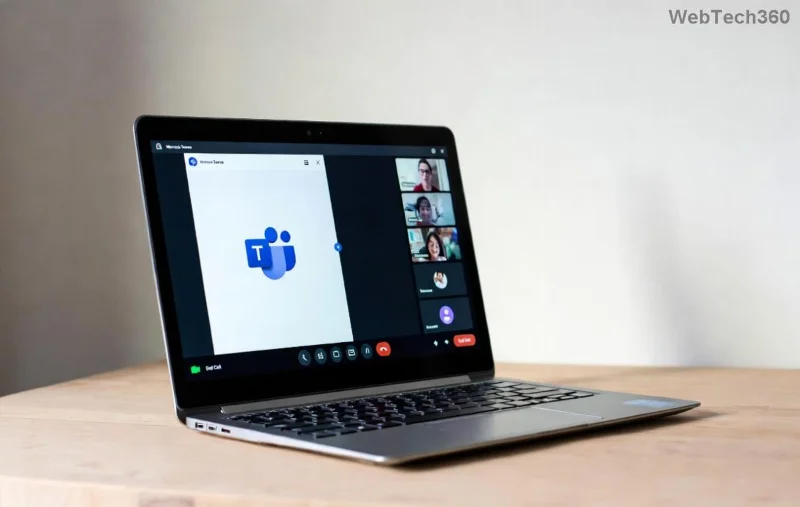
Screenshot showing Microsoft Teams Task Management Sync Error message

🔍 What Causes Microsoft Teams "Task Management" Sync Error?

Sync errors in Microsoft Teams Task Management often stem from temporary glitches or configuration hiccups. Here's a quick breakdown:

  • Network instability: Weak connections disrupt cloud sync with Microsoft 365.
  • Cache buildup: Outdated local data clashes with server updates.
  • App version mismatches: Running an older Teams client misses critical patches.
  • Permissions issues: Limited access to Planner or To Do buckets blocks updates.
  • Overloaded servers: Peak usage times can cause temporary lags.

Pro tip: Before troubleshooting, note the exact error code (e.g., "Sync failed" or "0x8004de40") – it helps pinpoint the issue faster. Ready to fix it? 👇

✅ Step-by-Step Fixes for Microsoft Teams "Task Management" Sync Error

Start with the simplest solutions and escalate if needed. Most users resolve it in under 10 minutes!

1️⃣ Quick Restart and Basic Checks

  1. Close Microsoft Teams completely (use Task Manager on Windows: Ctrl+Shift+Esc, end all Teams processes).
  2. Restart your device.
  3. Reopen Teams and navigate to Tasks app (via Apps or Chat left sidebar).
  4. Check your internet: Run a speed test and switch to a stable Wi-Fi or wired connection.

If sync resumes, great! 🎉 Otherwise, proceed.

2️⃣ Clear Teams Cache (Most Effective Fix)

Corrupted cache is the #1 culprit for Teams Task Management sync errors. Here's how to wipe it:

Platform Steps
Windows 1. Quit Teams.
2. Press Win+R, type %appdata%\Microsoft\Teams, hit Enter.
3. Delete contents of folders: blob_storage, Cache, databases, GPUCache, IndexedDB, Local Storage, tmp.
4. Restart Teams.
macOS 1. Quit Teams.
2. Open Finder > Go > Go to Folder: ~/Library/Application Support/Microsoft/Teams.
3. Delete same folders as above.
4. Restart.
Web/Mobile Clear browser cache or reinstall the app from store.
Step-by-step visual guide to clearing Microsoft Teams cache for sync error fix

💡 80% of users report instant sync recovery after this step.

3️⃣ Update Teams and Check Permissions

  1. Open Teams > Profile icon (top right) > Check for updates.
  2. Ensure you're on the latest version (automatic in new Teams client).
  3. In Teams Admin Center or via Teams Admin, verify Planner/Tasks app permissions for your account.
  4. Sign out (Profile > Sign out everywhere) and sign back in with your Microsoft 365 credentials.

4️⃣ Advanced Fixes: Re-add Tasks Tab or Reset Planner

If basics fail:

  • Re-add Tasks: Right-click channel/team > Manage team > Apps > Add Tasks by Planner and To Do.
  • Reset via PowerShell: For admins, use Reset-TeamsProcess cmdlet (requires Teams PowerShell module).
  • Browser Test: Try teams.microsoft.com in incognito mode to rule out extensions.
Successful sync after fixing Microsoft Teams Task Management error

Still stuck? Check Microsoft's official troubleshooter: Teams Tasks Troubleshooting.

🛡️ Prevent Future Microsoft Teams "Task Management" Sync Errors

Stay ahead with these habits:

  • Enable auto-updates in Teams settings.
  • Regularly clear cache weekly if heavy user.
  • Monitor storage: Full OneDrive can indirectly affect sync.
  • Use Teams Status (admin.teams.microsoft.com) for outages.

Bonus: Integrate with Microsoft To Do for hybrid task views – fewer sync points mean fewer errors!

🎯 Final Thoughts: Sync Restored, Productivity Unleashed

Congrats! You've conquered the Microsoft Teams "Task Management" Sync Error. 👏 If these steps worked (or didn't), drop a comment below – your experience helps others. For more Teams tips, explore our guides on Teams notifications overload or channel management hacks. Back to work, hero! 🚀

Leave a Comment

Solving Microsoft Teams Task Management Sync Error

Solving Microsoft Teams Task Management Sync Error

Tired of Microsoft Teams Task Management Sync Error halting your workflow? Follow our proven, step-by-step fixes to resolve sync issues fast and restore seamless task collaboration. No tech expertise needed!

Troubleshooting Microsoft Teams Wiki Error Formatting

Troubleshooting Microsoft Teams Wiki Error Formatting

Struggling with Microsoft Teams Wiki Error Formatting? This step-by-step guide reveals proven fixes for common wiki tab issues, ensuring smooth editing and collaboration in Teams. Get back to productive wikis fast!

How to Fix Microsoft Teams Installation Error for Linux

How to Fix Microsoft Teams Installation Error for Linux

Struggling with Microsoft Teams installation error on Linux? Discover step-by-step fixes for Ubuntu, Fedora & more. Resolve dependency issues, crashes, and errors quickly with our ultimate guide. Get Teams running smoothly today!

Solving Microsoft Teams Error Page Not Loading

Solving Microsoft Teams Error Page Not Loading

Struggling with Microsoft Teams "Error Page" not loading? Get step-by-step fixes for desktop, web, and mobile. Solve Microsoft Teams Error Page issues quickly and resume seamless teamwork today.

Solving Microsoft Teams Error Screenshot Issues

Solving Microsoft Teams Error Screenshot Issues

Tired of Microsoft Teams "Error Screenshot" blocking your workflow? Get proven, step-by-step solutions to resolve screenshot errors in Teams instantly and boost productivity. No tech skills needed!

How to Fix Microsoft Teams Error U User

How to Fix Microsoft Teams Error U User

Tired of Microsoft Teams "Error U" User blocking your chats? Get proven, step-by-step fixes to clear cache, reset, and restore seamless collaboration instantly.

Where are Microsoft Teams Registry Keys Located on Windows 11?

Where are Microsoft Teams Registry Keys Located on Windows 11?

Unlock the precise locations of Microsoft Teams registry keys on Windows 11. Step-by-step guide to find, access, and safely tweak them for optimal performance and troubleshooting. Essential for IT pros and Teams enthusiasts.

How to Fix Microsoft Teams Training Error Video Lag

How to Fix Microsoft Teams Training Error Video Lag

Tired of Microsoft Teams "Training Error" Video Lag ruining your meetings? Follow our step-by-step guide with the latest fixes for smooth video calls—no more frustration!

How to Fix Microsoft Teams Error occurred During Sign-In

How to Fix Microsoft Teams Error occurred During Sign-In

Frustrated by Microsoft Teams "Error occurred" during sign-in? Discover proven, step-by-step fixes to get back online fast. Clear cache, reset app, and more for seamless login. Works on Windows, Mac & web.

Troubleshooting Microsoft Teams Call Error Disconnecting

Troubleshooting Microsoft Teams Call Error Disconnecting

Struggling with Microsoft Teams "Call Error" Disconnecting? Discover proven, step-by-step fixes for call drops, network issues, and more. Get back to seamless meetings fast with our expert troubleshooting guide.

How to Fix Microsoft Teams Error 2603: Login Loop Fix

How to Fix Microsoft Teams Error 2603: Login Loop Fix

Stuck in Microsoft Teams Error 2603 login loop? Get proven step-by-step fixes to resolve the issue fast and restore seamless teamwork. Clear cache, reset, reinstall – all covered!

How to Fix Microsoft Teams Voice Call Error

How to Fix Microsoft Teams Voice Call Error

Tired of Microsoft Teams voice call errors? Follow our step-by-step guide to troubleshoot no audio, echo, or call drops. Proven fixes for crystal-clear calls every time.

How to Fix Microsoft Teams Workflows Error Power Automate

How to Fix Microsoft Teams Workflows Error Power Automate

Struggling with Microsoft Teams "Workflows Error" in Power Automate? Discover proven, step-by-step fixes to resolve connection issues, permissions, and more. Get your workflows running smoothly today!

How to Fix Microsoft Teams Reddit Popular Error Fixes

How to Fix Microsoft Teams Reddit Popular Error Fixes

Tired of Microsoft Teams crashes, black screens, and sign-in loops? Unlock Reddit's most popular, proven fixes to resolve common Microsoft Teams errors quickly and get back to productive meetings. Step-by-step guides inside!

Troubleshooting Microsoft Teams Error 53003: Access Denied

Troubleshooting Microsoft Teams Error 53003: Access Denied

Tired of Microsoft Teams Error 53003 Access Denied blocking your meetings? Discover proven, step-by-step fixes to troubleshoot and resolve it quickly – no tech expertise needed!









