Home
» Wiki
»
10 common mistakes when taking photos with smartphones
10 common mistakes when taking photos with smartphones
You don’t need a better camera, you need better habits. For years, some people have struggled to improve their phone photography, not realizing that they are making the same mistakes over and over again. Once you fix them, everything will change!
It took many people a while to realize that they could manually adjust the exposure of their phones. Before, cloudy skies were often overblown, and they struggled to control contrast and shadows in low light.
Once you discover that you can adjust exposure yourself, your smartphone photography will improve dramatically. Things get even better when you learn how to lock exposure. Plus, you don’t have to change any settings on the backend.
9. Ignore shutter speed
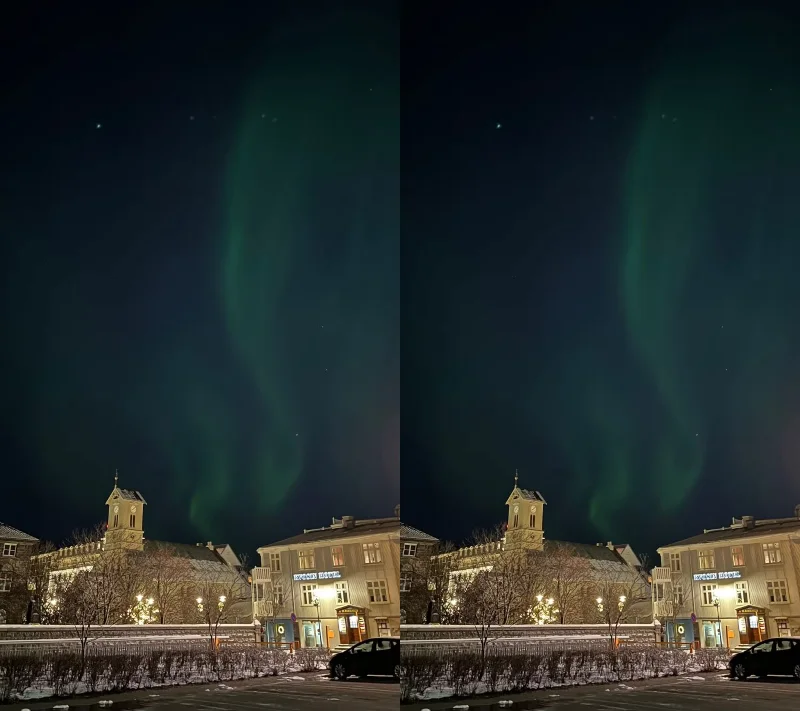
Many people prefer to use their smartphones to take night photos , and one way smartphones help you take better photos is through their long shutter speeds. However, for a long time, many people didn’t know that you could change your shutter speed to take long exposure photos. So while the results are still pretty good, you never reach your full potential.
There are a number of different camera apps that can change your shutter speed. While using them can take a little getting used to, the results are often worth it. Slow Shutter Cam is one option; it costs $2.99.
8. Do not change camera filters
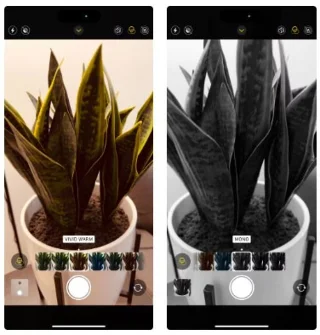
The standard color filters that come with your phone may be fine for most shooting situations, but using them alone for long periods of time will limit your creativity. There are some great iPhone filters out there, and newer models have a variety of styles to choose from.
You can adjust the intensity of your camera filter to suit your needs. If needed, you can always make further adjustments using the camera editing tools on your smartphone. Changing the filter before you take the photo will help you achieve the look you want.
7. Do not enable camera grid and level
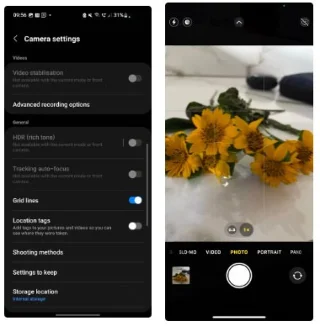
Older smartphone photos are often skewed and poorly composed. Turning on the camera grid will save you a lot of trouble.
When Apple first introduced Portrait Mode, many people thought that using it for everything would automatically make their photos look better. All you had to do was use a wide aperture and your photos suddenly looked professional, right?
Wrong.
While you may love using Portrait Mode when taking photos of people, not knowing when to use it is a beginner's mistake. Now, think carefully about whether you really need Portrait Mode. In most cases, your camera's standard mode will do just fine.
5. Ignoring the importance of color theory
Color theory is how each color interacts in a photo. For example, orange and purple are complementary colors. In the early days of photography, many people completely ignored this.
Applying color theory is one of the easiest ways to improve the look of your photos. In addition to looking for complementary colors, consider whether you need to bring any items with you when you take the photo. For example, you might want to bring a red umbrella if you’re taking the photo in a location with a lot of green. There are plenty of AI-powered online color palette generators these days that make the job easier.
4. Taking too many pictures
Taking lots of photos when you’re just starting out has both advantages and disadvantages. On the one hand, you’ll learn a lot about photography by taking lots of photos—especially when shooting different genres. But once you’re at the beginner level, it can become a disadvantage. Many people hoard photos on their smartphones out of fear of running out of ideas.
Stop taking hundreds of photos every time you go out. You'll get better results and not waste so much storage space.
3. Expecting editing to fix bad photos
People take too many photos because they don’t care how they look in camera. They think they can fix bad photos later with post-processing software, but this is not the right mindset.
Sure, you can change some things about your photos. For example, you can adjust the exposure and increase or decrease the saturation. However, editing doesn’t fix issues like blurriness (even with AI tools).
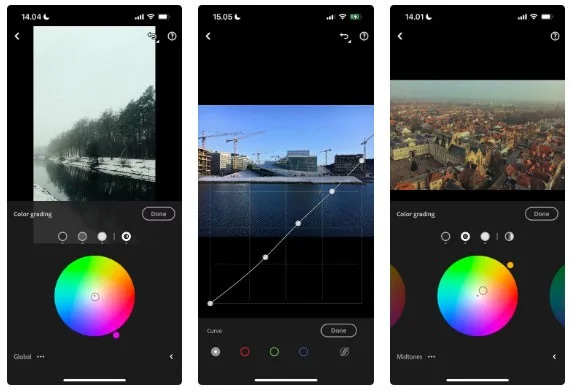
Now, consider photo editing optional. It’s a tool you can access if you need it, but it won’t suddenly turn a bad photo into a great one. Any photo editing app is easy to learn, which means you can be flexible.
2. Use only the default camera app
For beginners, the iPhone's native camera app is more than good enough. The image quality is decent, and the app has enough features to help you learn the basics of photography. However, many people limit themselves by not trying out other tools later.
Film style photo edited on iPhone app
Check out some great apps to improve your smartphone photography! They range from film-style cameras to tools that give you more control over your exposure triangle. While you can still use the default camera app for most things, trying out other apps will teach you more about taking great photos.
1. Not understanding the limitations
Many people use Instagram for inspiration, but one of the biggest problems people have at first is not understanding the limitations of their smartphones. You may have seen amazing photos taken with a full-frame camera and been disappointed that your phone can’t match the quality. This is especially true when the photographer is using a zoom lens.
Understanding and working with the limitations of your camera has helped you progress faster in photography. Enlarged photos may not work with your equipment, and you may not get the colors you want without the right camera.
Making mistakes is an inevitable part of photography, but there are some basic mistakes you can avoid. However, they are part of the journey and be grateful that you can pass this knowledge on to others. Being honest with your smartphone and your skill level is equally important.