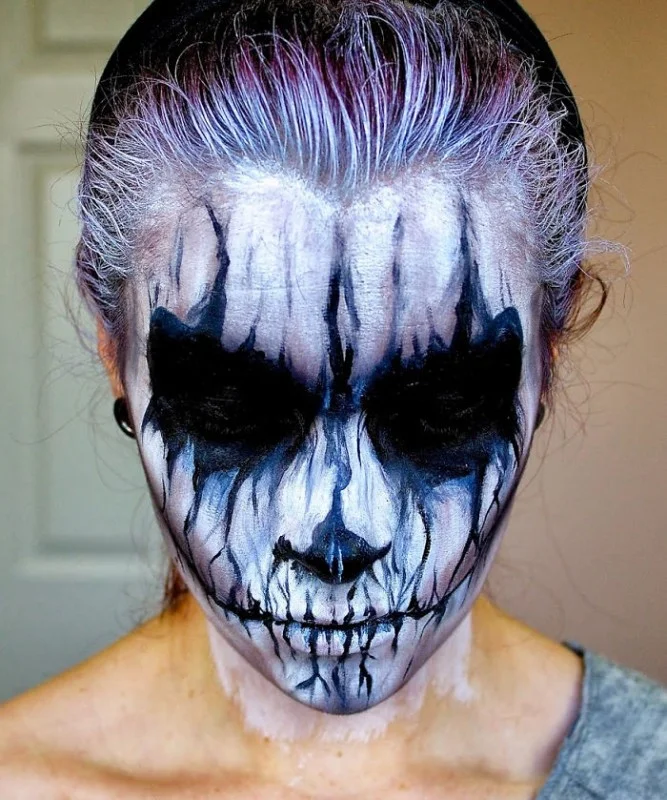
October 31 is coming, if you still don't have any idea for Halloween makeup to attend parties and have fun, please refer to the article below. Drawing a cat mask, a zombie mask or a death mask... will be a good idea for you to impress and attract all eyes.
Prepare your tools and let's do it!
Table of Contents
Halloween Mask Drawing
- Makeup brush.
- White chalk.
- Blush.
- Multi-color eyeshadow set.
8 steps to follow:
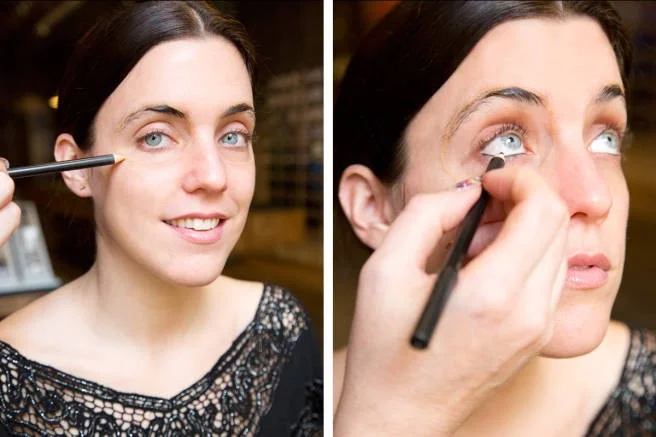
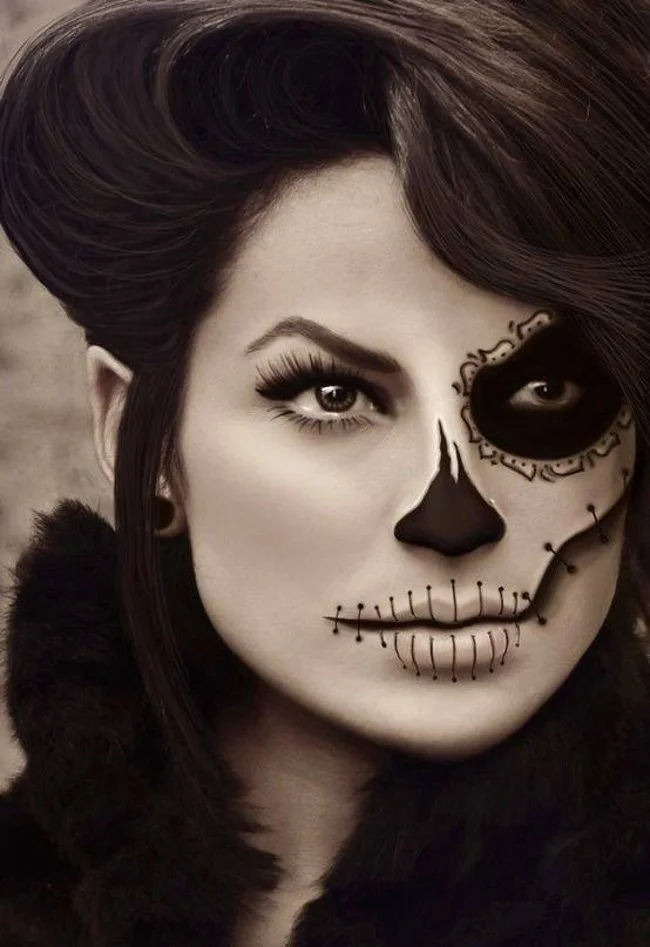
1. Draw eyes : use a pencil to draw a wide circle around the eyes.
 2. Eyeshadow : Use a brush to color the eyes (inside the newly drawn circle). The color depends on your preference, it can be black, dark blue, dark blue...
 3. Paint the face background (use white).
 4. Lip and cheek makeup : Use blush to apply on cheekbones and lips.
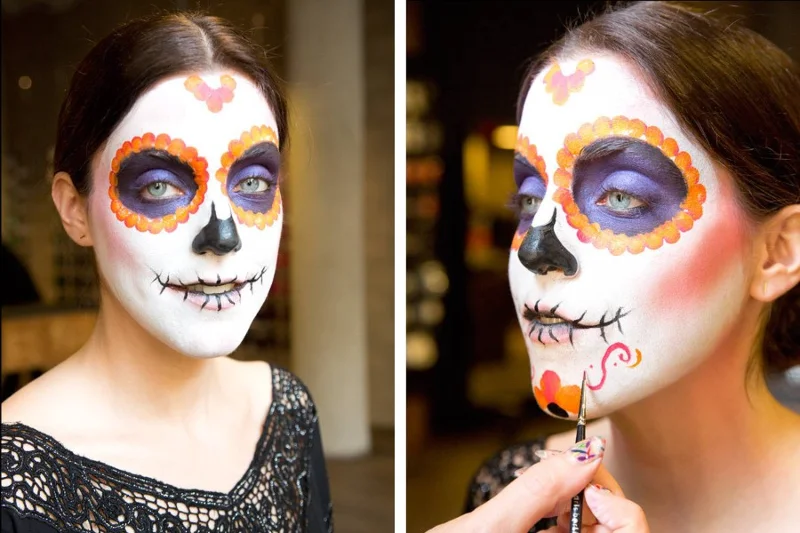
 5. Draw the nose: Use black to draw the entire nose.
 6. Choose orange to draw small, continuous circles outside the black circle around the eyes. You can also draw continuous circles in other shapes to highlight the forehead area. Besides orange, you can choose other bright, outstanding colors to draw such as red, dark pink...

7. Create a "mouth stitch" : Use a black acrylic brush to make 3 dots at equal distances from each other on the cheekbones for guidance, then connect the dots together. Draw alternating long and short vertical strokes on the lips to create a "stitch" pattern.
 8. Draw additional patterns of your choice on the lower part of the chin to highlight the face.
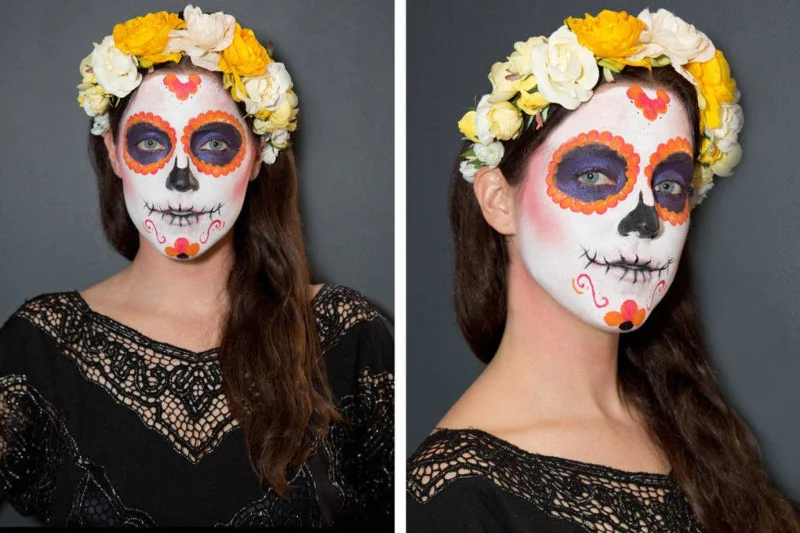
 So you've finished your makeup to turn your face into a mysterious and impressive Halloween mask. Not too complicated, right!
You can freely be creative with other colors and patterns to have the impressive mask you want.
Cat Face Halloween Makeup

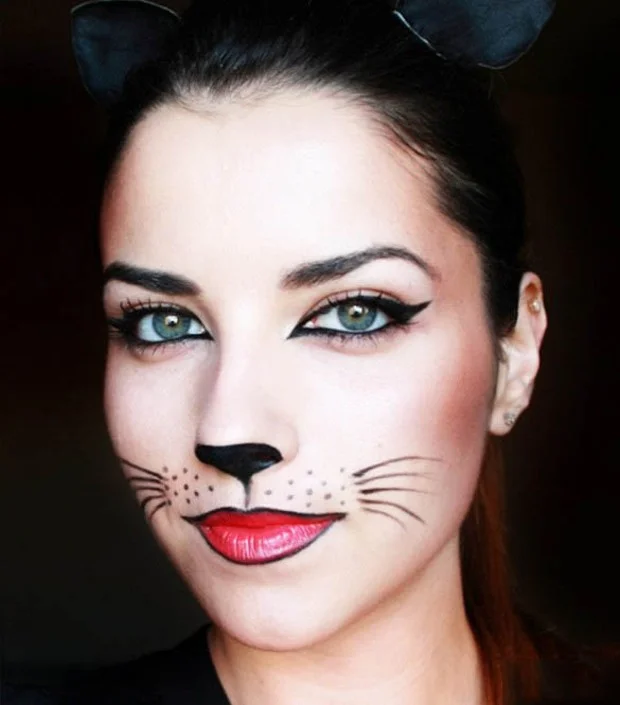
This is a simple mask, easy to do but no less cute. You just need to draw slanted eyes with a very dark color, draw cat whiskers and don't forget the black spots around. You draw black lip line and apply dark pink or red lipstick. For the nose, you can choose black or red as you like.
Draw Spider Eyes for Halloween Night

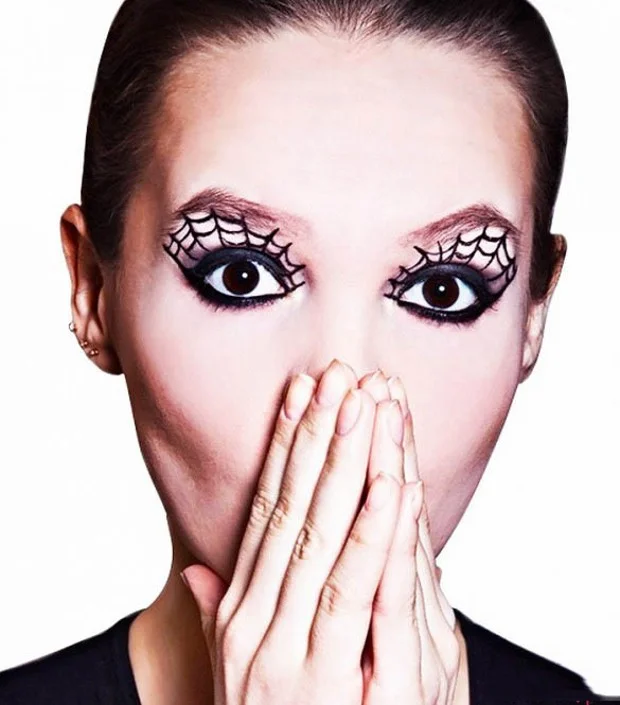
Use black eyeliner to line your lower lash line and dark blue to line your upper lash line. For a spooky Halloween effect, draw a spider web pattern on the upper part of your eye with liquid eyeliner.
Cute and spooky Halloween makeup with Harley Quinn
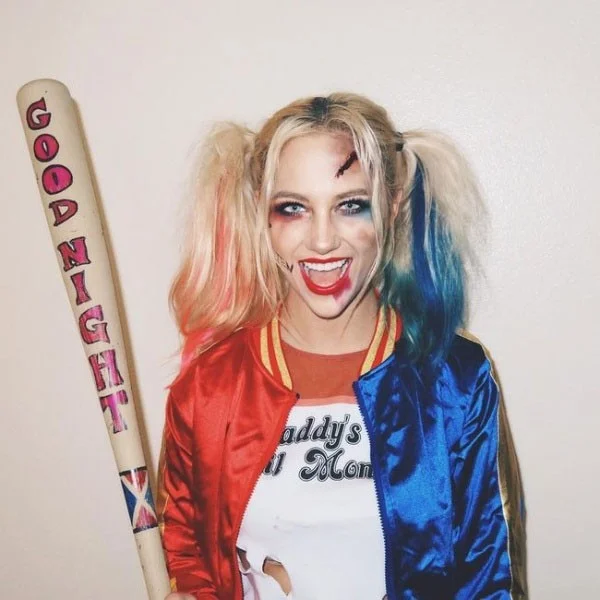
Haley Quinn doesn't need to be too fussy but is extremely impressive and beautiful, so she is loved and chosen by many young people for Halloween makeup.
The two main colors of blue and red combined with platinum hair on both sides create a unique look and help you attract all eyes.

Halloween Grim Reaper Makeup

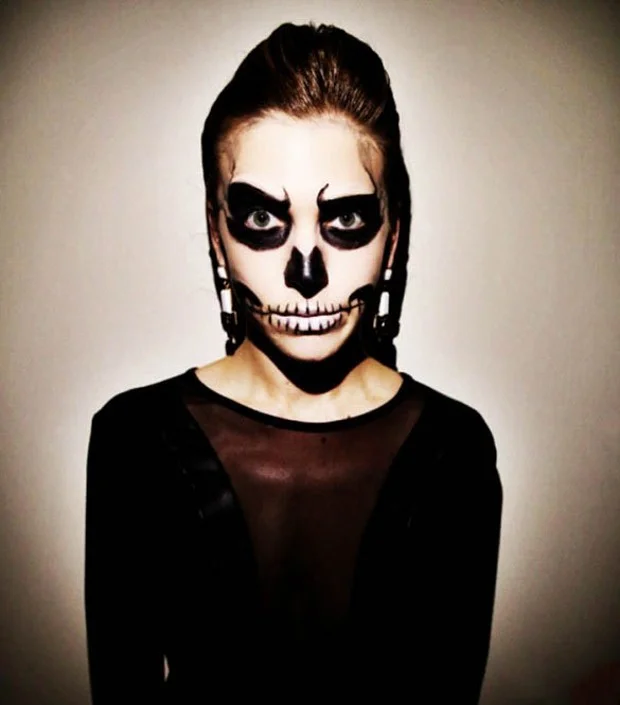
This face is chosen by many young people because it causes a strong fear effect to those around. You need to apply a layer of white powder as a base for the face. Then you contour and color.
Drawing horror Halloween masks

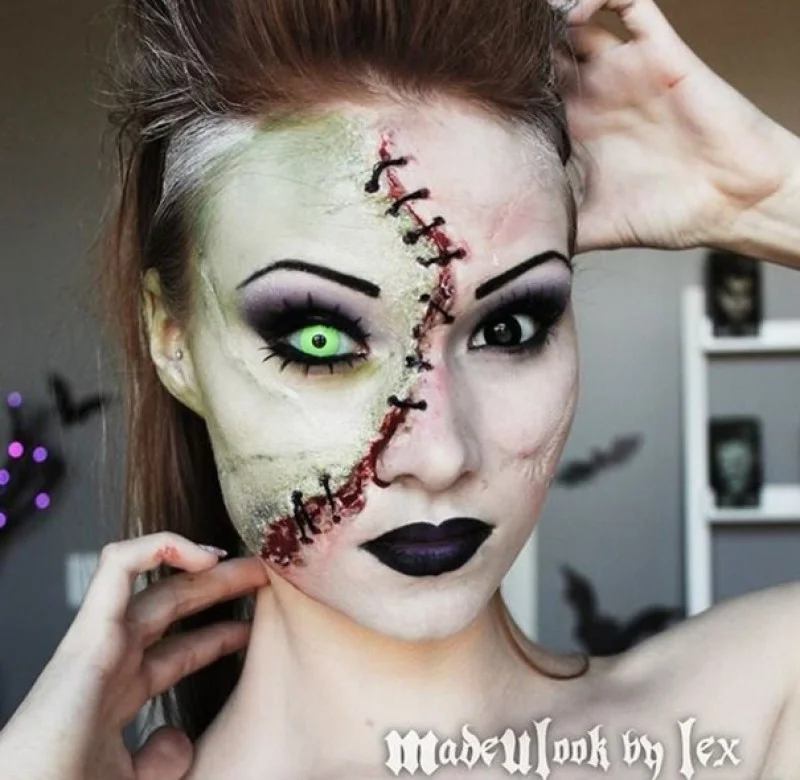
This half face makeup style is quite simple but also very unique.
Halloween vampire makeup
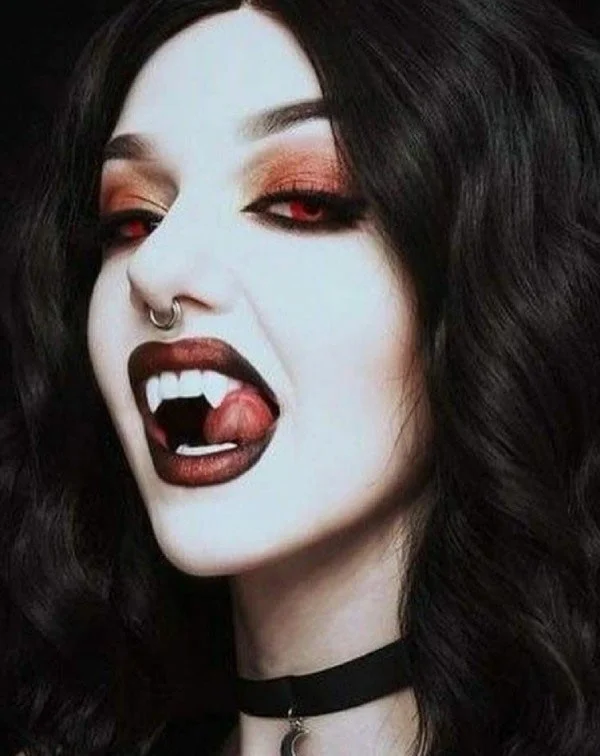
Vampires are one of the characters that many people choose to cosplay to create a highlight on Halloween night.

To draw a vampire mask, you should use a foundation 1-2 tones lighter than your skin and use dark eyeshadow and heavy makeup on the eye area to create highlights.
Don't forget to add accessories like fake fangs and some red food coloring in the corners of the mouth for extra horror.
Horror skull makeup

Zombie Mask

Draw scary demon mask

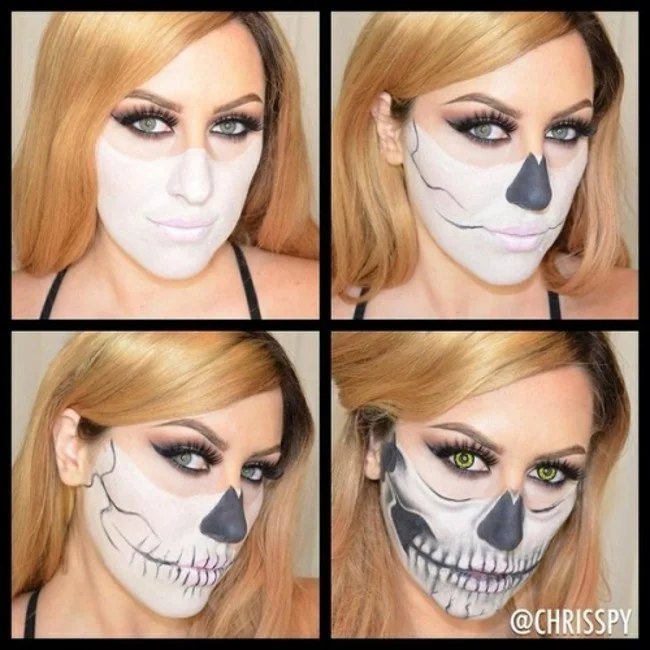
Drawing Horror Skull Mask for Halloween
In addition to the Halloween makeup methods above, you can also refer to how to dress up as a horror Zombie on Halloween , how to create fake wounds when dressing up as a witch on Halloween ,...
If you organize Halloween yourself to have fun with friends, you can refer to 11 suggestions for impressive Halloween decorations , or impressive Halloween decorations using old bottles to have a truly impressive party.
Wishing you success and a memorable Halloween!
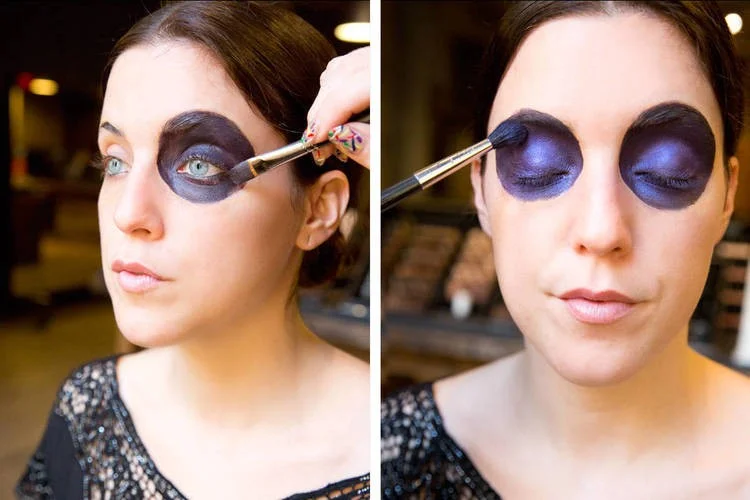 2. Eyeshadow : Use a brush to color the eyes (inside the newly drawn circle). The color depends on your preference, it can be black, dark blue, dark blue...
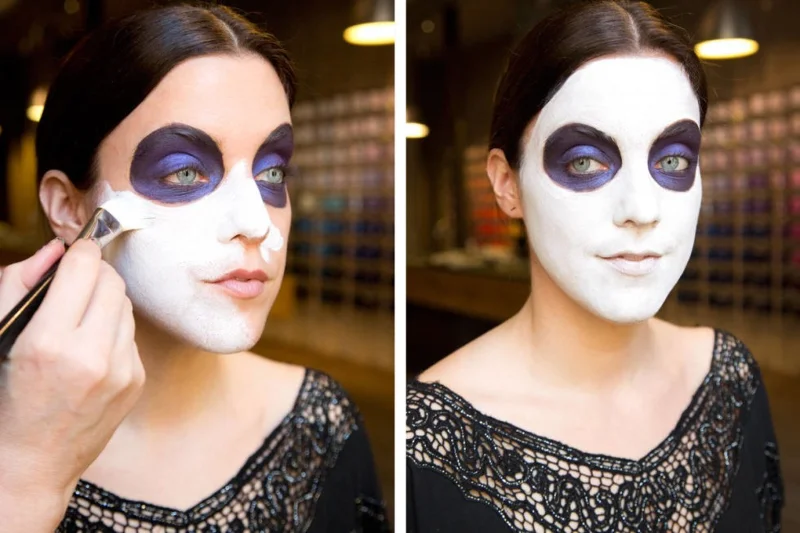 3. Paint the face background (use white).
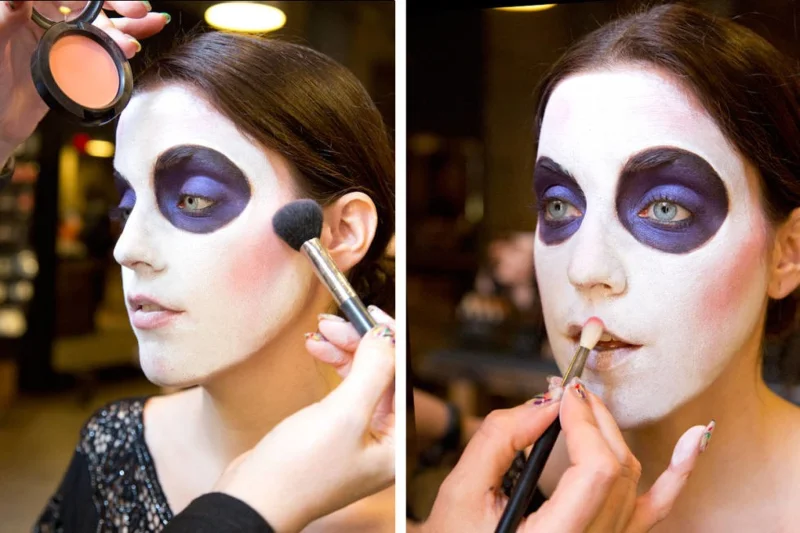 4. Lip and cheek makeup : Use blush to apply on cheekbones and lips.
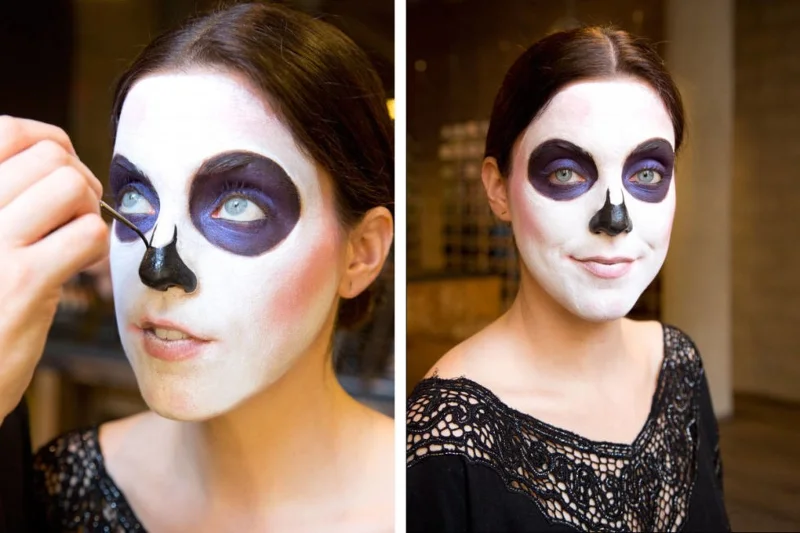 5. Draw the nose: Use black to draw the entire nose.
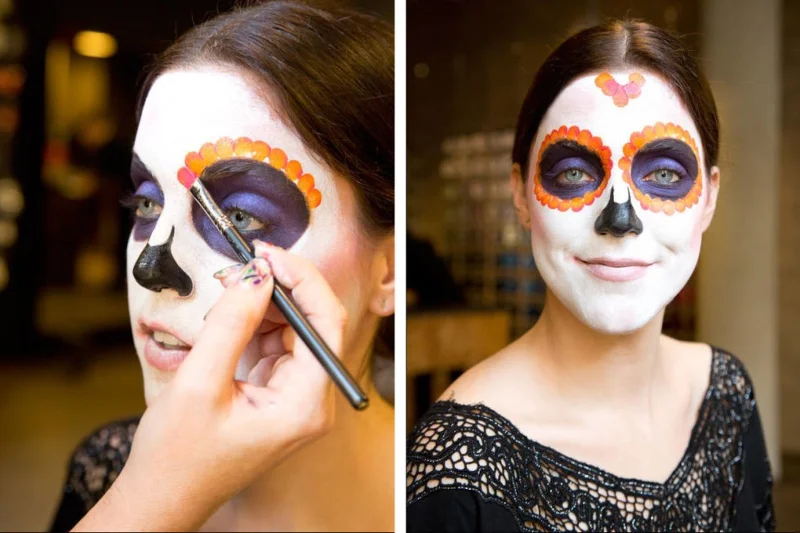 6. Choose orange to draw small, continuous circles outside the black circle around the eyes. You can also draw continuous circles in other shapes to highlight the forehead area. Besides orange, you can choose other bright, outstanding colors to draw such as red, dark pink...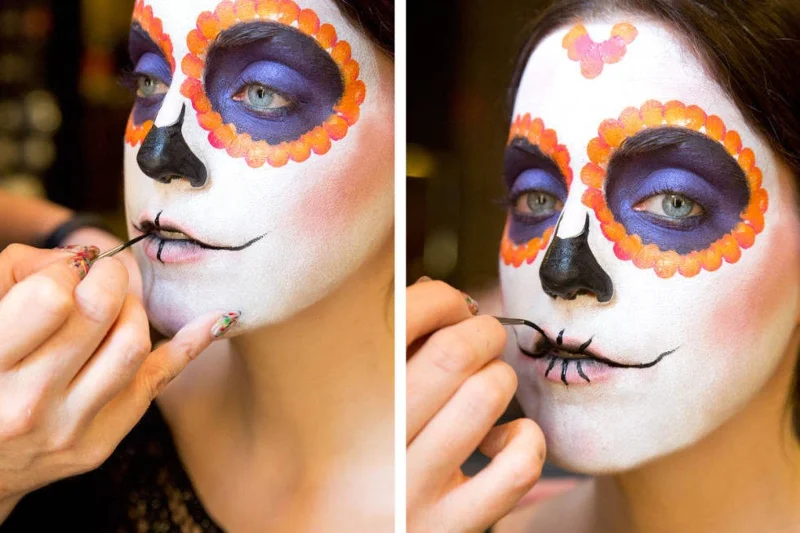
 8. Draw additional patterns of your choice on the lower part of the chin to highlight the face.
 So you've finished your makeup to turn your face into a mysterious and impressive Halloween mask. Not too complicated, right!