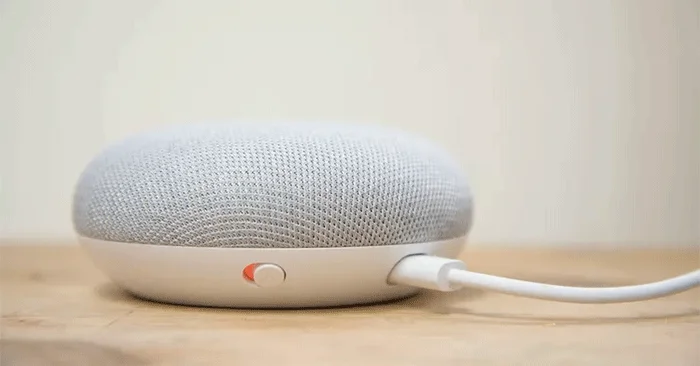
Your Google Home device is not just for turning on the lights or streaming music. You can also play games. Try any of these interactive Google Home games to test your knowledge and entertain your family and friends.
1. Wait Wait Quiz
Advantage
New content every week, based on news and events.
Play by yourself or with friends.
Disadvantages
The questions may be too advanced for children.
Ever heard Wait Wait, Don't Tell Me on NPR and thought you'd be a great contestant? Here's your chance. Hosted by Peter Sagal and Bill Kurtis, Wait Wait Quiz will feature questions taken from the headlines of the week.
Ready to brush up on current events? Say, "Hey Google, let's play the Wait Wait Quiz!"
2. 6 Swords
Advantage
An intricate and fun way to spend a gaming night.
Based on Dungeons & Dragons 1st edition.
Disadvantages
You will need to take notes to track your progress and actions.
The rules can be difficult to adapt to for those used to newer editions of D&D.
You have to learn as you play.
6 Swords is a role-playing adventure where you explore with a party of up to 6 companions. Not all of the commands are obvious, but you'll have a good idea if you have any experience with older text-based adventures or Dungeons & Dragons. 6 Swords uses an open-source version of the first edition of D&D, which may take a while for experienced players to get used to, but it makes for a great night of gaming.
3. The Magic Door
Advantage
Family friendly, with different environments, online maps and communities to explore.
Provides a more adult-appropriate story set in a medieval world for mature adventurers.
Disadvantages
This game is not a quick one; it can take a long time to explore all the areas.
Ready for some adventure? Say, "Hey Google, open the Magic Door!".
4. Mystery Sounds
Advantage
The game will score points, with more points if you answer quickly.
Noises are common sounds, even if they can be confusing at times.
Disadvantages
While playing with a group is fun, shouting at each other makes it difficult for the device to understand you.
Mystery Sounds is here to help you practice your skills. Your device plays a sound and you can guess what it is. Ready to play? Say, "Hey Google, let's play Mystery Sounds" .
5. Mad Libs
Advantage
Mad Libs without having to buy a notebook.
An easy way for kids to play Mad Libs, even if they can't write yet.
The questioning party cannot cheat and see into the story.
Disadvantages
You will be asked to enter nouns, adjectives, numbers and names, so if you are playing with children you may need to explain these concepts.
Chances are you've played Mad Libs on a pad of paper. But with Google Assistant , you can quickly create a surprising and funny story without knowing where the plot is going! Ready to play? Say, "Hey Google, let's play Mad Libs!" .
6. Song Pop
Advantage
Choose a genre (pop, rap, rock, or other) to narrow down your preferences.
You will get more points if you know both the artist and the song title.
Disadvantages
There is no option for multiple genres.
Think you know every rap song under the sun? Song Pop is ready to put your musical talents to the test! Say, "Hey Google, let's play Song Pop!" to get started.
7. Crystal Ball
Advantage
Witty introduction with description of velvet curtains and asking you to "come closer" and "clear your mind" before starting
The answers are as random and vague as you'd expect, but more varied than Magic 8 Ball.
Disadvantages
Probably doesn't have much staying power, but it's fun for a while - better suited to playing with a group than alone.
Remember Magic 8 Ball and its wonderfully vague but sometimes foreboding answers? Well, Google Home could be your next-generation fortune teller. Ready to find out about your future? Say, “Hey Google, let’s play Crystal Ball!”.
8. Akinator
Remember the 20 Questions game from those long drives? Akinator is ready to read your mind and figure out who you're thinking about. You choose a character and Akinator will ask you questions to figure out who it is! Just say, "Hey Google, let me talk to the Akinator" to get started.
9. Lucky Trivia
If you're a trivia enthusiast, Lucky Trivia is the game for you. Google Assistant plays host to a fast-paced game for you and up to 5 of your friends. Say, "Hey Google, I'm feeling lucky!" to test your knowledge.
10. Absurd is the Word
Party games like "Would you rather..." are always fun, but sometimes coming up with ideas can be difficult. Absurd is the Word puts Google Assistant in that role, asking you to pick a category and then name the items in that category. The result might be asking you which movie star is the weirdest or which author you'd like to marry.
If you're ready to learn something new about your friends, say, "Hey Google, let's play Absurd is the Word" .
11. Math Marathon
Math Marathon is a non-stop number crunching. Google Home will present you with a simple addition or subtraction problem and you answer it. You keep going until you get a problem wrong. Adding and subtracting may not hold the attention of adults for long, but it can help kids practice or hone their skills. Say “Hey, Google, play Math Marathon” to start this game.
12. Tic Tac Toe
Tic Tac Toe is easy, right? But what if you can't see the X's and O's on the paper? Play with your Google device and see if you can remember where to mark next. Ready to challenge your brain with this simple classic? Say "Hey Google, let's play Tic Tac Toe" .
13. 21 Blackjack
If you miss your favorite blackjack table, Google Home has you covered. Deal the cards and see if you can beat the dealer. Ready to try your luck? Just say, “Hey Google, let me talk to 21 Blackjack!”.