Home
» Movie Reviews
»
2 ways to check warranty for Samsung phone most accurately
2 ways to check warranty for Samsung phone most accurately
Video 2 ways to check warranty for Samsung phone most accurately
Want to know the warranty period of your smartphone or not or how much longer is the article below I will guide you how to look up on Samsung devices .
1. Benefits of the warranty period lookup.
Know how long the warranty period is left, or whether there is a warranty period, so that when the phone has problems, you can go for warranty without incurring costs.
2. Guide to search warranty period.
Quick Guide:
Option 1:
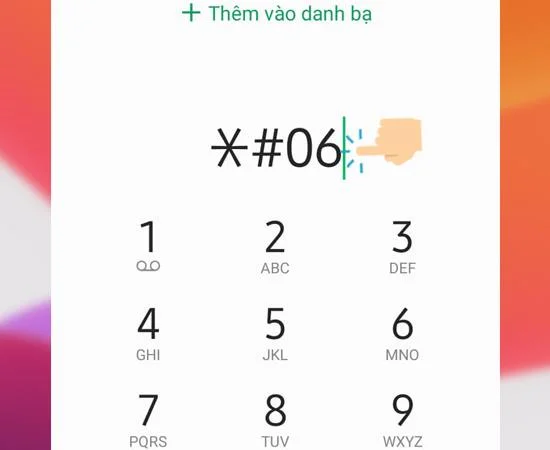
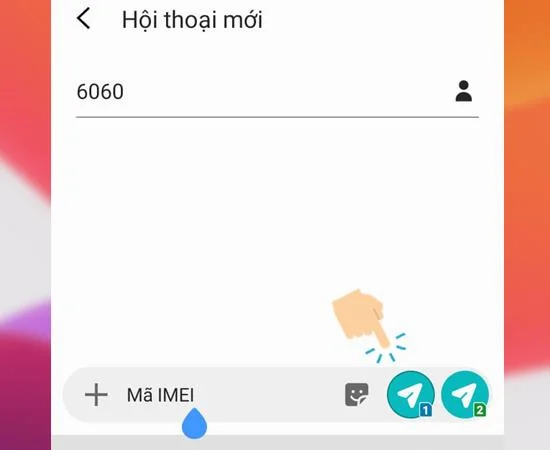
Enter code * # 06 # on call app to receive IMEI code -> Text IMEI code sent to 6060
Method 2:
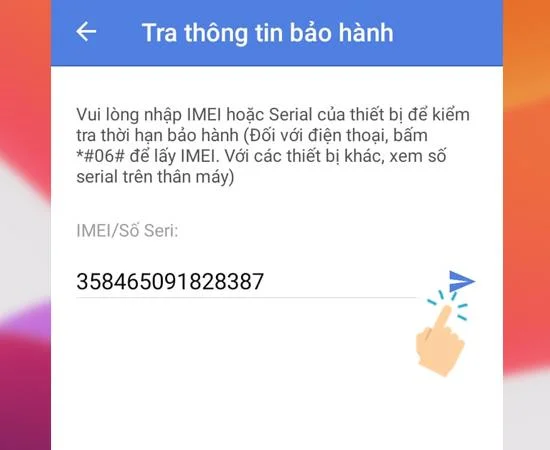
Go to Galaxy Gifts -> Check warranty information -> Enter the IMEI number of your device to check the warranty period
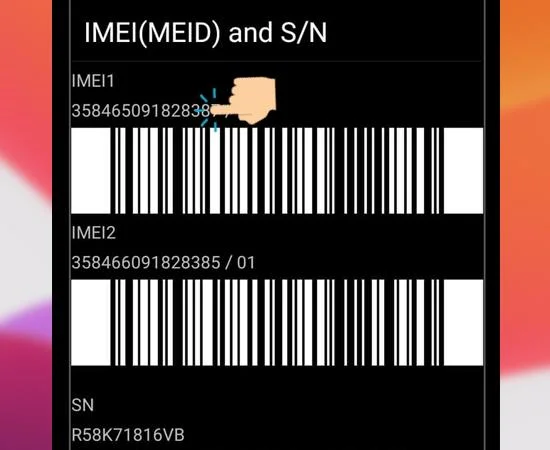
First you need to check your phone 's IMEI code by going to the call app, entering the code * # 06 # .
You will then receive the IMEI code .
After having IMEI then you can check warranty in 1 of 2 ways below.
Option 1: SMS to warranty operator.
Compose the syntax: IMEI code sent to 6060 with IMEI including 15 numbers is checked in above step. The operator will send back warranty information of your phone.
Method 2: Check at Galaxy Gifts app
Step 1: First, go to the Galaxy Gifts app .
Step 2 : Next, you go to Service and then select Check warranty information .
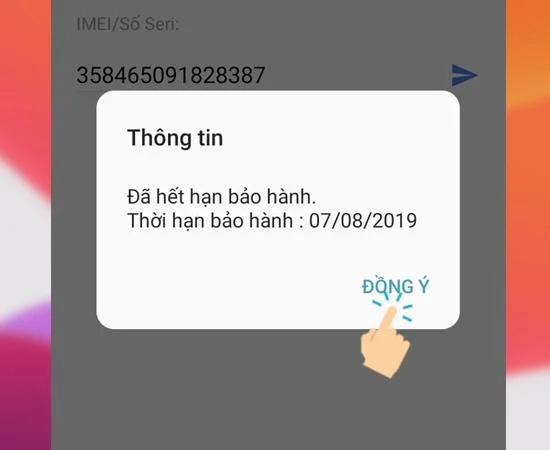
Step 3 : Enter your phone 's IMEI number and send.
The system will return the results of the warranty period.
So after a few simple steps you can check the warranty period on your phone. Hope this writing will be of help to you. Good luck!