Leftover Halloween Candy and Pumpkins: What to Do Next

Sort leftover Halloween candy safely, share or repurpose sealed treats, and choose food use or compost for pumpkins based on their condition.
Subwoofers may look dull, boxy, and unsightly in your living space, but the benefits far outweigh the drawbacks. When paired with a soundbar, they bring your movies and music to life—and best of all, they don't cost a fortune!
Table of Contents
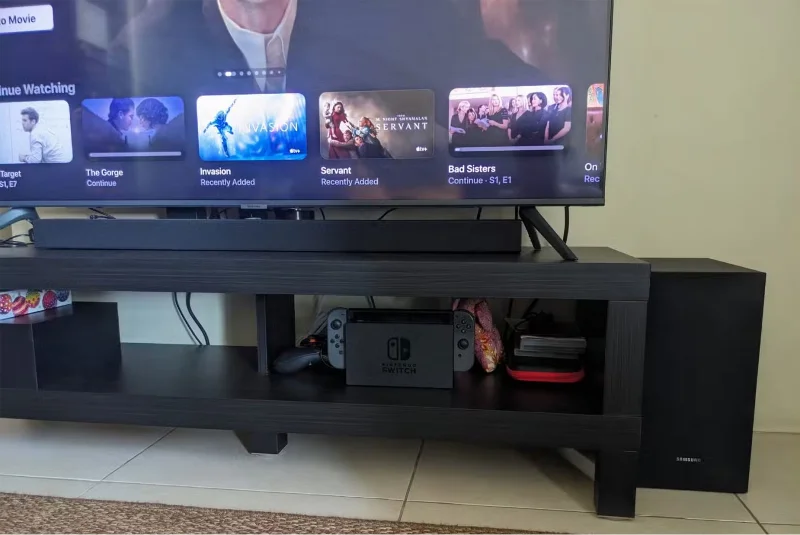
Modern TV speakers rarely produce good sound due to the size constraints of flat-screen devices. If you own or are considering purchasing a soundbar to enhance your TV's audio performance, a subwoofer is an essential addition.
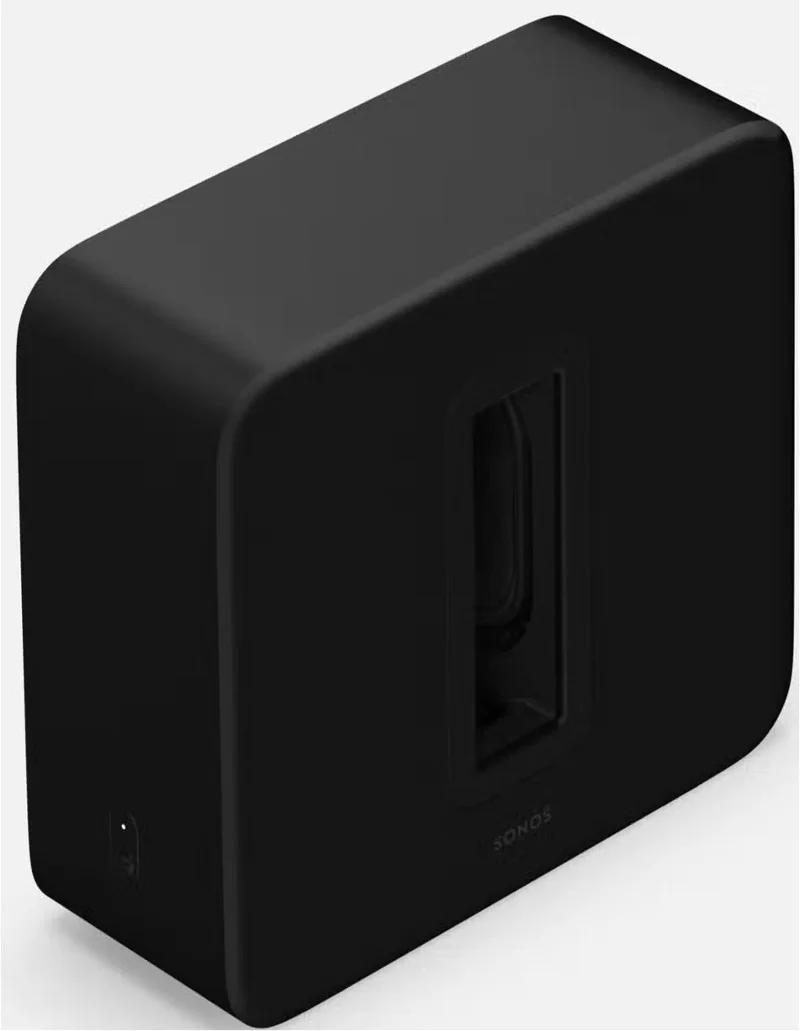
A subwoofer is a larger speaker, typically 8 to 16 inches in diameter, that specializes in reproducing low frequencies from 20 to 200Hz. Better bass response makes it easier to distinguish low frequencies from dialogue, giving sound more impact across the entire audio spectrum. Meanwhile, frequencies at the lower end of the spectrum may be barely audible, but they add nuance to music, rumble, and sound effects.
When a subwoofer is paired with a soundbar, the sound of movie soundtracks, music, and games is reproduced more accurately. This makes the home viewing experience more cinematic and immersive, as it was originally intended. The addition of powerful low frequencies greatly increases the sense of physical presence. You can often feel vibrations and recognize subtle cues in the sound faster, making the entire audiovisual experience come alive.
Adding to the excitement of explosive action scenes, the subwoofer fills out the frequency spectrum, creating more space for the entire soundscape. Natural soundscapes come alive, from the roar of wind and crashing waves to subtle sounds like rustling leaves or footsteps. Urban scenes including heavy traffic and industrial noises become more dynamic and immersive, immersing you in the scene.
Subwoofers often come bundled with soundbars. While many high-end soundbars like the Sonos Beam and Arc have good bass response from their built-in speakers, if you're looking for a standalone subwoofer, consider the following features:
Any dedicated subwoofer will greatly enhance your home entertainment system. However, to get the most out of movies, music, and games, look for low frequencies of 30Hz or below. The subwoofer should produce sound with perfect clarity across its entire frequency range, so listen for distortion, especially at higher volumes.
The design of a subwoofer enclosure significantly affects its performance. When choosing the ideal subwoofer, it is important to consider the type of enclosure that best suits the size of your room and the type of low-frequency sound you are aiming for:
Vented speaker enclosures are always a great choice for full-bodied sound for movies, although sealed enclosures are often better for music.
Power output isn't as important unless you're using the subwoofer in a large living space or a dedicated home theater. As a general rule, higher power output, measured in watts, means better dynamics, but it doesn't necessarily mean better clarity. An output of 150 to 500 watts is usually plenty powerful for most applications, and it's worth considering the subwoofer's build quality and efficiency when deciding whether it's appropriate.
Your subwoofer choice should be compatible with your existing audio setup. Active subwoofers have a built-in amplifier, and while they are typically more powerful, they require their own power source. Most people choose to connect their subwoofer to their AV receiver or soundbar via a single audio cable, which doesn't require a dedicated power source.
Tip : Make sure the subwoofer's impedance (measured in ohms) is compatible with the output of your amplifier or AV receiver.
Bluetooth subwoofers avoid cable clutter and work well with Bluetooth soundbars. However, they require a Bluetooth-enabled TV and a dedicated power source or battery.
For a relatively small price, a subwoofer will change the way you play games, as well as enjoy movies and shows. Today's TVs sound flat and flat, and it's no surprise that whenever you hear a TV that doesn't have that essential bass resonance.
Sort leftover Halloween candy safely, share or repurpose sealed treats, and choose food use or compost for pumpkins based on their condition.
Compare workplace Halloween costume choices by respect, dress code, mobility, and safety—and learn when a subtle accessory or a policy check is the better option.
Find a couples costume that fits your style, budget, and comfort level, from Addams Family classics to original inside-joke duos.
Need a last-minute high school Halloween costume? Compare 10 easy closet-based ideas by prep time, comfort, school-day practicality, and simple safety checks.
Use a simple 2026 Halloween decorating timeline for indoor décor, outdoor displays, and fresh pumpkins, with practical adjustments for weather and events.
Mix five vivid, approachable Halloween cocktails with measured recipes, simple prep tips, and an alcohol-free option for your party guests.
Find 15 office-friendly Halloween costume ideas for 2026, with practical checks for dress codes, respectful themes, comfort, and workplace safety.
Plan a fun elementary school Halloween party with easy crafts, games, inclusive treats, costume tips, and a sample 75-minute classroom schedule.
Compare realistic side hustles for 2026 by startup cost, fees, flexibility, and income control, with current tax and scam guidance from official sources.
Upgrade your home office ergonomics with current OSHA and NIOSH guidance on chair fit, monitor height, laptop setup, lighting, and movement.








