You are using the Japanese lock iPhone and feel annoyed because you cannot turn off the shutter sound, the good news for you is that now the Microsoft Pix Camera photography app will help you solve that problem, let's find out. through this article!
1. Benefits of the Microsoft Pix Camera app.
Helps you to take pictures as you please on this application without fear of sound.
2. How do I turn off the capture sound on the Microsoft Pix Camera app?
Quick start Guide:
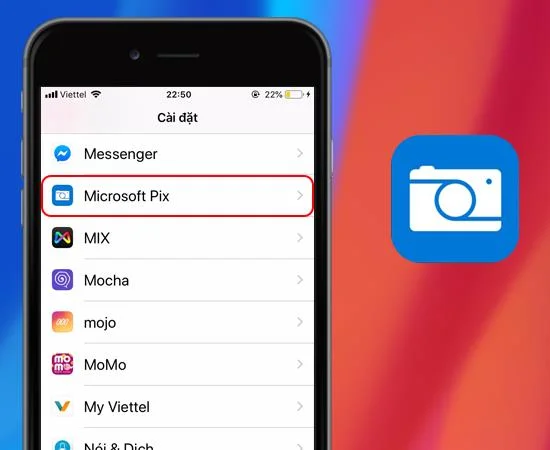
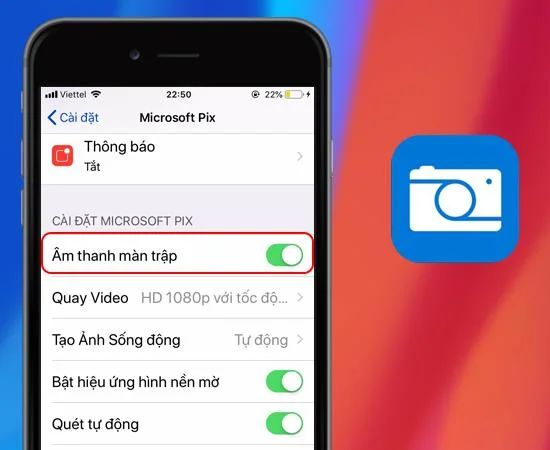
Download application Microsoft Pix Camera -> Go to Settings-> Microsoft Pix -> Turn off the shutter sound.
Step 1: You can download the Microsoft Pix Camera app on the App Store or download it here.

Step 2: Next you go to Settings -> Microsoft Pix.

Step 3: Finally you choose the switch to turn off the Shutter Sound
>>> See more : 5 Professional photo editing applications for iPhone

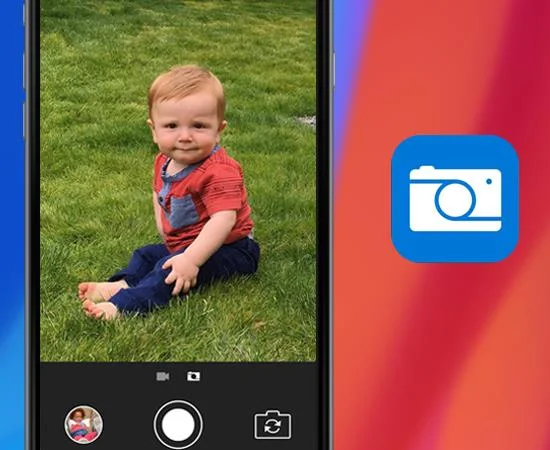
Now you just need to go into the app to shoot comfortably without fear of making sounds.

So I have finished guiding you how to set up to turn off capture sound on the Microsoft Pix Camera photography app .
Good luck !