Home
» Wiki
»
4 Most Anticipated AI Trends in 2025
4 Most Anticipated AI Trends in 2025
With AI tools emerging in a big way after the launch of ChatGPT in 2023, 2025 is shaping up to be a huge year for Artificial Intelligence (AI) . Here are the most anticipated AI trends in 2025.
1. Wider adoption of voice/vision-based AI assistants
Gemini Live on Google Pixel 9 Pro XL
With advances in natural language processing (NLP) and computer vision , AI assistants are becoming more adept at understanding and responding to human commands. Voice and vision-based AI assistants have already begun to make their mark on our everyday lives, but 2025 is set to be a breakthrough year for these technologies.
By 2025, we can expect to see these AI assistants seamlessly integrated into many different aspects of our lives, transforming the way we interact with our devices and environments. We will see a significant expansion in both the capabilities and adoption of voice and vision-based AI assistants. These assistants will perform more complex tasks, understand nuanced language, and interact with us through visual cues.
The ability to maintain coherent, multi-turn conversations will make AI assistants more like companions than tools. The possibilities are endless, from recommending content based on our activity history to triggering routines and automations based on our workflows. And beyond voice, AI models based on computer vision will add another layer of sophistication. But the real magic will happen when voice and vision AI converge, opening up a world of hands-free interaction possibilities.
Additionally, voice- and vision-based AI assistants have the potential to make technology more accessible to people with disabilities.
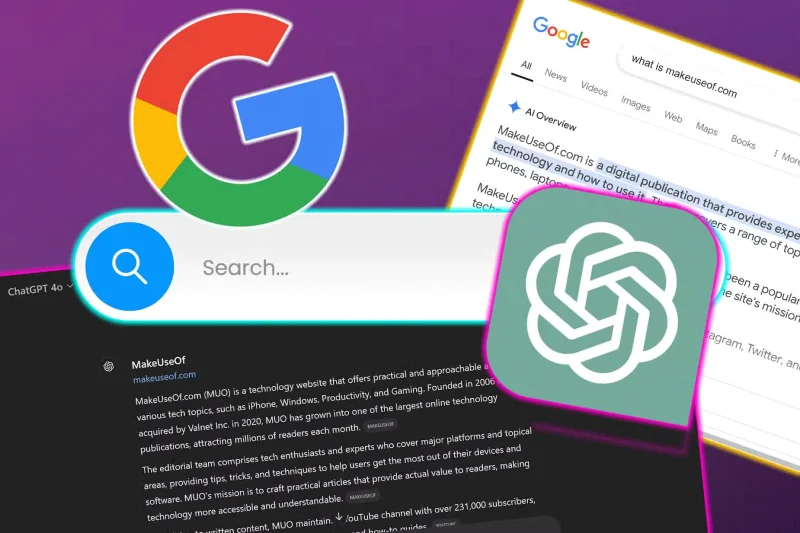
2. Better search experience
Traditional search engines rely heavily on keywords. While effective, this approach often falls short when dealing with complex or nuanced queries.
AI is poised to revolutionize search by moving beyond keywords to a deeper understanding of context and intent. Instead of relying solely on keywords, AI-powered search experiences will be able to understand the intent behind your queries and the context of your search, providing more relevant and meaningful results.
By 2025, the rise of visual and voice search will complement traditional text-based search methods. Multimodal search capabilities will allow us to find information by combining text, voice, and images. And of course, AI will make our searches more personalized. It will be able to learn your preferences and tailor results accordingly. Imagine a search engine that knows you’re a vegetarian and automatically prioritizes vegan recipes when you search for “dinner ideas.”
We’re also moving toward conversational search, where you can interact with search engines using natural language. Instead of typing “best Italian restaurant near me,” you can just ask “Where should I go for Italian food tonight?” This will make information retrieval feel more like a conversation with a knowledgeable friend than a rigid interaction with a machine.
3. Deeper integration with productivity tools
By 2025, AI will be more deeply integrated with productivity tools, transforming the way we work. From streamlining workflows to automating routine tasks, AI is set to become a game-changer for productivity.
With the growing adoption of Copilot for Microsoft 365 and Gemini in Google Workspace, AI-powered intelligent assistants will become indispensable in the workplace, helping us manage schedules, set reminders, and prioritize tasks. They can also assist in project management by tracking progress, assigning tasks, and providing insights into team performance. Features like real-time language translation, intelligent meeting scheduling, and context-aware collaboration will help make teamwork more efficient.
As productivity tools evolve, AI will be able to automate repetitive and time-consuming tasks such as data entry, report generation, and email management. This will free up valuable time for employees to focus on more creative and strategic activities.
4. An Early Look at AI Agents and AGI
Artificial General Intelligence (AGI) and agentic AI represent the next frontier in AI development. While we may not achieve full AGI by 2025, we can expect to see early glimpses of this technology that will pave the way for more advanced AI systems.
Unlike narrow AI, which is designed for specific tasks, AGI aims to perform any intellectual task that humans can. Early versions of AGI will demonstrate a broader range of capabilities, from language understanding and reasoning to general problem solving and creativity. In addition, the pursuit of AGI will spur significant advances in AI research, leading to breakthroughs in machine learning , artificial neural networks, and cognitive computing .
Agentic AI refers to AI systems that can operate autonomously, making decisions and taking actions on behalf of humans. Unlike current AI systems that are largely reactive, these agents will be able to navigate complex environments, interact with other AI systems, and adapt to changing circumstances. Imagine an AI that can write reports, research topics, collect data, and even contact experts for advice, all without explicit instructions.
While agentic AI is not AGI, it represents an important step in that direction. By developing AI systems that can operate independently and solve problems, we are laying the groundwork for more general-purpose intelligence. Early AGI systems will essentially manifest, in part, through the rise of agentic AI by 2025.