Pop Culture Costume Ideas That Will Dominate Halloween 2026

Plan a recognizable Halloween 2026 look with pop culture costumes inspired by Spider-Man, Supergirl, Toy Story 5, Moana, Mario, and Wednesday.
Many people have been tossing around the idea of using Emby and Jellyfin for their home media streaming setup for a while now – but in the end, Plex won out. Its user-friendly setup and interface, broad client compatibility, and universal playlists are just too convenient to switch to one of its direct competitors.
4. Simple and easy to understand setup
On Windows, downloading and installing Plex, Emby, and Jellyfin are all relatively easy. However, Plex does a lot of the backend stuff automatically (and has a few boxes to check), and it ultimately wins out. As someone who wants to explore the usefulness of a media server, choosing the software that offers the path of least resistance is important.
People like Plex because it’s great at pulling metadata, all without your involvement, and much more consistently than Jellyfin and Emby. And since Plex does most of the work, you can skip plugins altogether—at least until you’re ready to start tweaking your server. There are some great plugins for Plex, but that doesn’t mean they’re necessary.
At some point, you'll want to invest in a NAS, and again, Plex would be the perfect choice since it requires nothing more than downloading the server itself.
3. User interface feels better to use
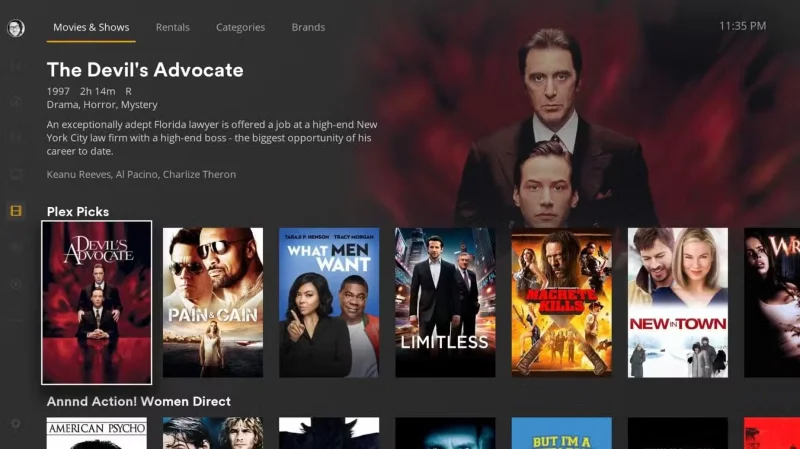
The best way to describe Plex’s UI compared to Emby and Jellyfin is that it feels “fuller”. There’s less negative space, and the tiles are larger and much easier to recognize. With live TV and free movies on the home page, it also gives the UI more life, making it feel more like a streaming platform than just a media server.
When using Plex on my PS5, the UI has a Netflix aesthetic, with little trailers popping up whenever you hover over a movie or show. Emby and Jellyfin feel more like Max, where you have to select something first to get a synopsis.
2. Plex has multiple clients
There is no loyalty to a single platform. Each family member has their own preferences.
Everyone loves Plex in one way or another, we need a media server that can handle them all. Jellyfin doesn't have a console client and Emby doesn't have a PS5 client. You need a client that works with all the devices in your home, not just a few.
1. Plex's streaming service integration is incredibly useful
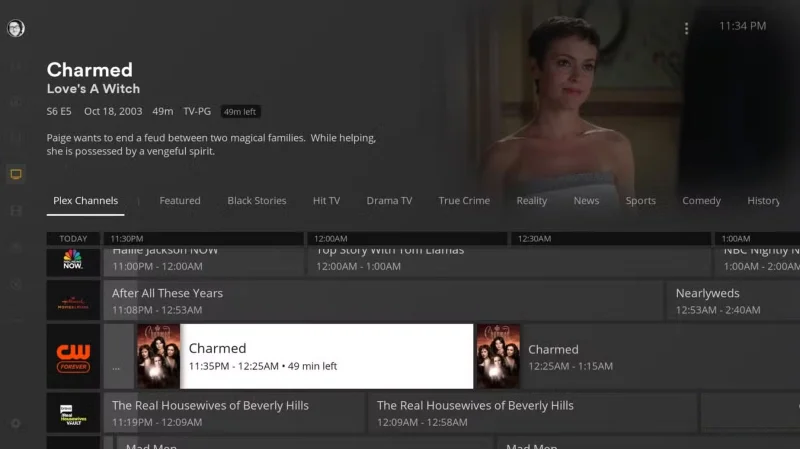
Plex's free live TV and movies have been criticized a lot, but there are still plenty of people who like it. That's why Plex is used for more than just storing your content collection.
There’s also a really cool feature that lets you use Plex as a hub for your streaming services. You can toggle between your streaming services and populate your search results with content from those platforms. Then, instead of having your watchlist spread across multiple services, you can create your ultimate watchlist in Plex.
It’s understandable why some people prefer Emby and Jellyfin over Plex. The idea of having a completely self-hosted media server is appealing, but until these two services come along, expand their compatibility, and maybe refresh their user interface a bit, many people will stick with Plex for now. Still, Emby and Jellyfin are worthy options.
Plan a recognizable Halloween 2026 look with pop culture costumes inspired by Spider-Man, Supergirl, Toy Story 5, Moana, Mario, and Wednesday.
Sort leftover Halloween candy safely, share or repurpose sealed treats, and choose food use or compost for pumpkins based on their condition.
Compare workplace Halloween costume choices by respect, dress code, mobility, and safety—and learn when a subtle accessory or a policy check is the better option.
Find a couples costume that fits your style, budget, and comfort level, from Addams Family classics to original inside-joke duos.
Need a last-minute high school Halloween costume? Compare 10 easy closet-based ideas by prep time, comfort, school-day practicality, and simple safety checks.
Use a simple 2026 Halloween decorating timeline for indoor décor, outdoor displays, and fresh pumpkins, with practical adjustments for weather and events.
Mix five vivid, approachable Halloween cocktails with measured recipes, simple prep tips, and an alcohol-free option for your party guests.
Find 15 office-friendly Halloween costume ideas for 2026, with practical checks for dress codes, respectful themes, comfort, and workplace safety.
Plan a fun elementary school Halloween party with easy crafts, games, inclusive treats, costume tips, and a sample 75-minute classroom schedule.
Compare realistic side hustles for 2026 by startup cost, fees, flexibility, and income control, with current tax and scam guidance from official sources.








