Desk Decorating Ideas for a Spooky Office Cubicle

Create a spooky office cubicle with Halloween desk decor ideas that keep your workspace usable, tidy, and mindful of workplace safety.
With all of Samsung's 2024 flagship launches behind us, everyone's attention has turned to the next generation - starting with the Galaxy S25 Ultra. Even though the phone line won't be released until early 2025, a lot of information has already emerged. Here's why everyone is excited for the S25 Ultra.
1. Exquisite design with better ergonomics
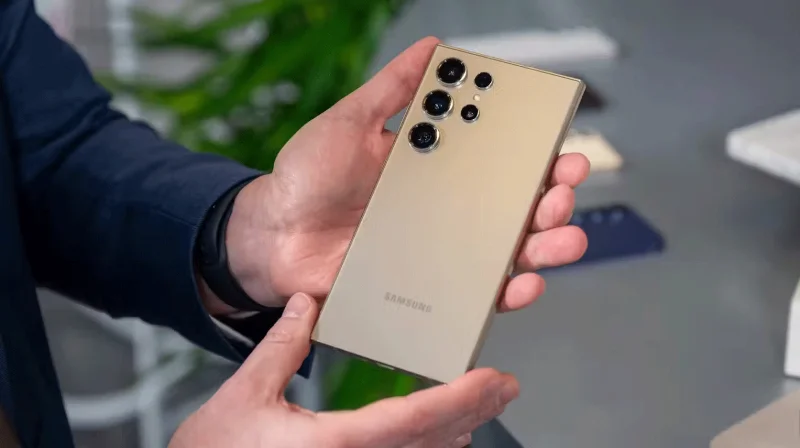
While the Galaxy S24 Ultra is a powerhouse in terms of performance, one of its biggest drawbacks is its bulky design. The device is huge, and despite the slightly curved edges, it’s difficult to hold. It often digs into your palm, which can be uncomfortable, especially when used for long periods of time. Thankfully, Samsung is said to be addressing this issue with the upcoming Galaxy S25 Ultra.
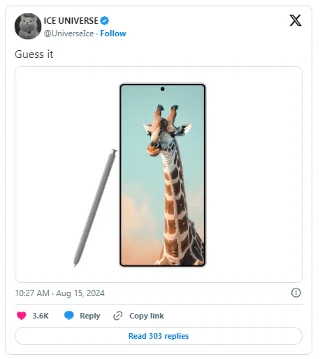
According to reliable leaker Ice Universe and CAD renders shared by OnLeaks, Samsung is tweaking the design by subtly rounding the corners of the S25 Ultra, similar to the non-Ultra models. Additionally, Ice Universe says the flagship will be thinner, measuring 8.4mm thick, compared to the S24 Ultra's 8.6mm thickness. The weight of the device could also be slightly reduced to 219 grams. These tweaks should result in a much better in-hand feel.
While the overall design isn't a complete overhaul, it's clear that Samsung is listening to feedback and addressing minor design issues from the previous generation.
2. Large screen, compact size as before
Ice Universe expects the Samsung Galaxy S25 Ultra to have a slightly larger 6.86-inch display, up from 6.79 inches on the Galaxy S24 Ultra. What's impressive is that Samsung is said to have achieved this without increasing the overall size of the device. By shrinking the bezels even further, the S25 Ultra will fit a larger display in the same body, giving it more screen real estate.
According to another post from X (formerly Twitter), the S25 Ultra will have thinner bezels than the iPhone 16 Pro Max, resulting in a higher screen-to-body ratio and an even slimmer front design. While the S24 Ultra's display is already top-notch, having a larger screen with minimal bezels should make for an even more immersive viewing experience.
3. Sharper ultra-wide-angle and telephoto lenses
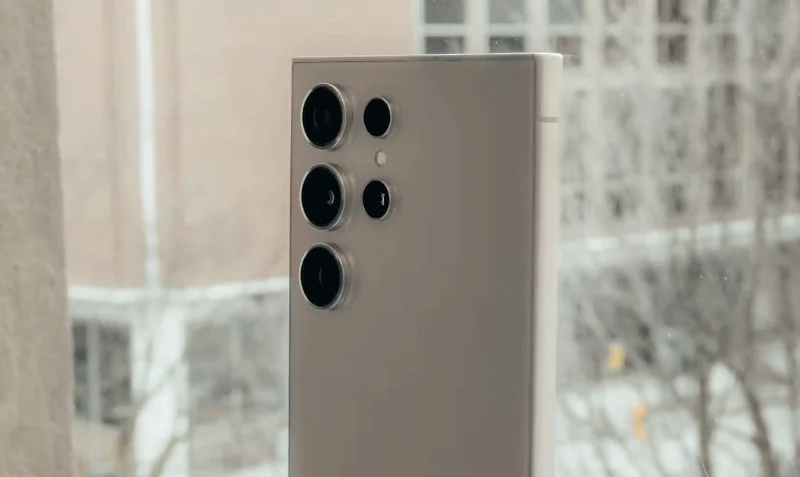
Despite its quad-camera setup, one of the main drawbacks of the Galaxy S24 Ultra is its underwhelming ultra-wide-angle shots. While images look sharp in daylight, many users on Reddit have complained that the sensor struggles in low light, producing blurry and grainy results. Fortunately, it looks like Samsung will address this issue with the upcoming Galaxy S25 Ultra.
According to a leak on X (formerly Twitter), the Galaxy S25 Ultra will be equipped with a new 50MP ultra-wide-angle lens, up from the 12MP sensor on the previous generation. In addition, according to the Weibo post, the 3x telephoto lens will be significantly upgraded to 50MP (up from 10MP), marking the first time Samsung has improved this sensor since the Galaxy S21 Ultra.
These improvements on the Galaxy S25 Ultra will result in much sharper and clearer photos.
4. More AI features and One UI 7
Galaxy AI was a major focus of the Galaxy S24 series, and Samsung isn't slowing down with the upcoming Galaxy S25 Ultra.
According to a report from South Korea's Daum Herald Economy, the S25 Ultra will be one of the few flagship phones to run the LLM model of Google's Gemini Nano device; it will even support the newer Gemini Nano 2. While details about the Gemini Nano 2 are scarce, it is expected to bring improved AI performance and introduce new features.
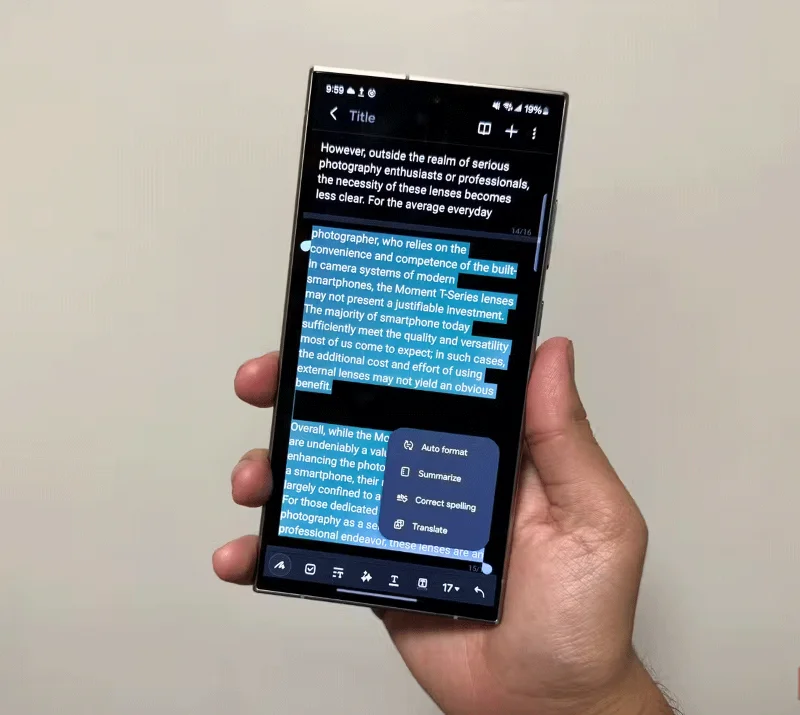
Additionally, the S25 Ultra will be the first Samsung device to launch with One UI 7, based on Android 15. According to Samsung's press release, One UI 7 will focus on a simpler and more "emotional" design.
Overall, the Galaxy S25 Ultra is shaping up to be a solid upgrade over its predecessor. Samsung seems to be addressing not only the big issues but also the small complaints users have had. It’s exciting to see how the design tweaks and updated camera sensors will impact the real-world experience.
Create a spooky office cubicle with Halloween desk decor ideas that keep your workspace usable, tidy, and mindful of workplace safety.
Plan a recognizable Halloween 2026 look with pop culture costumes inspired by Spider-Man, Supergirl, Toy Story 5, Moana, Mario, and Wednesday.
Sort leftover Halloween candy safely, share or repurpose sealed treats, and choose food use or compost for pumpkins based on their condition.
Compare workplace Halloween costume choices by respect, dress code, mobility, and safety—and learn when a subtle accessory or a policy check is the better option.
Find a couples costume that fits your style, budget, and comfort level, from Addams Family classics to original inside-joke duos.
Need a last-minute high school Halloween costume? Compare 10 easy closet-based ideas by prep time, comfort, school-day practicality, and simple safety checks.
Use a simple 2026 Halloween decorating timeline for indoor décor, outdoor displays, and fresh pumpkins, with practical adjustments for weather and events.
Mix five vivid, approachable Halloween cocktails with measured recipes, simple prep tips, and an alcohol-free option for your party guests.
Find 15 office-friendly Halloween costume ideas for 2026, with practical checks for dress codes, respectful themes, comfort, and workplace safety.
Plan a fun elementary school Halloween party with easy crafts, games, inclusive treats, costume tips, and a sample 75-minute classroom schedule.








