Every time Apple upgrades to a new version, it adds new features and fixes the holes of the old version. Therefore, version checking is also quite important. This article will guide how to quickly and easily check the iOS operating system version.
1. Benefits of checking the operating system version
- Solve some problems on iPhone
- Know what iPhone features they currently have, which iOS versions don't have
2. How to check the operating system version
Quick start Guide:
In Settings - > General Settings -> About -> Check the version
Step 1: First go to Settings
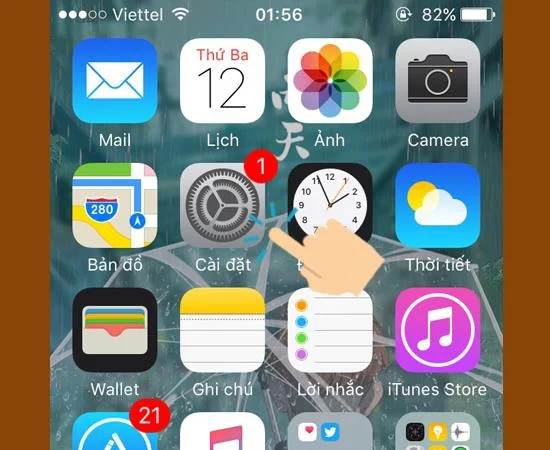
Step 2: Next, go to General Settings
![4 steps to check iOS OS version]()
Step 3: Then go to About
![4 steps to check iOS OS version]()
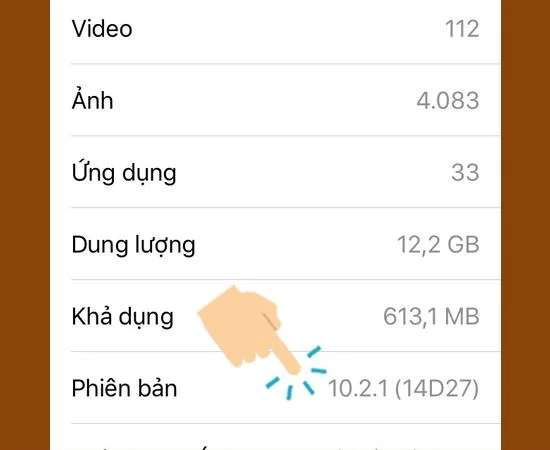
Step 4: Here you can check which version you are using
![4 steps to check iOS OS version]()
Good luck!
You will be interested in:
- How to Hard Reset iPhone and iPad devices when standing
- How to install time limit for Iphone phone .
- 5 cool tips to help reduce lag on iPhone .