Your J3 Pro phone is no longer as smooth as before and you don't know what to do? Then today I will guide you how to factory reset to make your phone smoother.
1. Benefits of a factory reset:
- Make your phone work smoother.
- Help fix some errors when the phone is faulty.
2. Detailed instructions on how to restore settings
Quick start Guide:
Go to Settings -> General Management -> Select Reset -> Restore Factory Settings.
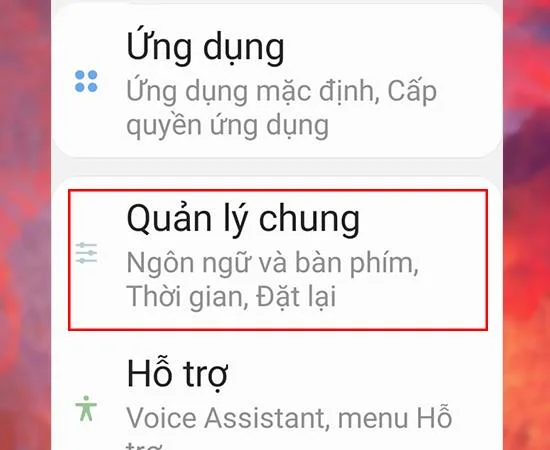
Step 1: Go to Settings -> select General Management .
Step 2: Select "Reset" .
![4 steps to factory reset Samsung Galaxy J3 Pro]()
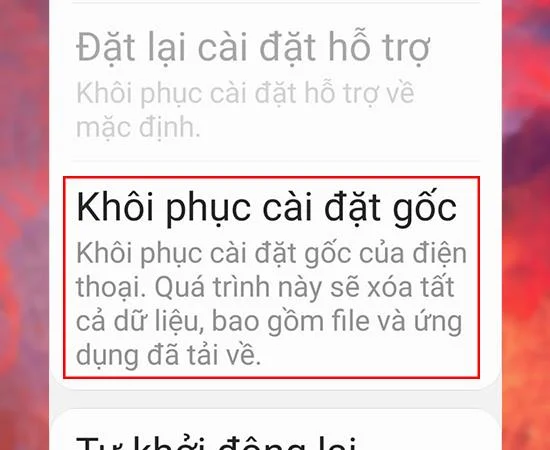
Step 3: Select "Factory reset" .
![4 steps to factory reset Samsung Galaxy J3 Pro]()
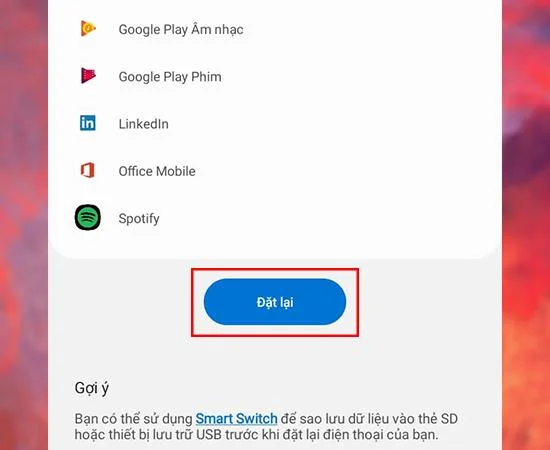
Step 4: Select "Reset" .
![4 steps to factory reset Samsung Galaxy J3 Pro]()
Now that you have completed the factory reset. Good luck!
Note: All data (photos, contacts, messages ...) will be lost.
Maybe you are interested:
- Install theme on Samsung
- Locate the Samsung Galaxy J3 Pro device
- Enable floating camera key on Samsung Galaxy J3 Pro