You want to set up dual SIM mode for Samsung Galaxy J2 Prime phone so that you can call, text and use mobile data on your desired SIM. This article will show you how to do it extremely quickly.
1. Benefits of dual SIM mode on phone
- Can use the phone conveniently and quickly.
- It's easier to choose SIM available for calls, texting or mobile data to avoid confusion or unexpected charges.
How to install dual SIM mode on Samsung Galaxy J2 Prime
Quick start Guide:
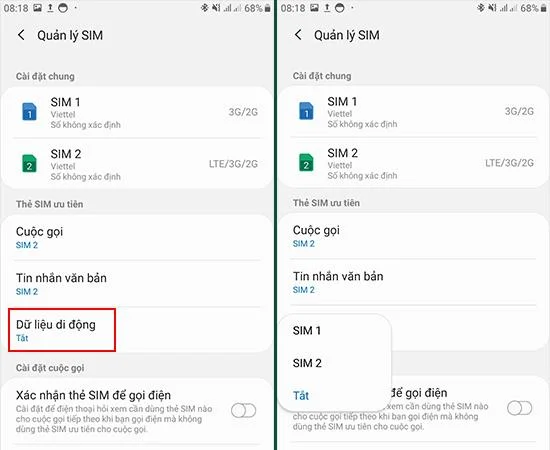
Go to Settings -> Connectivity -> SIM Management -> Preferred SIM settings for Calls , Text messages and Mobile data .
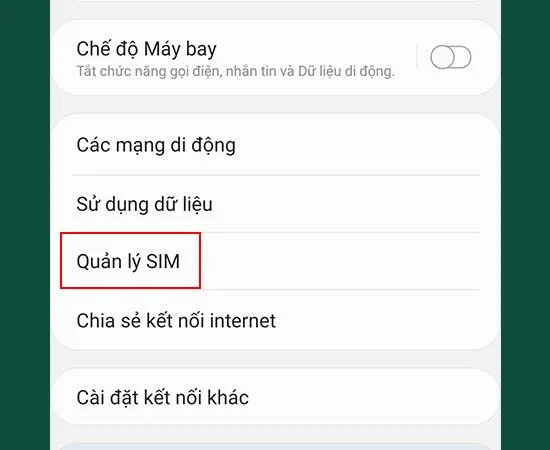
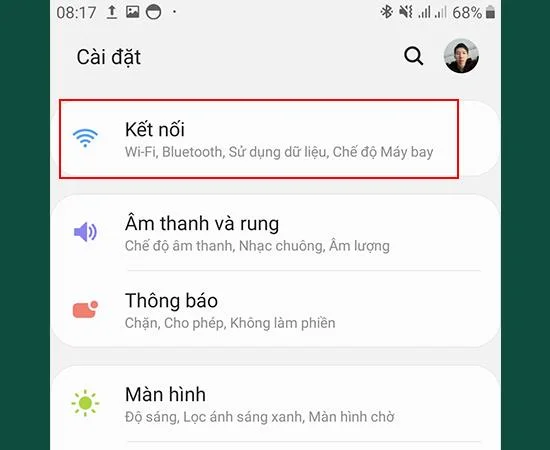
Step 1: Go to Settings. Select Connect .
Step 2: Select SIM Management .
![4 steps to install dual SIM mode on Samsung Galaxy J2 Prime]()
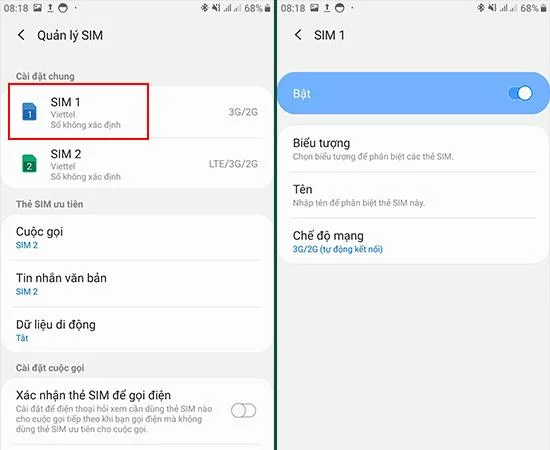
Step 3: Click on each SIM and turn it on.
![4 steps to install dual SIM mode on Samsung Galaxy J2 Prime]()
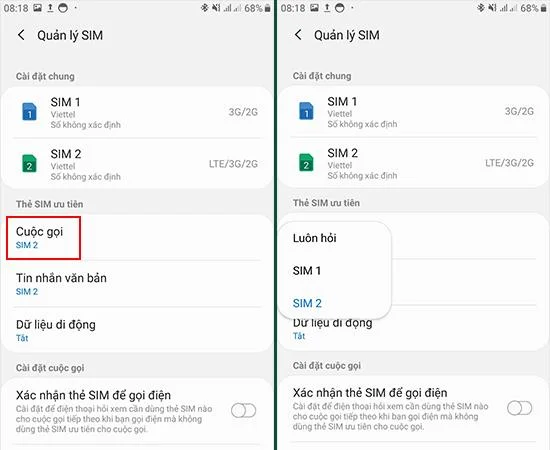
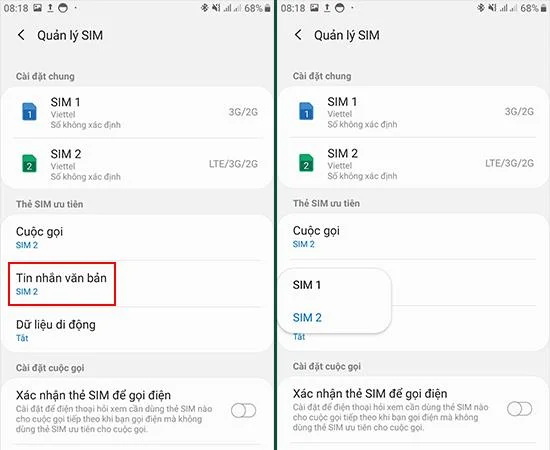
Step 4: Finally, please set up Priority SIM Card for:
- Call .
![4 steps to install dual SIM mode on Samsung Galaxy J2 Prime]()
- Text message .
![4 steps to install dual SIM mode on Samsung Galaxy J2 Prime]()
- Mobile data .
![4 steps to install dual SIM mode on Samsung Galaxy J2 Prime]()
Good luck!
Maybe you are interested:
- Which country is the Acer laptop? What lines are there?
- Learn about integrated graphics card Intel HD Graphics .
- 3 steps to change the VPN for the computer fastest .