Desk Decorating Ideas for a Spooky Office Cubicle

Create a spooky office cubicle with Halloween desk decor ideas that keep your workspace usable, tidy, and mindful of workplace safety.
No one wants to be limited to just one AI chatbot. Sure, you can sign up for a bunch of different AI tools and use them individually. But you can also do what you like and check out the best all-in-one AI chatbots that put them all into one app.
5. Poe
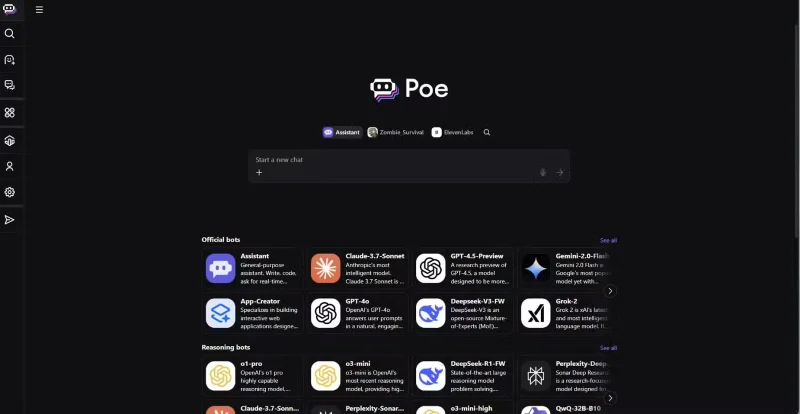
Poe offers a wide playground of AI models in a complete environment. Developed by question-and-answer site Quora, Poe offers a clean and user-friendly interface that provides seamless access to a variety of basic and advanced AI chatbots. After each prompt, you’ll have the opportunity to try out different model responses to see which one you like best.
Poe offers the most extensive list of AI models, including popular models from OpenAI, Anthropic, DeepSeek , and Google . You can access many of them for free using the platform’s daily limit of 3000 credits. Credit costs will vary depending on the AI model selected, as well as the tokens spent to generate responses. Poe offers a way to set a token limit for chat responses, as this allows you to prevent overspending on credits. However, it does not have the option to use API keys from other platforms, limiting customization for more advanced integrations.
4. Monica
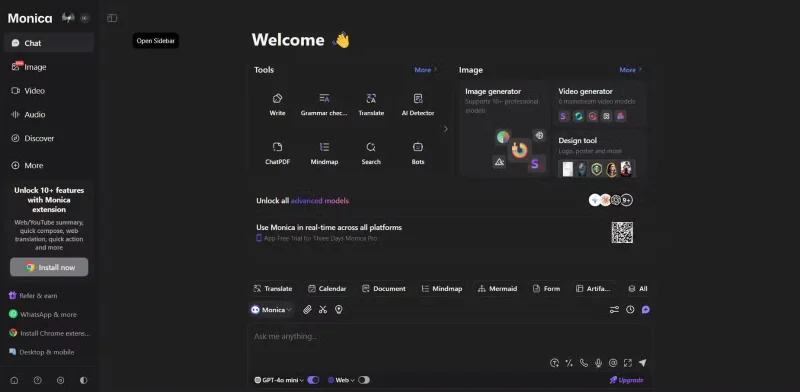
Monica is a versatile AI assistant that lets you use multiple AI models for free. Its many features have made it a top choice for AI Chrome extensions. It is available as a Chrome extension as well as on PC, smartphones, and via a web interface. The tool integrates a comprehensive set of features, including a podcast generator, content summarizer, mind map, and image generator.
One of Monica’s standout features is its wide access to a wide variety of basic AI models for free, seemingly without any strict limitations. Some popular models include DeepSeek, GPT-4, Claude, Llama, and Gemini . For those who require more advanced capabilities, there is a premium subscription plan that unlocks basic and advanced models and many AI functions. However, these features are scattered all over the place, making the interface a bit cluttered.
Based on the platform’s features, Monica is one of the best AI tools for solopreneurs, content creators, and virtual assistants. Plus, if you want to experiment with AI chatbots, Monica’s subscription is inexpensive at just $4.90/month!
3. Perplexity
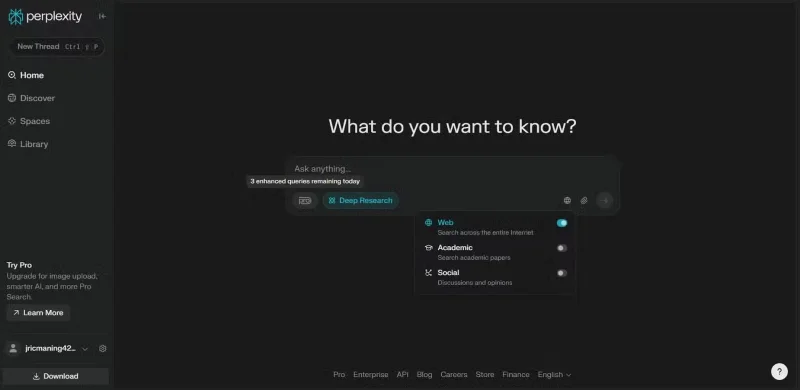
Perplexity offers a refined and flexible experience that combines simplicity with powerful AI features. It has a Chrome extension, a smartphone app, and a main web app, ensuring a seamless experience across all devices. While Perplexity has a desktop app, we recommend using the Perplexity web app until it is fully developed. Perplexity instantly reminds you of ChatGPT but with a greater level of flexibility by allowing you to use a variety of models, such as GPT-4 Omni, Claude Sonnet, DeepSeek r1, and Sonar.
The downside is that Perplexity only offers a limited set of models, even if you upgrade to the Pro version for $20/month. While these are some of the best AI chatbots, this might be a deal breaker if you want to explore as many different AI models as possible.
2. Merlin
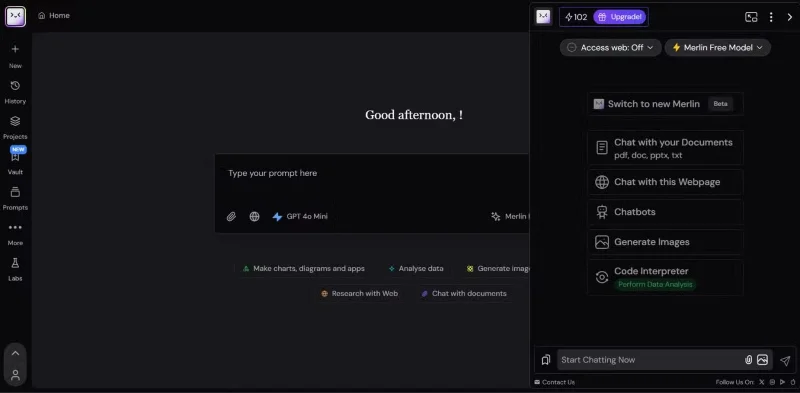
Using Merlin is one way you can access GPT-4 and other advanced models for free. What people like about Merlin is the ability to perform web searches even for free users — a feature that many in the AI field find extremely useful. This ability allows the application to pull the latest information directly from the Internet, expanding its utility beyond static training-based responses. The way the application allows you to focus these web searches on your current page, a specific domain, or the entire web is also appreciated.
Overall, Merlin excels at providing a good combination of AI capabilities with real-time data retrieval, making it a great choice if you plan to use it to get the latest information and test different AI models.
1. ChatHub
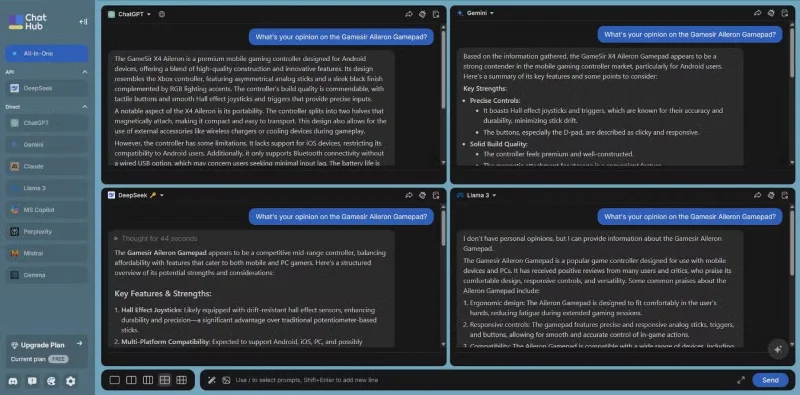
ChatHub introduces a unique feature by allowing real-time side-by-side comparison of up to 6 AI chatbots at once. This setup serves as a live testing platform where the speed and accuracy of multiple models can be observed at the same time. The platform also supports the use of API keys, giving you more control over your experience and the ability to tailor interactions to your specific needs.
ChatHub’s design emphasizes direct comparison, allowing you to see the difference in response time and output quality without switching between separate apps. This makes ChatHub a useful tool for evaluating which model works best in certain situations. Premium features further expand the tool’s functionality by incorporating real-time web access, one-click chat summaries, full-text search of chat histories, image import, custom chatbot creation, code preview, and quick access via the Chrome sidebar. ChatHub also offers a lifetime subscription option for around $60, but still requires you to provide an API key.
Create a spooky office cubicle with Halloween desk decor ideas that keep your workspace usable, tidy, and mindful of workplace safety.
Plan a recognizable Halloween 2026 look with pop culture costumes inspired by Spider-Man, Supergirl, Toy Story 5, Moana, Mario, and Wednesday.
Sort leftover Halloween candy safely, share or repurpose sealed treats, and choose food use or compost for pumpkins based on their condition.
Compare workplace Halloween costume choices by respect, dress code, mobility, and safety—and learn when a subtle accessory or a policy check is the better option.
Find a couples costume that fits your style, budget, and comfort level, from Addams Family classics to original inside-joke duos.
Need a last-minute high school Halloween costume? Compare 10 easy closet-based ideas by prep time, comfort, school-day practicality, and simple safety checks.
Use a simple 2026 Halloween decorating timeline for indoor décor, outdoor displays, and fresh pumpkins, with practical adjustments for weather and events.
Mix five vivid, approachable Halloween cocktails with measured recipes, simple prep tips, and an alcohol-free option for your party guests.
Find 15 office-friendly Halloween costume ideas for 2026, with practical checks for dress codes, respectful themes, comfort, and workplace safety.
Plan a fun elementary school Halloween party with easy crafts, games, inclusive treats, costume tips, and a sample 75-minute classroom schedule.








