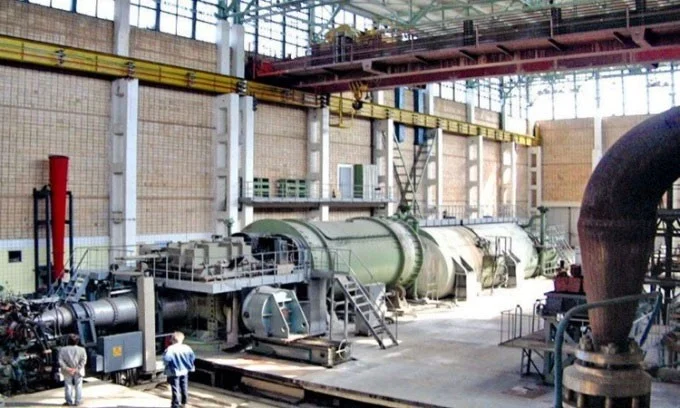
A wind tunnel is a machine that simulates the flow of air through objects, helping to test the aerodynamics of countless aircraft and rockets.
The system consists of a long narrow tube where air is introduced by various methods such as a powerful fan. Inside the tube is the model or object to be tested.
The incoming air flow will be controlled to study its effect on the object under different conditions such as changing wind speed.
Wind tunnels were first developed in the late 19th century, and are now widely used in many industries. Interesting Engineering has compiled a list of the most powerful wind tunnels available today.
1. JF-22
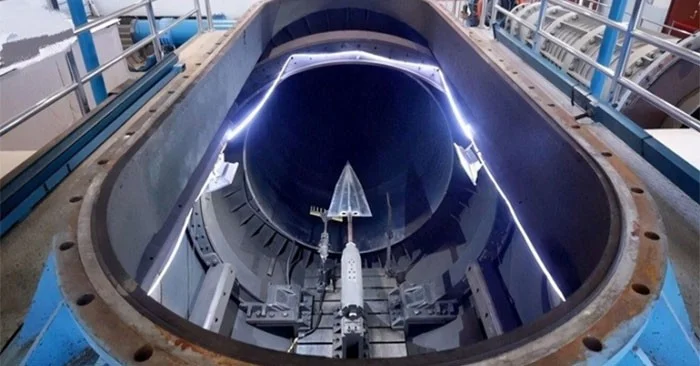
The JF-22, built at the Institute of Mechanical Engineering of the Chinese Academy of Sciences (IMCAS) in northern Beijing, is the world's most powerful hypersonic wind tunnel. The JF-22 has a diameter of 4 meters and can reach speeds of up to Mach 30 (37,044 km/h or 10.3 km/s).
The JF-22 uses timed explosions to produce shock waves that reflect each other and converge at a point inside the pipeline to create such a high-speed gas flow. The JF-22 can provide 15 gigawatts (GW) of power, 70% of the capacity of the Three Gorges Dam, the world's largest hydroelectric dam.
2. JF-12
The JF-12 is an open-circuit wind tunnel, using shock waves to create flight conditions from Mach 5 (6,174 km/h) to Mach 9 (11,174 km/h), at altitudes from 25,000 m to 50,000 m.
The JF-12 was built by the Institute of Mechanical Engineering under IMCAS in 2008-2012, playing an important role in the development of China's DF-ZF hypersonic glide vehicle (HGV).
3. T-117 TsAGI Supersonic Wind Tunnel

T-117 TsAGI is a large supersonic wind tunnel built in the 1970s at the Central Hydro-Aerodynamic Institute in Moscow, Russia.
The system operates on a blowdown principle, with high pressure gas rapidly released into the remaining area of the wind tunnel to create a gas stream. The gas stream is heated by two separate electric furnaces that can be removed depending on the experiment.
The T-117 TsAGI can generate test speeds from Mach 5 (6,174 km/h) to Mach 10 (12,348 km/h) and simulate the high temperatures that hypersonic vehicles encounter during flight.
The Federation spacecraft's hypersonic flight mode was tested by T-117 TsAGI in 2018. This is a project of the Russian space agency Roscosmos to replace the Soyuz spacecraft on various missions in low Earth and lunar orbit.
4. Hypersonic Tunnel Facility (HTF)
The Hypersonic Tunnel Facility (HTF) specializes in testing large-scale hypersonic aspirated propulsion systems at speeds from Mach 5 (6,174 km/h) to Mach 7 (8,644 km/h), simulating real-world altitudes (36,500 m). The facility is located at NASA's Neil Armstrong Test Facility, at the Glenn Research Center in Sandusky, Ohio.
The test area in the HTF can be adjusted from 3.05 m to 4.27 m. There, a graphite core thermal charge furnace can produce pollution-free artificial air in real proportion by heating nitrogen gas, then mixing it with oxygen and nitrogen at room temperature. According to the specific requirements for the test, the temperature of the artificial air is controlled. Depending on the operating conditions, the HTF can operate for 5 minutes at a time.
5. Unitary Plan Wind Tunnel (UPWT)
The Unitary Plan Tunnel (UPWT) is located at NASA's Ames Research Center in Moffet Field, California. Completed in 1955, the tunnel is designed to test both conventional aircraft (commercial and military) and spacecraft.
UPWT consists of three closed-circuit wind tunnels: a 3.4 x 3.4 m subsonic wind tunnel (TWT), a 2.7 x 2.1 m supersonic wind tunnel, and a 2.4 x 2.1 m supersonic wind tunnel. These wind tunnels are powered by four 65,000-horsepower wound-rotor electromagnetic motors operating at 7,200 volts.
The final wind tunnel can reach speeds up to Mach 3.5 (4,321 m).
UPWT played a key role in the development of Boeing's fleet of aircraft such as the F-111 fighter and the B-1 Lancer bomber.