Home
» Wiki
»
5 Reasons Mailbird is a Good Choice for Managing Multiple Email Accounts
5 Reasons Mailbird is a Good Choice for Managing Multiple Email Accounts
While there are many online email clients and native email apps, Mailbird remains the top choice for many people to keep everything under control. Managing multiple email accounts can be a hassle, but Mailbird turns the chaos into something simpler.
Inbox Zero is one of the most effective ways to keep yourself from feeling overwhelmed, but many people never like to do this in native email clients. Mailbird is more intuitive. Instead of clicking buttons, all you have to do is hit the Backspace key on your computer and the message is automatically moved to the Trash folder.
This method is significantly more effective than previous methods, which typically include one of the following:
Mark all messages as read and delete all unnecessary emails.
Click on emails so they don't appear in the unread folder (but still keep them in the inbox).
Manually filter and check or click the trash icon next to each email you don't want to keep.
Your inbox will be much more organized when you switch to Mailbird, and as a result, you'll be able to handle things more easily.
Note : If you try Mailbird and it doesn't work, you can always try managing your Gmail newsletters without cluttering your inbox.
2. Easily customize toolbar and folder settings
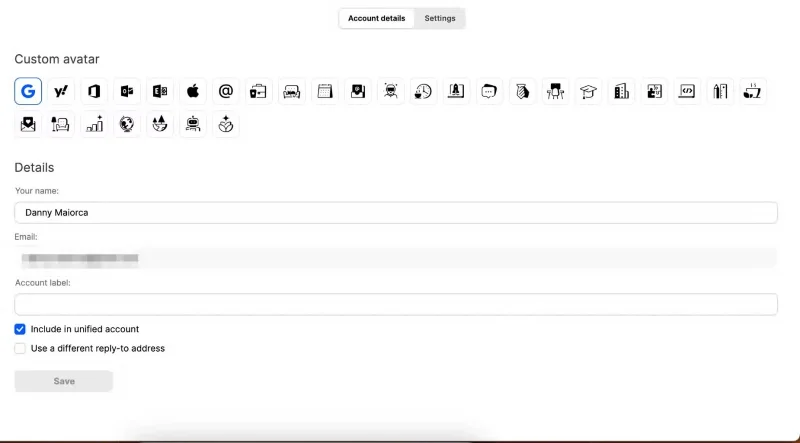
Mailbird offers a number of handy features that help you customize your left-hand toolbar so you can access your email more efficiently. The Custom avatar tool is one of them. To differentiate your inboxes, choose an appropriate icon for each of your connected inboxes. For example, your personal address has an icon of a cat sitting on a couch; this symbolizes being at home.
Create a custom avatar in the Mailbird app
On the other hand, the work email address has a graph next to it (the graph signals growth and is instantly recognizable). You can choose from a total of 30 icons.
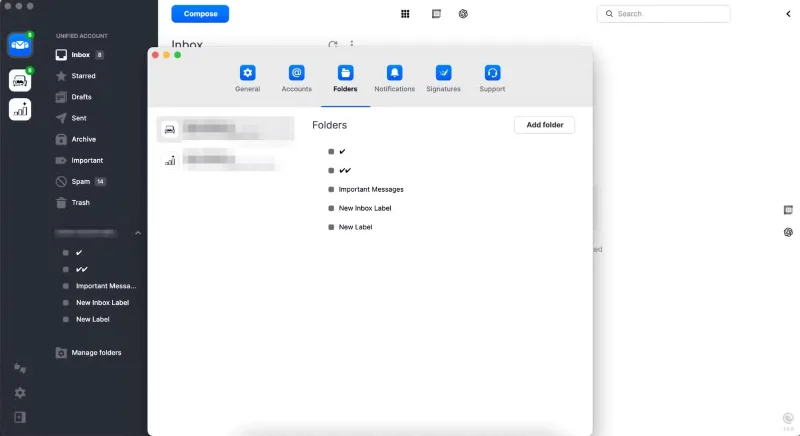
Mailbird's ability to choose which folders to display on the left is also appreciated by many. In addition to choosing from your most important messages and different labels, you can also create custom folders for each inbox if needed; these can be accessed by expanding the left toolbar.
Manage folders in the Mailbird app
To edit these settings, you can click on the settings icon or you can also select Manage Folders to organize specific folders.
3. Sync calendars for seamless planning
Context switching is a huge productivity killer, so it’s a good idea to keep as many tools in one place as possible. And while you may rarely use the Gmail web app these days, it’s still a good idea to keep your calendar in the same place as your email. Thankfully, you can sync your calendars and view them in the app.
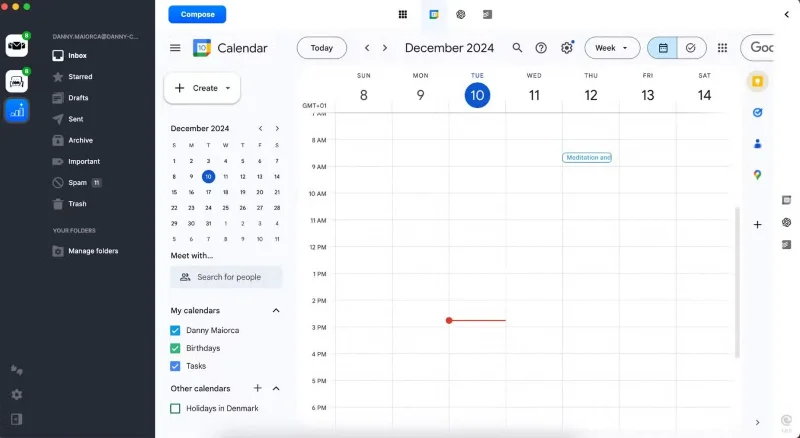
You can access some of Google Calendar 's productivity-boosting features without leaving the Mailbird app. Not only can you see upcoming events, but you can also create new ones. If you want to add additional calendars, you have the option to do so within the app.
Use Google Calendar in the Mailbird app
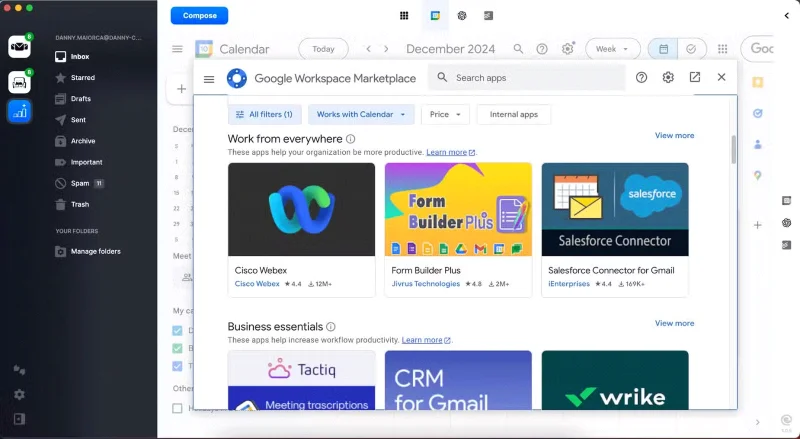
Using the Google Calendar add-on in Mailbird
Another cool feature is the ability to integrate multiple apps into Google Calendar and access them through Mailbird. For example, you have Keep, Tasks, and Maps. Other handy tools you can add if you want are Zoom and Streak.
Select the new add-on for Google Calendar in the Mailbird app
How to Add Google Calendar to Mailbird
To integrate Google Calendar with Mailbird, all I had to do was follow these steps.
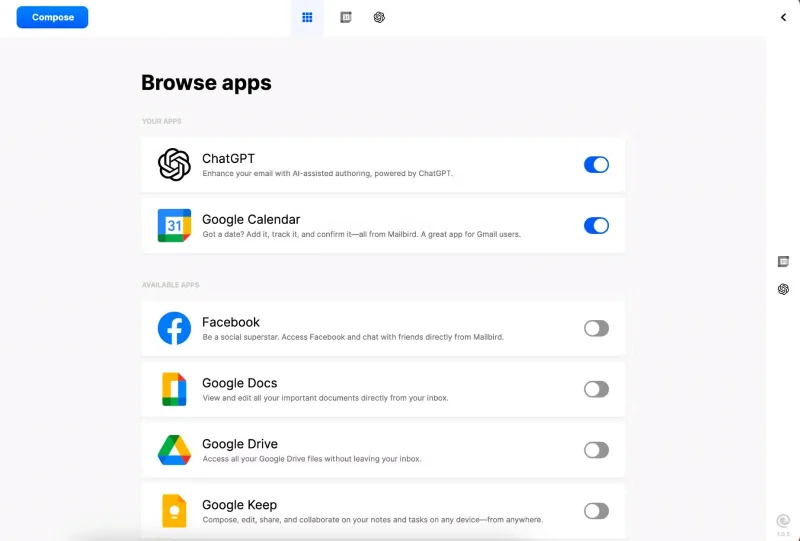
Go to the Browse apps icon at the top of the Mailbird interface.
Turn on Google Calendar .
Sign in to Google Calendar on the right side.
Check the boxes next to each calendar you want to display.
Click the Google Calendar icon at the top of the app to open it in full screen mode.
Integrate Mailbird with Gmail in the app
You can access Google Calendar no matter which email tab you’re in. At first, the app may only appear on the right side. We don’t recommend this view because it’s too cluttered. If that happens, try clicking the Google Calendar icon at the top again; it should now take up most of your screen.
While Mailbird integrates with Google Calendar, it is not possible to use the Outlook Calendar or Apple Calendar equivalent with this app.
4. Easily integrate your favorite apps with Mailbird
The ability to add and access some of your favorite tools in Mailbird helps you combat context switching. Here are two examples of key use cases; like Google Calendar, you’ll need to enable these apps and then log in to your account.
Todoist
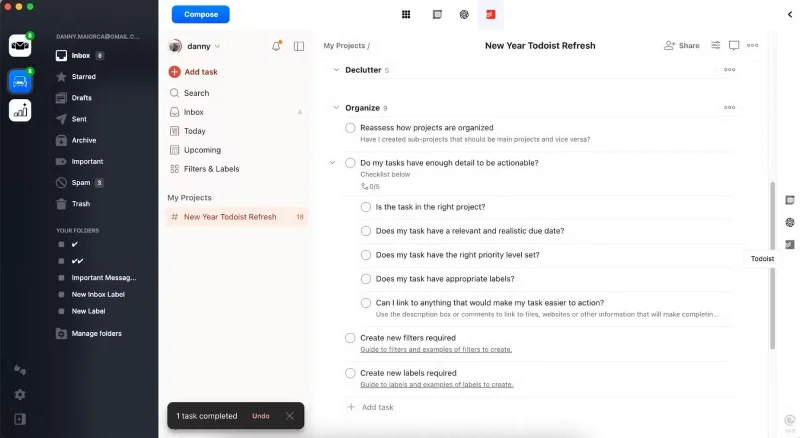
When using Todoist within Mailbird, you can browse and customize a variety of templates. These include templates similar to what you’ll find on the Todoist website/app, such as yearly reviews, managing finances, and starting a side hustle. So if you’re looking for tools to help you keep track of your New Year’s resolutions, consider using Todoist and Mailbird together.
Manage tasks in Todoist via the Mailbird app.
You can set up recurring tasks in Todoist and create regular to-dos without leaving the Mailbird app.
ChatGPT
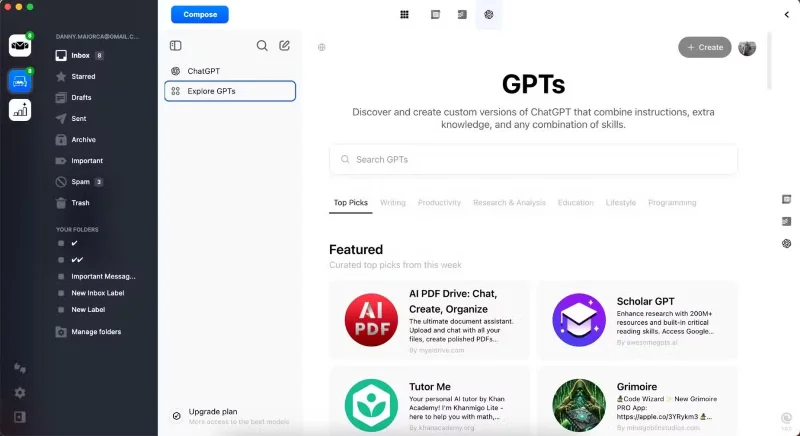
Many people use ChatGPT every day to plan their work life, create new daily schedules, optimize gym workouts, etc. Besides the basic chat mode, you can use some custom GPTs to get more accurate feedback.
Once you log in to ChatGPT through Mailbird, you can access essential features (like starting a conversation). Everything syncs automatically, allowing for a more seamless workflow. Using ChatGPT in Mailbird is especially useful if you need help composing an email response or want to research something without having to jump into your browser.
Using ChatGPT in Mailbird App
5. Can streamline emails in a unified inbox
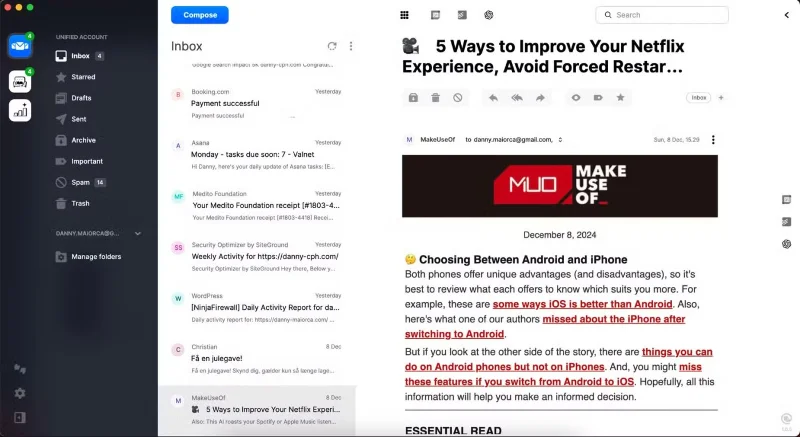
Instead of manually logging into each email account through your browser, use Mailbird to manage your email through a unified inbox. Quickly delete emails you don't want to take further action on, and star any emails that need your attention later.
It can be confusing at first to see which email account each email belongs to, but you'll quickly get the hang of it. Plus, when you open an email, you'll see which account it's linked to.
Create a unified inbox in the Mailbird app
There’s no better way to manage multiple email addresses than Mailbird. It lets you organize your work and personal emails in one place, and it integrates with many of your favorite apps. You can significantly reduce context switching and multitasking, which can increase productivity.