The iPhone 7 / iPhone 7 Plus has been removed by the physical Home button, but instead is a force-sensitive Home button with different vibrations. Then let's find out how to change the vibration on the iPhone 7 / iPhone 7 Plus Home button.
1. Benefits of changing vibration on iPhone 7 / iPhone 7 Plus Home button
Help you change the feeling of vibration on the Home button for the most comfortable.
2. How to change vibration on iPhone 7 / iPhone 7 Plus Home button?
Quick start Guide:
Go to Settings -> General -> Home button -> Choose 1 vibration level -> Done.
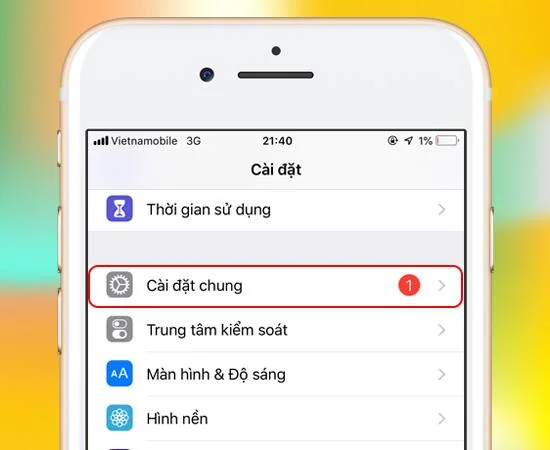
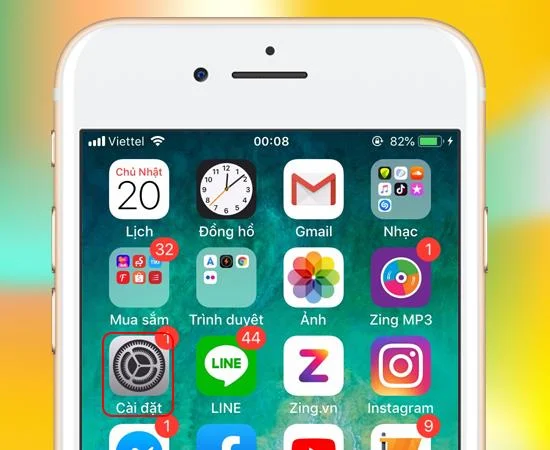
Step 1: First go to Settings.
Step 2: Next you go to General settings.
![5 steps to change the vibration of the Home button on iPhone 7, 7 Plus]()
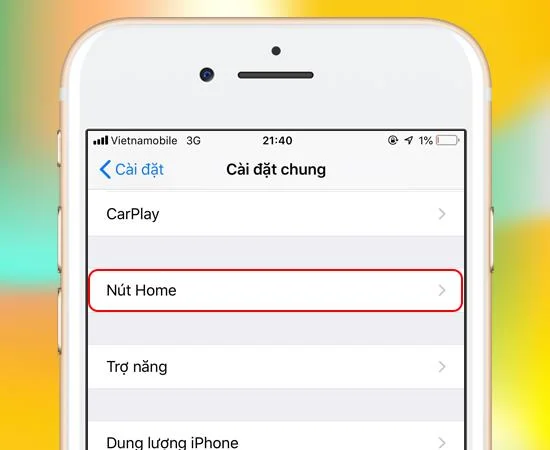
Step 3: Then select the Home button.
- See also: Variable gradient colors for the chat window Facebook Messenger
![5 steps to change the vibration of the Home button on iPhone 7, 7 Plus]()
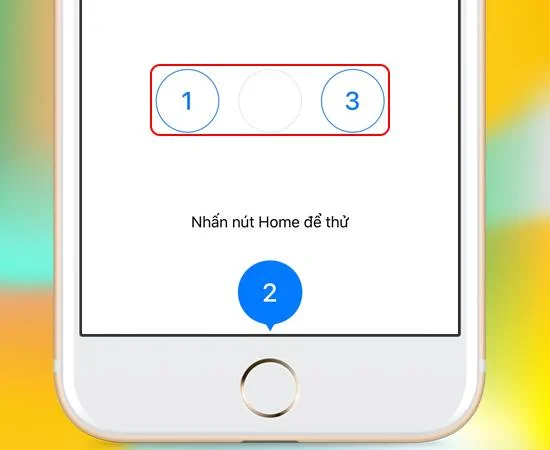
Step 4: Here you have 3 levels of vibration for you to choose from.
- Level 1: The weakest vibration.
- Level 2: Medium vibration.
- Level 3: Strongest vibration.
You choose on a vibration level you like.
![5 steps to change the vibration of the Home button on iPhone 7, 7 Plus]()
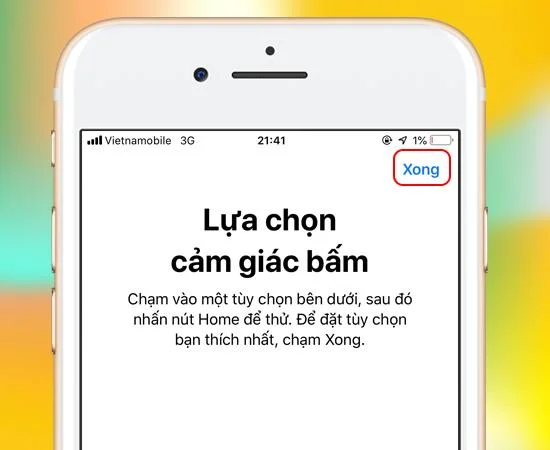
Step 5: Finally, select Done to complete.
![5 steps to change the vibration of the Home button on iPhone 7, 7 Plus]()
Your complete setup is complete, hopefully this article has been helpful to you.
Good luck!
Maybe you are interested:
- Unique feature of default iPhone apps
- How to power off iPad?
- Create USB BOOT to install Windows 10 .