Desk Decorating Ideas for a Spooky Office Cubicle

Create a spooky office cubicle with Halloween desk decor ideas that keep your workspace usable, tidy, and mindful of workplace safety.
Many players often look for ways to cheat to earn diamonds in Free Fire, some websites have taken advantage of this to create scam tools, making users enter their accounts and think they will receive a number of free diamonds and then say goodbye to their Free Fire accounts.
There are also some tools that require players to perform tasks such as downloading apps, using apps, or taking quizzes to be able to receive free diamonds in Free Fire.
Ways to get free diamonds in Free Fire
Free Fire has a variety of in-game currencies that you can use to make transactions and own different costumes and skins, characters or items. The highest currency in Free Fire right now is called Diamonds and you can use it to get exclusive items through different events. However, that currency is not free and to get it, you have to spend money.
However, many people do not like to pay or follow the motto of just playing - no payment, so buying diamonds in the game is not a top choice. But they still try to find diamonds in many different ways. And some of the ways below will help you get free diamonds.
Redeem FF diamond code
Although it is very rare, diamond exchange codes are still the fastest and most reputable way to get free diamonds. And the number of codes to exchange for diamonds will also be limited, game publishers sometimes will not directly issue diamond codes but will have to do tasks to get that giftcode.
The amount of diamonds you can exchange is not much, only a few dozen diamonds for a giftcode exchange. So if you want a certain amount of diamonds immediately, you should just top up and not wait for the giftcode.
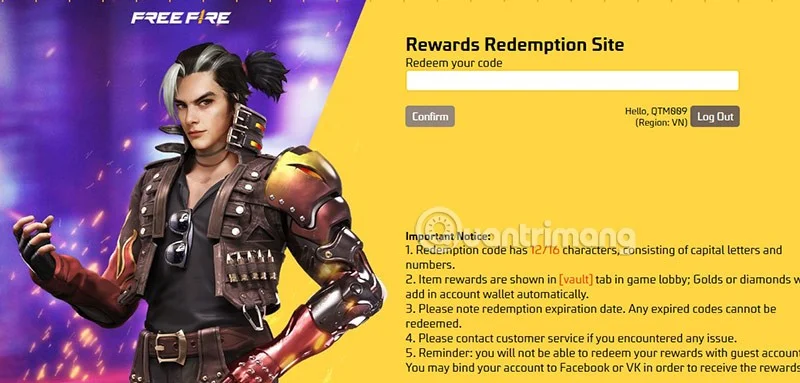
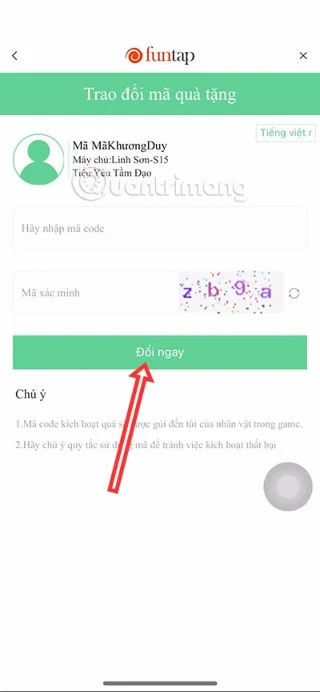
Unlike many other mobile games, when you enter the FF code, the reward will be sent to your mailbox within 24 hours of entering. You can see the latest codes in the latest Free Fire code list .
You can keep searching for new codes for your account, even if the code doesn't give you diamonds, you will still have a chance to receive valuable rewards.
Complete events in Free Fire
Although there are rare events where players can receive diamonds in the game as giftcodes. But there is still a chance for you to receive diamonds in the game through events organized by the game publisher.
Most of the rewards will be "physical" like skins, costumes, room creation tickets, emotes... and very few rewards will be diamonds. Or at least discount coupons will help you buy items at a much lower price.
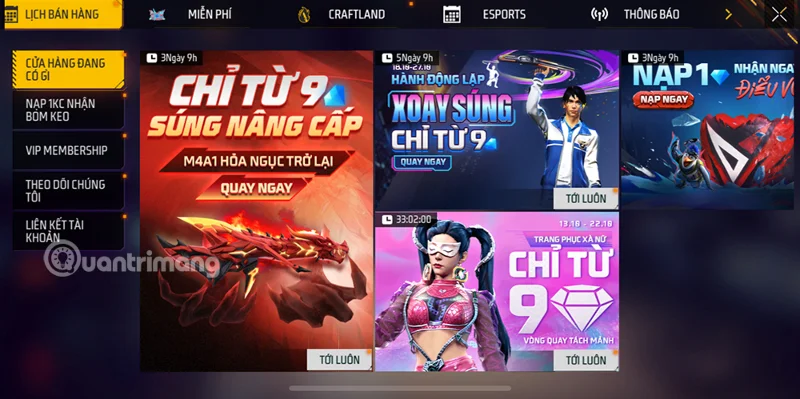
Remember, you should only search for live events in the Events section on the main interface of the game. Or it must be the event that the publisher posts on the Fanpage and the official website of the game. Absolutely do not participate in strange fanpages, strange websites to avoid being scammed by bad guys.
Join the community tournament
This is also where players earn free diamonds, however you will have to reach at least TOP 3 to be able to get free diamonds. Along with the diamonds received, you will have other rewards such as Booyah Board and medals...
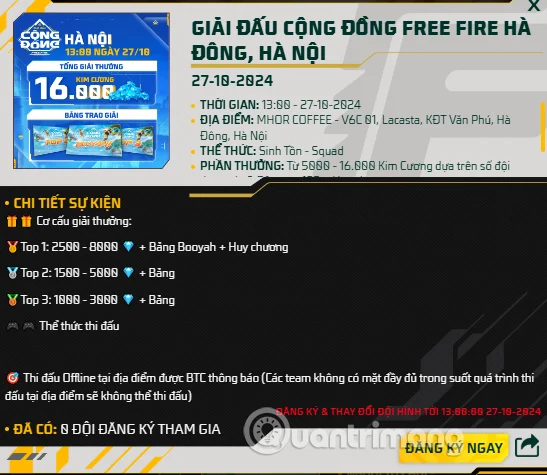
For those who don't know, Free Fire community tournaments are tournaments organized by players, gamer groups or organizations not affiliated with Garena. To create a playground for gamers to compete and create connections.
Although these are not official tournaments, you still have many attractive rewards such as diamonds, skins or many other valuable items in the game.
Most tournaments will allow players to register for free, but some tournaments will also charge a registration fee. However, this registration fee is quite low, only contributing to the prize for the winner. Note that you should only participate directly at the address listed in the event description, or you must also register through the game's official website.
Get free diamonds with Google Opinion Rewards
Google Opinion Rewards, this way is probably also quite popular with many Free Fire players to receive rewards. Basically, you can log in to your Free Fire account on this application and then complete surveys that the developer will occasionally provide to players.
You will then receive credits in the Google Play Store and can eventually use the credits you receive to exchange for diamonds in Free Fire. Although accumulating credits through surveys will take quite a bit of your time.
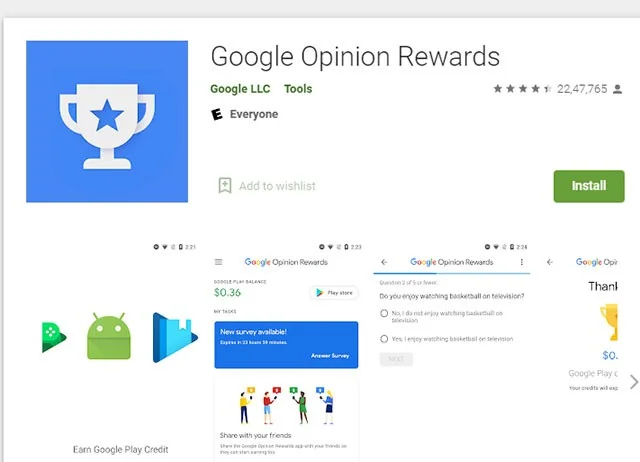
Additionally, you can use these credits on Super Air Drops or use them as a FF member. Both of these methods have better benefits than regular in-game deposits.
You can download the Android version of Google Opinion Rewards directly from the link above, but for iOS you need to change the App Store to another country.
GPT Apps and Websites
GPT stands for Get Paid To like Swagbucks, Prize Rebel, Easy Rewards, Poll Pay... are available now.
In these sites, you need to answer questions or do surveys, quizzes... Then redeem some rewards such as gift cards for Google Play Store, coupons for e-commerce sites... depending on the user's country.
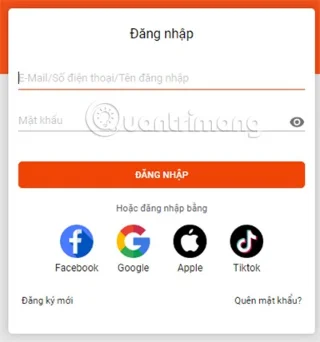
From these rewards you can convert them into money and buy diamonds directly in Free Fire.
Note:
Create a spooky office cubicle with Halloween desk decor ideas that keep your workspace usable, tidy, and mindful of workplace safety.
Plan a recognizable Halloween 2026 look with pop culture costumes inspired by Spider-Man, Supergirl, Toy Story 5, Moana, Mario, and Wednesday.
Sort leftover Halloween candy safely, share or repurpose sealed treats, and choose food use or compost for pumpkins based on their condition.
Compare workplace Halloween costume choices by respect, dress code, mobility, and safety—and learn when a subtle accessory or a policy check is the better option.
Find a couples costume that fits your style, budget, and comfort level, from Addams Family classics to original inside-joke duos.
Need a last-minute high school Halloween costume? Compare 10 easy closet-based ideas by prep time, comfort, school-day practicality, and simple safety checks.
Use a simple 2026 Halloween decorating timeline for indoor décor, outdoor displays, and fresh pumpkins, with practical adjustments for weather and events.
Mix five vivid, approachable Halloween cocktails with measured recipes, simple prep tips, and an alcohol-free option for your party guests.
Find 15 office-friendly Halloween costume ideas for 2026, with practical checks for dress codes, respectful themes, comfort, and workplace safety.
Plan a fun elementary school Halloween party with easy crafts, games, inclusive treats, costume tips, and a sample 75-minute classroom schedule.








