Desk Decorating Ideas for a Spooky Office Cubicle

Create a spooky office cubicle with Halloween desk decor ideas that keep your workspace usable, tidy, and mindful of workplace safety.
Google's app ecosystem is incredibly robust, but after switching to a Galaxy phone, you'll realize that many of Samsung's alternatives offer a superior, more integrated experience. As a result, many people have replaced some of Google's apps with Samsung's.
1. Samsung Keyboard replaces Gboard
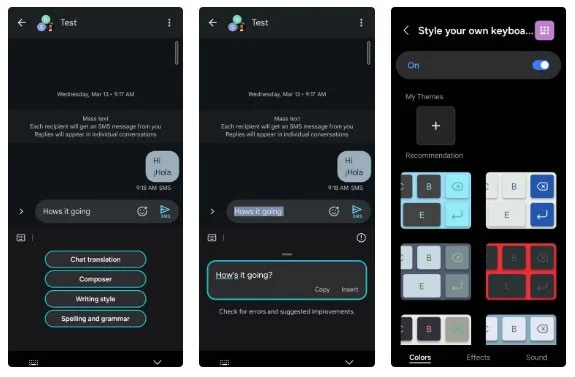
Gboard may be a popular keyboard app, but you won't regret switching to Samsung Keyboard. One of the main reasons for this is the Galaxy AI writing features, which are seamlessly integrated into Samsung's keyboard app.
With Galaxy AI, you can quickly correct grammar errors, rephrase text, and even create entire messages from scratch. This makes typing on your Galaxy phone smoother and more efficient than ever.
2. Samsung Notes instead of Google Keep
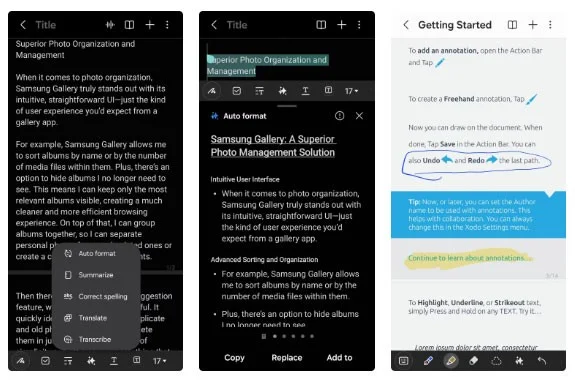
Google Keep is great for anyone who wants a simple, no-frills note-taking experience. However, it lacks some useful features found in Samsung Notes. For example, Samsung Notes offers an Auto Format feature that quickly organizes notes with bullet points and titles.
You can also use Galaxy AI in Samsung Notes to get a quick summary of a long note. Plus, Samsung Notes makes it easy to open and annotate PDFs—something Google Keep doesn't have.
3. Samsung Phone instead of Google Phone
Most people only use the phone app to make calls and check call logs. However, the Samsung Phone app offers a number of useful features beyond these basics.
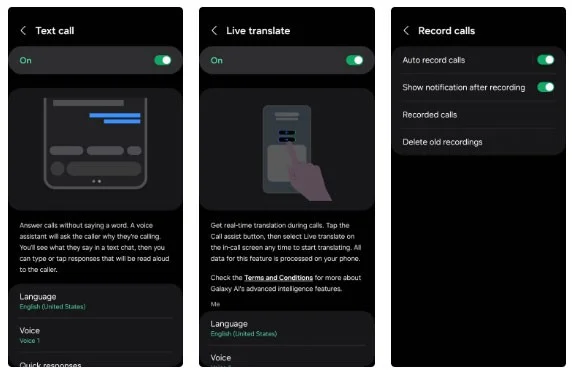
The most popular feature is Bixby Text Call, which lets you use the voice assistant to answer calls. It works similarly to how Google's Call Screening feature works on Pixel phones. Another useful feature is Live Translate, which provides real-time translation during phone calls.
4. Samsung Calendar instead of Google Calendar
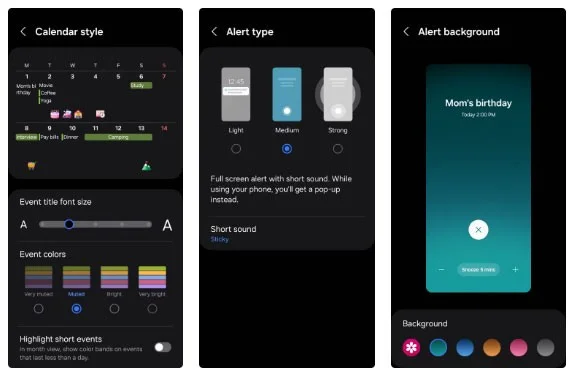
Honestly, there isn’t much difference between Google Calendar and Samsung Calendar, but Samsung Calendar wins over users with its customization options. People love how Samsung Calendar allows for personalization of the event interface — you can adjust the font size, color, and even how events are highlighted.
Another small but handy feature is the ability to display detailed weather information directly in the calendar view. When it comes to alerts, Samsung Calendar offers more flexibility – you can choose between standard notifications or full-screen alerts to ensure you never miss an important meeting or reminder.
5. Samsung SmartThings Find instead of Google Find My Device
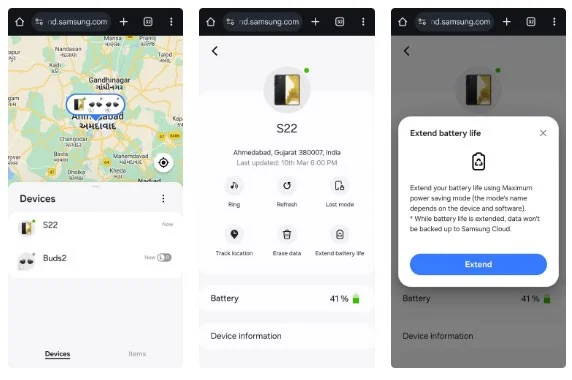
Losing your smartphone can be stressful. Thankfully, Google's Find My Device lets you play a sound on your phone, secure it, or remotely wipe it if something unfortunate happens. But Samsung's SmartThings Find lets you do all that and more.
Another benefit of using SmartThings Find is that it's not just limited to your phone, but also allows you to track and ring other Samsung devices, including the Galaxy Buds and Galaxy Watch.
6. Samsung Files instead of Files by Google
Both Samsung Files and Files by Google offer similar file management features. However, people prefer Samsung Files for a few key reasons.
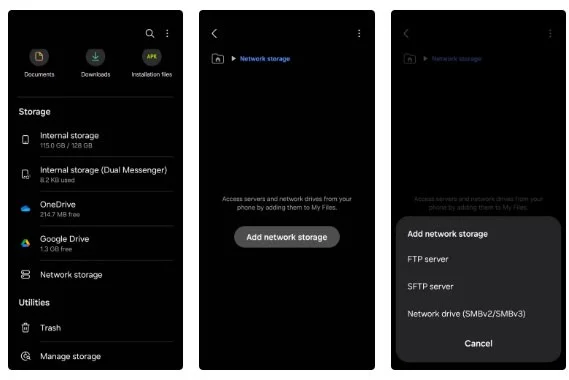
In addition to managing local storage, Samsung's My Files app lets users view and organize files stored on cloud services like OneDrive and Google Drive . This means you can move files around or check your cloud storage without switching between apps.
7. Samsung Calculator instead of Google Calculator
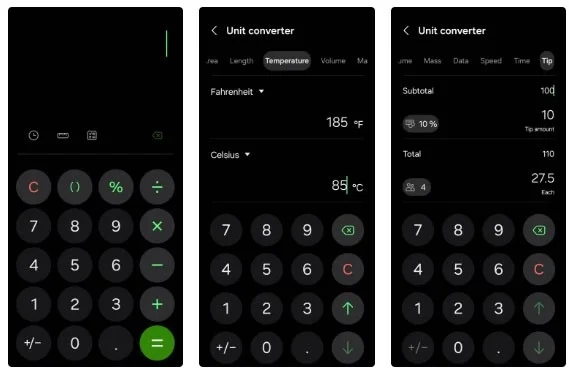
If you have tried both Samsung and Google calculator apps, you will see that Samsung wins because it has more features.
The most used feature is the built-in unit converter. It includes all the basics, including length, temperature, data, speed, etc. There's even a tip calculator , where you can enter the total, tip percentage, and number of people splitting the bill - it provides an accurate calculation right away.
8. Samsung Gallery instead of Google Photos
If there's one app that everyone uses on their phone, it's the Gallery app. Samsung Gallery is far superior to Google Photos.
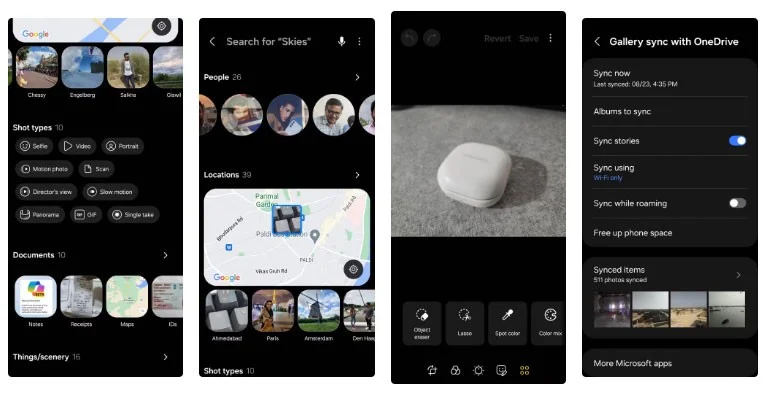
When it comes to editing, Samsung Gallery stands out with options like removing shadows and reflections. And while both apps include the option to mute videos, Samsung Gallery also lets you replace the audio, which is definitely a plus.
Another great example is the search function. Unlike Google Photos, which only allows you to search for photos backed up in the cloud, Samsung Gallery lets you search for all images, regardless of whether they're backed up or not.
Create a spooky office cubicle with Halloween desk decor ideas that keep your workspace usable, tidy, and mindful of workplace safety.
Plan a recognizable Halloween 2026 look with pop culture costumes inspired by Spider-Man, Supergirl, Toy Story 5, Moana, Mario, and Wednesday.
Sort leftover Halloween candy safely, share or repurpose sealed treats, and choose food use or compost for pumpkins based on their condition.
Compare workplace Halloween costume choices by respect, dress code, mobility, and safety—and learn when a subtle accessory or a policy check is the better option.
Find a couples costume that fits your style, budget, and comfort level, from Addams Family classics to original inside-joke duos.
Need a last-minute high school Halloween costume? Compare 10 easy closet-based ideas by prep time, comfort, school-day practicality, and simple safety checks.
Use a simple 2026 Halloween decorating timeline for indoor décor, outdoor displays, and fresh pumpkins, with practical adjustments for weather and events.
Mix five vivid, approachable Halloween cocktails with measured recipes, simple prep tips, and an alcohol-free option for your party guests.
Find 15 office-friendly Halloween costume ideas for 2026, with practical checks for dress codes, respectful themes, comfort, and workplace safety.
Plan a fun elementary school Halloween party with easy crafts, games, inclusive treats, costume tips, and a sample 75-minute classroom schedule.








