Home
» Wiki
»
9 Steps to Create Your Own Manga - Anime Series
9 Steps to Create Your Own Manga - Anime Series
Drawing manga is not difficult. This article will summarize for you the simplest way to draw manga in just 9 steps.
For avid fans and illustrators, nothing beats comics. This dynamic genre continues to capture our imaginations in powerful ways, from superheroes and sci-fi to comedy and horror. With the rise of webtoons, where you can indulge your passion for comics, turning your creative ideas into professional-quality comics is easier than ever.
So how do you get started? Creating comics takes skill, patience, and planning, but it's exciting to see all the elements come together in the end and create a piece that captivates readers.
Do you know how to create a comic book? Follow this step-by-step guide to bring your comic book project to life:
>>> Learn more about the series of articles dedicated to those who are passionate about drawing Anime and Manga:
"Secret" to drawing Anime characters, simple and beautiful.
There are many genres of stories you can choose from.
Manga is an umbrella term used for a variety of graphic novels and comics originating from Japan. The term manga comes from two Japanese words, “man” meaning whimsical or entertaining, and “ga” meaning picture, image, or cartoon. Unlike American or Western comics, which are printed in full color, Japanese comics are always in black and white. Additionally, Western cultures typically read from left to right, while Japanese manga is read from right to left.
In Japan, manga are serialized or published in popular magazines, such as Shonen Beat or Jump. They are released weekly or monthly, chapter by chapter, and can run for a long time. If the series proves to be popular, it is published in volumes called “tankobon” containing a few chapters of the entire story at a time.
Manga is closely linked to Japanese society and culture and includes a wide variety of genres from adventure, action, business and comedy, to historical, drama, detective, horror, romance, mystery, science, fantasy, fiction, sports and many others.
So, to create your own Manga - Anime series, you need to determine the genre of the story you want to draw, it can be about life, science fiction, ancient, modern...
Step 2: Write a summary of your work
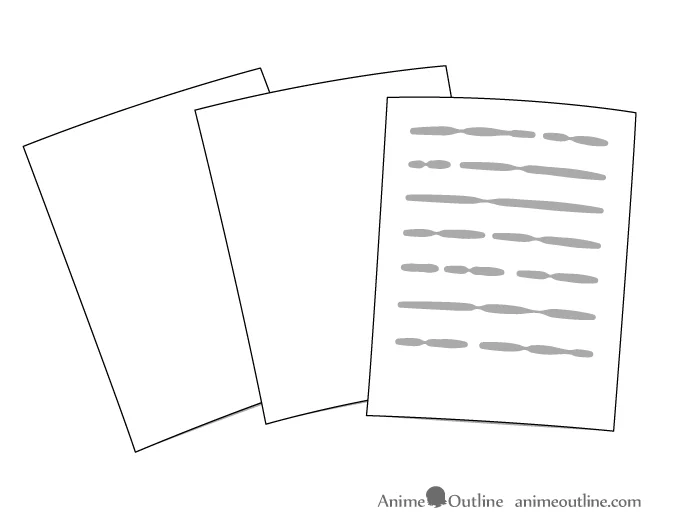
Write a summary
Write a basic summary of your manga, describing the main events and plot of the story.
Step 3: Create profile and design character
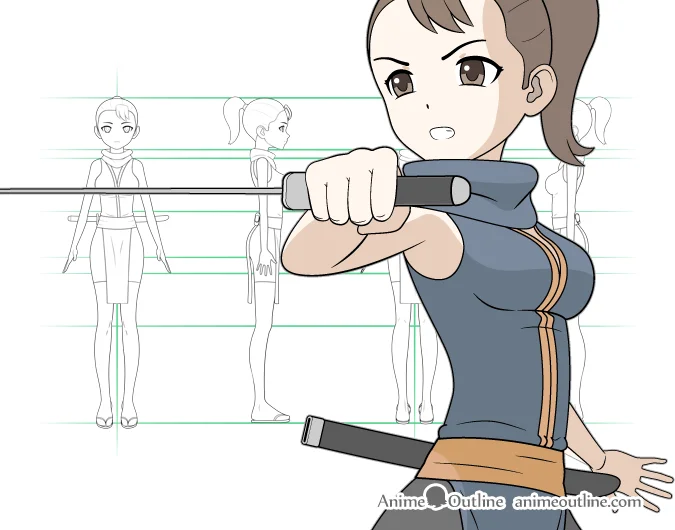
Character design
Write profiles for the characters in the story and design the character's appearance. You can refer to the steps to create your own Manga or Anime character in the following articles of Quantrimang.com.
Step 4: Determine the story setting
Decide where your story will take place and in what setting. For example, if the genre is fantasy, what will the world be called, what will its characteristics be, where will the main location be, etc.
Also note that even if your story is not fantasy or science fiction, feel free to come up with non-existent locations for your story (countries, cities... that don't exist).
Additionally, think about and plan the locations where the main events will take place.
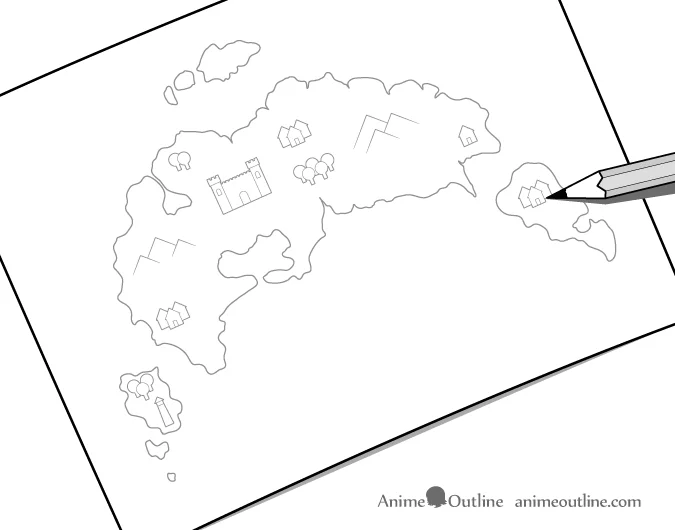
Draw a world map for a fantasy story
Continuing with the fantasy story setting example, start by drawing a map of the world or part of the world where the story takes place. You can use icons to represent different locations (you can also add text to each icon).
Town map example
If the setting is realistic, instead of drawing a world map like above, draw a map of the cities and towns where the events in the story take place (this map can also be drawn for fantasy genres).
This map will show places like the main character's house, friends' houses, the way to work or school, important locations where the story will take place ... Use simple images and icons to draw the map and only draw places relevant to the story.
If you want to use a real city as the setting for your manga, use maps and real photos to get ideas.
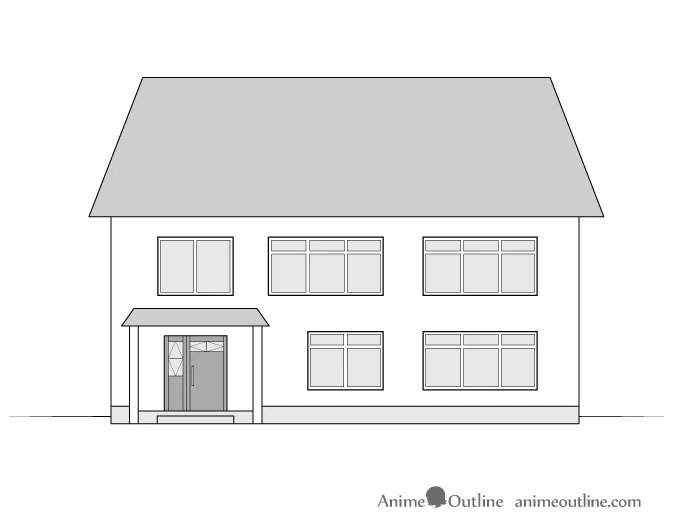
Next, sketch out the exterior details of these locations. For example, street scenes, the main character's house, school, etc.
House detail drawing
Finally, you need to sketch out the interior of the place where the story takes place , such as the classroom or the main character’s room. This will help establish the location and orientation of the objects in the work (bed, wardrobe, table, chair, etc.).
Interior view of the room
Planning these settings will help you avoid inconsistencies when drawing panels later, and will also help you plan the flow of the story. For example, when drawing a character going to the beach, remember that he has to pass a convenience store first, so you can have him pick up a snack on the way. This will also help you avoid forgetting where the store is, not placing it on the way to the park in another volume.
Step 5: Determine the length of the series
Write down the main ideas and events in a story.
Make a specific plan, determine how many episodes you want your manga - anime to have.
Write down the main ideas, events in a chapter , and characters that will appear in each episode.
For example, list the ideas like this:
The main character wakes up and makes breakfast.
The main character went to his best friend's house and went to school together.
On the way to school, the main character and his friend talk about…
As class was about to begin, a new transfer student was introduced.
...
Be careful to use character names when writing summaries. Make sure to clearly label episodes 1 and 2 to avoid confusion. If you plan to name each episode, write them down in your summary and be sure to organize them carefully.
Step 6: Plan each page of the story
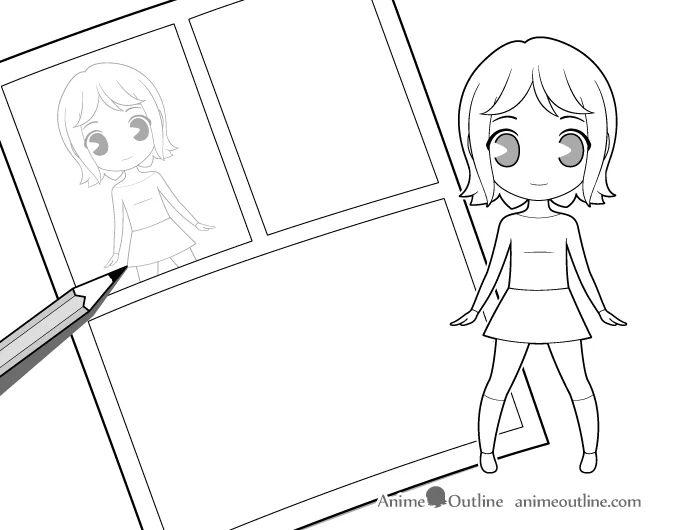
Sketch a comic page using chibi characters
Plan each page in the chapter by making a rough sketch , using printer paper (usually A4). Remember to number the pages so you don't get confused later.
You can draw chibi form while sketching to speed things up (big head, small body and not much detail).
Add dialogue to each page.
This sketch is just a rough sketch, the important thing is to make sure the arrangement of the panels is reasonable. Note that you may have to adjust the size of the panels to match the actual panels when printing, just make sure the number of panels and placement are correct in the final drawing when published.
Step 7: Plan your printing before producing the final drawing
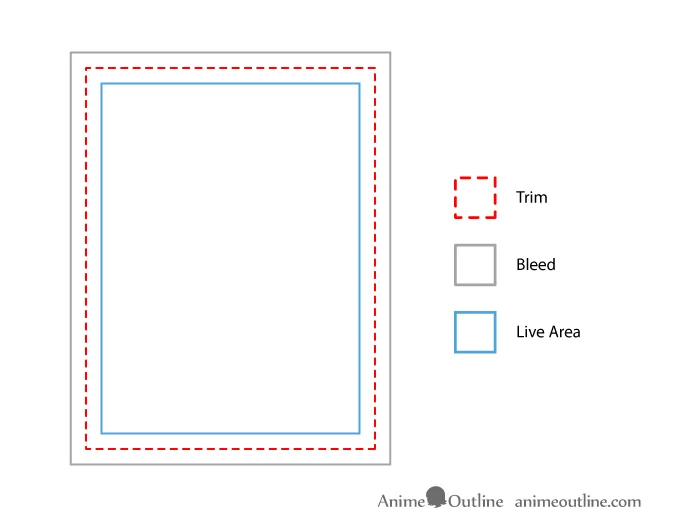
Trim, Bleed and Live Area sections
Before you start the actual drawing, there are a few things you should keep in mind.
If you really have a serious plan to print your manga - anime professionally, learn carefully about the standard print size for your work . But if you draw for practice, practice your ability and only print simple, you can do whatever you like. However, it is still recommended that you try to practice with standard sizes, this is very good for the writer himself when exposed to professional habits.
Also note that the standard size of Japanese manga - anime may be different from the standard size of a comic book from another country .
If you want to print the story, you need to pay attention to the following parts of the story page:
Page Live Area: The area of paper you can draw on without worrying about it being cut off.
Page Trim: The excess paper around the edge will be trimmed off.
Page Bleed: The area outside the cutout, which ensures that the paper does not have any unnecessary white borders. If you want a colored background or an image to go beyond the edge of the printed paper, draw beyond the cutout and over the bleed.
Notes when printing manga - anime
You can do your own research on printing but the tips above are the things you need to pay attention to.
If you feel you need some extra help with this, consider consulting a graphic designer for advice. They often work with print and are easier to find than a comic book artist.
Web Manga
You can also skip the printing process and publish your comic online. This is the most cost-effective and easiest way to do it. However, you should still try and determine the standard size for printing in case you want to publish your comic as a text print.
Step 8: Choose a bubble style for your dialogue
Speech Bubble
Different types of speech bubbles can be used to emphasize the content of the story they represent. For example:
Normal speech: simple oval bubble with tail pointing towards the character
Angry speech, shouting: larger bubbles, with jagged edges for emphasis
...
Different manga artists may also use different styles for these speech bubbles. In general, choose a certain style and stick with it throughout your manga.
Step 9: Start drawing your work
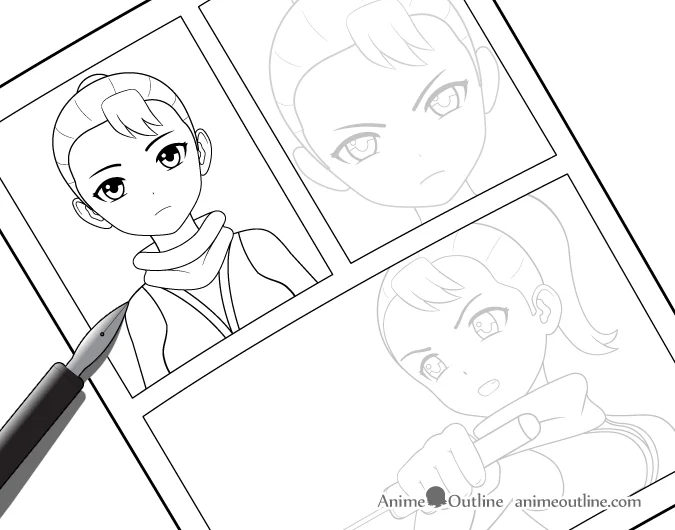
Pencil and outline the story
Once everything is pretty much planned out as above, you can start drawing your manga - anime.
Start with pencil lines for your drawing and then ink them later. For manga, you should use a pen , if you find it difficult because you have never used this pen before, practice before drawing manga.
Finally, scan your drawing into your computer and use editing software to clean up the page, so don't worry if there are a few small ink smudges on the paper when you trace.
It’s also great if you have a tablet, stylus, and the right app , so you can draw your comics right there, without having to go through the hassle of scanning or tracing. The steps above still apply even if you’re not drawing on paper in the traditional way.
Tips: Ask other people for advice
You can get some basic feedback by showing people character art and plot for reference, or you can also show them a rough draft to see if it flows and is interesting. Listen to honest feedback, accept criticism and praise to improve your story.
Sometimes it is difficult to accept criticism, but if you are serious about your work, you should be willing to listen and accept it. But remember that not all criticism is valid and valuable. Seek out multiple opinions to get a comprehensive view of your work.
If you know someone who is a professional artist or writer, ask for the best advice from someone as experienced as them.
In summary, there are 3 important steps to remember and do first, to help you create attractive manga:
Write a summary of the story
You can’t write a good story if you don’t have a clear idea of its plot, plot, and ending. What is the goal of a manga? Write a short summary of the entire story you want to write, without any specific details or characters. Then, reduce the summary to a single sentence.
Create a character
To develop characters, you need to know who your characters are. Where they come from. What are their relationships like? Are they interested in love?… Write down all the essential traits of your main characters. These will be useful when you develop the plot.
Write a story
Before drawing each page, writing the story is necessary so that you can plan the content for each part and episode without running out of ideas halfway through. This also ensures that the content is coherent and on track.
Thoughts on the first edition
When thinking about the “bigger picture,” think about the problem at hand. You need to provide some context for the story, and you want enough action to keep your audience curious about what’s next. Decide what information you want to include in the first episode. Once you have all the answers to those questions, you’re ready to write your storyboard.
Storyboard layout
Storyboards are a reference stage for the layout of your manga or comic. Each panel conveys a certain amount of information and also contains your drawings. Don’t worry about illustrations for now. Just focus on the content. Who will talk to whom? What action scenes will be included? What information will they provide? Break the story into logical sections and create an engaging narrative flow.
Conclude
It is true that creating a manga or anime series takes a lot of time, but if you have followed this far, you must have the determination and perseverance to complete it. The important thing when starting and participating in a specific project is to plan it well. Don't rush to finish it quickly because you can get into trouble if you are not careful in this part, it will make you tired and frustrated. Just do a sufficient amount of work each day and persevere to complete it.
Follow the next articles on Manga - Anime tutorials of Quantrimang.com to learn more about how to draw this genre.