Pop Culture Costume Ideas That Will Dominate Halloween 2026

Plan a recognizable Halloween 2026 look with pop culture costumes inspired by Spider-Man, Supergirl, Toy Story 5, Moana, Mario, and Wednesday.
The modern version of wireless charging technology that we know today first appeared on phones in 2012. Despite many improvements over the years, is the technology really perfect or does it still have its limitations? Let’s explore the magic of wireless charging and see if it’s right for you!
What is wireless charging?
In fact, the technology we call “wireless charging” (or “inductive charging”) has been around since the 1970s. In 2009, Palm released the Pre phone with a magnetic inductive charging pad. However, it wasn’t until 2012 that the Qi standard – which is integrated into most modern smartphones – officially came into being. The Nokia Lumia 920 and Samsung Galaxy S3 were the first devices to use this technology.
The idea of wireless charging may sound simple – just place your phone on a pad without the need for cables – but there’s more to it than that. Here’s a look at the pros and cons of wireless charging technology.
Advantage
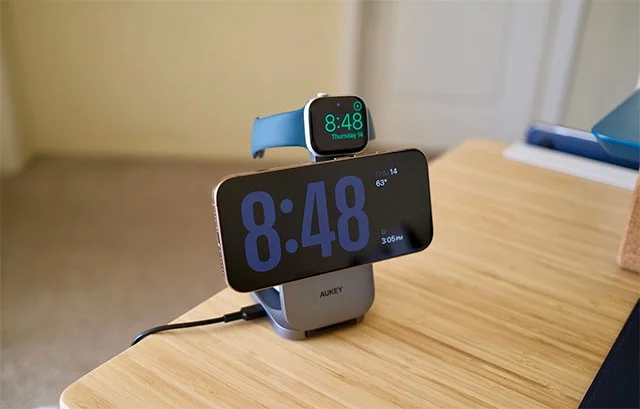
Maximum convenience
The biggest selling point of wireless charging is convenience. There’s nothing easier than simply placing your phone on the pad without having to plug it in or hunt for a charging port. This is especially helpful for people with mobility issues or who charge their phones multiple times a day. Just set it down and get on with it.
Neat space
Wireless charging helps reduce cable clutter on your desk or nightstand. Some charging pads even support charging multiple devices at once (phone, watch, headphones), making cable management easier.
Charging port protection
Constantly plugging and unplugging cables can damage the charging port over time, leading to poor contact. Wireless charging reduces physical stress on the charging port, ensuring your device is always ready when you need a cable.
Disadvantages
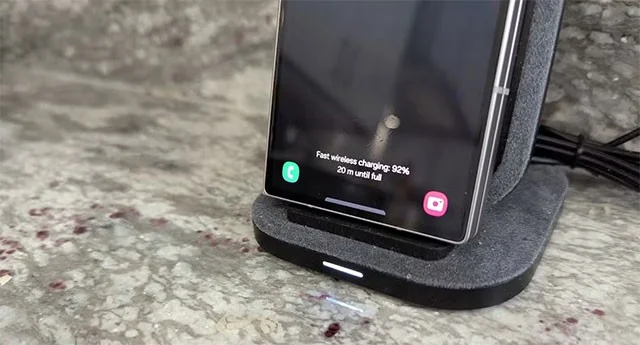
Slower charging speed
The most common downside to wireless charging is that it's slower than wired charging. Even though the technology has improved (especially with the Qi2 standard), wireless charging still takes longer to top up a battery.
A Reddit user tested it with an iPhone 13 Pro Max (which supports Qi2): The device charged from 0% in 120 minutes with a cable, but took an additional hour with a Qi2 pad and almost 2 hours with Qi1. If you're in a hurry, the time difference is significant.
Low efficiency, heat generation
Wireless charging is less efficient because of the energy lost during transmission. This not only makes the device take longer to charge, but also heats up the device, affecting the battery life in the long run.
Limit movement while charging
Unlike wired charging, which allows you to use your phone while charging, wireless charging typically requires you to place your device on a pad. Magnetic technology like MagSafe overcomes this limitation to some extent, but only if your device supports it.
Not all devices are compatible
While many modern smartphones and headphones have built-in wireless charging, older or budget devices still don’t have this feature, forcing you to rely on traditional charging cables.
Initial investment costs
Phones these days don’t even come with a charging adapter, let alone a wireless charging pad. You’ll have to buy the pad separately, and some models require a powerful adapter to reach their maximum charging speeds—which adds to the cost.
Is wireless charging the technology of the future?
Wireless charging offers convenience and neatness that traditional charging cables can't match, while also protecting the charging port. However, slow speeds, low efficiency, and the need for direct contact remain significant barriers to consider.
The final decision depends on your needs:
Choose wireless charging if you value convenience, space, and don't need fast charging.
Go for wired charging if speed and efficiency are top priorities.
While the technology is still limited, the advancement of standards like Qi2 shows that the future of wireless charging is promising!
Plan a recognizable Halloween 2026 look with pop culture costumes inspired by Spider-Man, Supergirl, Toy Story 5, Moana, Mario, and Wednesday.
Sort leftover Halloween candy safely, share or repurpose sealed treats, and choose food use or compost for pumpkins based on their condition.
Compare workplace Halloween costume choices by respect, dress code, mobility, and safety—and learn when a subtle accessory or a policy check is the better option.
Find a couples costume that fits your style, budget, and comfort level, from Addams Family classics to original inside-joke duos.
Need a last-minute high school Halloween costume? Compare 10 easy closet-based ideas by prep time, comfort, school-day practicality, and simple safety checks.
Use a simple 2026 Halloween decorating timeline for indoor décor, outdoor displays, and fresh pumpkins, with practical adjustments for weather and events.
Mix five vivid, approachable Halloween cocktails with measured recipes, simple prep tips, and an alcohol-free option for your party guests.
Find 15 office-friendly Halloween costume ideas for 2026, with practical checks for dress codes, respectful themes, comfort, and workplace safety.
Plan a fun elementary school Halloween party with easy crafts, games, inclusive treats, costume tips, and a sample 75-minute classroom schedule.
Compare realistic side hustles for 2026 by startup cost, fees, flexibility, and income control, with current tax and scam guidance from official sources.








