Desk Decorating Ideas for a Spooky Office Cubicle

Create a spooky office cubicle with Halloween desk decor ideas that keep your workspace usable, tidy, and mindful of workplace safety.
AI photo editing is becoming a standard feature on almost every new smartphone. From Samsung’s Galaxy S24 to Google’s Pixel 9, these new phones let you “bend reality” with just a few simple tweaks. But too much of anything is bad, so how do you use these AI tools effectively and in moderation?”
AI photo editing makes reality "warp" incredibly easy
It seems like every high-end smartphone released this year has some new AI-powered photo editing feature. Samsung's Galaxy S24 introduced a suite of "Generative Edit" features that let you move, resize, and remove objects in photos with ease. Google's Pixel 9 comes with "Reimagine," which lets you transform images with a voice prompt, and "Add Me" for creating the perfect group photo by merging separate photos. Even Apple is getting in on the party with a "Clean Up" tool on the iPhone 16 that lets users remove anything unwanted from their images.
While these tools are undeniably convenient, they also raise concerns about how easy and comfortable we can actually “edit reality.” Before AI, making major changes to a photo required Photoshop skills and a lot of time, so you might only bother with special images. But with AI, with just a few simple taps, you can dramatically change the nature of a photo in a “moment,” making it hard to resist the temptation to over-edit.
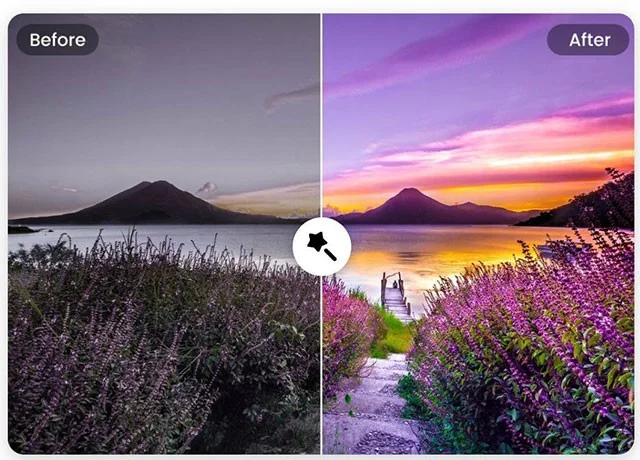
How much AI editing is abuse?
There’s a fine line between enhancing a photo and turning it into something else entirely, but it’s not always easy to tell. Most of us would agree that removing a random person ruins a great photo. But what about that pile of trash in the background? The photo would look better with a more vibrant sunset, so it’s okay to edit it, right? Maybe you could add some flowers to improve the aesthetic. At some point, these changes stop being edits and become the creation of a scene that really isn’t there.
This is actually not a new issue. Photographers have always struggled with how much editing is too much before erasing the true essence of a photo. It’s a tough question, and you can make arguments for both sides.
On one hand, you could say that the purpose of a photograph is to capture a memory, a moment, and anything in the photo that is not relevant can be erased, essentially helping to preserve only what is most important at that moment.
On the other hand, you could also argue that if a photo is meant to capture a memory, then even the small, seemingly irrelevant details will remind you of what happened that day and how special it felt. If you remove everything unpleasant, you will have a beautiful photo, but it will be emotionally empty.
Imperfection is an important part of reality.
“Thanks to social media, we are under more social pressure than ever, and that is probably why we feel so strongly about presenting a perfect image. But imperfection is part of what makes real life. The little flaws and imperfections in your photos show how things were, and while you may not appreciate them now, those elements are what will trigger your memories and emotions when you look back at the photo years later. People are starting to realize the importance of representing the world exactly as it is. There is a hunger for something real, raw, and authentic, and this may explain the resurgence of interest in film cameras.
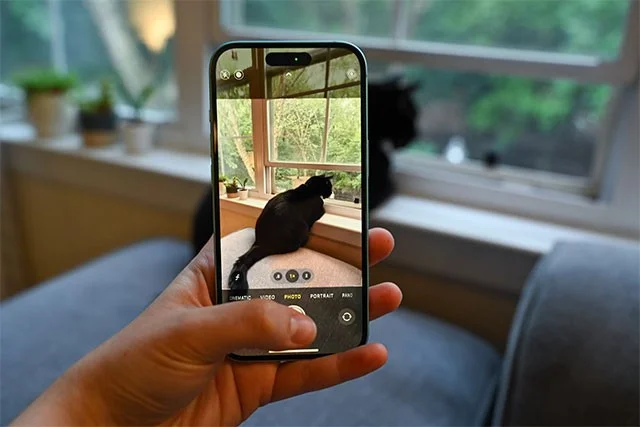
Ask yourself why you took that photo.
Whether and how much you should use AI editing tools depends on why you took the photo in the first place. If you want to show off your awesome summer vacation on Instagram, removing some distracting elements in the background and making the photo look more vibrant might be a good option.
But if you want to preserve a happy moment, you should keep the photo as it is. Years from now, those imperfections will bring back memories and remind you of the real, unedited moment.
Create a spooky office cubicle with Halloween desk decor ideas that keep your workspace usable, tidy, and mindful of workplace safety.
Plan a recognizable Halloween 2026 look with pop culture costumes inspired by Spider-Man, Supergirl, Toy Story 5, Moana, Mario, and Wednesday.
Sort leftover Halloween candy safely, share or repurpose sealed treats, and choose food use or compost for pumpkins based on their condition.
Compare workplace Halloween costume choices by respect, dress code, mobility, and safety—and learn when a subtle accessory or a policy check is the better option.
Find a couples costume that fits your style, budget, and comfort level, from Addams Family classics to original inside-joke duos.
Need a last-minute high school Halloween costume? Compare 10 easy closet-based ideas by prep time, comfort, school-day practicality, and simple safety checks.
Use a simple 2026 Halloween decorating timeline for indoor décor, outdoor displays, and fresh pumpkins, with practical adjustments for weather and events.
Mix five vivid, approachable Halloween cocktails with measured recipes, simple prep tips, and an alcohol-free option for your party guests.
Find 15 office-friendly Halloween costume ideas for 2026, with practical checks for dress codes, respectful themes, comfort, and workplace safety.
Plan a fun elementary school Halloween party with easy crafts, games, inclusive treats, costume tips, and a sample 75-minute classroom schedule.








