Desk Decorating Ideas for a Spooky Office Cubicle

Create a spooky office cubicle with Halloween desk decor ideas that keep your workspace usable, tidy, and mindful of workplace safety.
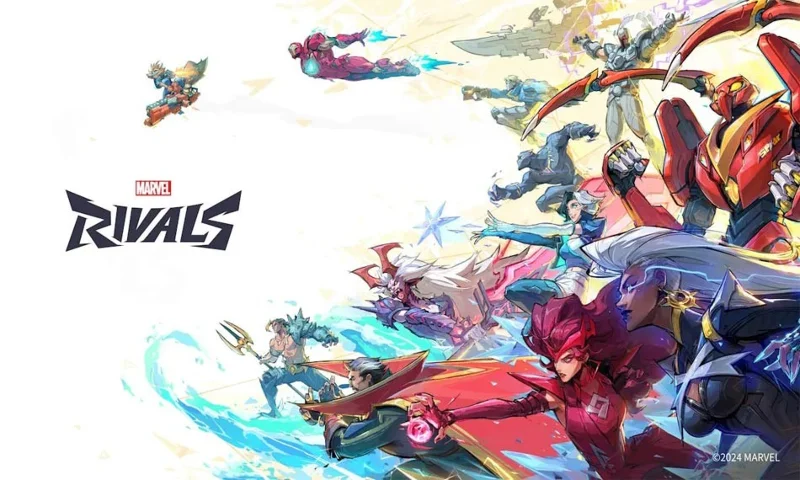
Before you dive into the world of Marvel’s new PVP hero shooter, you need to be well prepared. In addition to knowing the characters and roles, understanding the game modes is essential to winning. Whether you’re playing as Iron Man or wielding Captain America’s shield, knowing the game mode will help you know the objectives to win. Here’s a detailed explanation of all the game modes in Marvel Rivals .
Game Modes in Marvel Rivals
While there are multiple game modes, including practice or custom, there are only three core game modes available for quick and competitive matches. Here are all the core game modes you can find in Marvel Rivals :
Domination - Domination
Maps: Yggsgard: Royal Palace, Intergalactic Empire of Wakanda: Birnin T'Challa and Hydra Charteris Base: Hell's Heaven

Domination mode is one of the most popular game modes. However, unlike other games, you have to win 2 out of 3 games to win.
Domination in Marvel Rivals takes place on a mirrored map. When the round begins, teams must capture a point in the center of the map. When both teams are in the area, the capture progress stops until one team is eliminated or moves out.
When a team captures a point, the score will increase by 1% every 1.2 seconds. This will continue until the score bar reaches 100%. If the enemy team contests the area while a team is winning, the game will go into Overtime. Until a contesting team leaves, the Overtime bar will continue to run.
Convoy
Maps: Yggsgard: Yggdrasill Road and Tokyo 2099: Spider Island
The Convoy game mode in Marvel Rivals is the classic Payload from Team Fortress 2 and Escort from Overwatch 2. Like those game modes, here you have one team attacking and the other defending. The defending team will have a timer that they can use to set up their defense. The defending team can also run to the attacking team's spawn point before the round starts.
After 30 seconds, the match begins when the attacking team is released to capture a vehicle for escort purposes. The defending team can linger around the Convoy to recapture it and roll it back. If the attacking team has captured the vehicle and there are players around, the Convoy will roll forward. The speed will increase depending on the number of attackers.
Remember that Convoy will stop if there are no attackers around. Additionally, there are two checkpoints on the map that you need to pass by vehicle. Once the vehicle passes those checkpoints, it will no longer roll back past that point.
Convergence
Maps: Tokyo 2099: Shin-Shibuya, Intergalactic Empire of Wakanda: Hall of Djalia and Klyntar: Symbiotic Surface
In this game mode, the playing area is divided into three zones. The attacking team will have to advance with the Convoy to score points. Each zone will be protected when you reach 33%, 66%, and 100% respectively.
Once you've secured a position, as the attacking team, you can leave at any time and Convoy won't move behind. If you've played Hybrid in Overwatch 2, this is a familiar version of Marvel Rivals.
Conquest
Map: Tokyo 2099: Warped Ninomaru
Conquest mode is a separate game available through a separate playlist. It is not part of the quick match or competitive modes. Conquest in Marvel Rivals is a standard team deathmatch mode. Unlike Valorant TDM, you do not earn points through kills here. Instead of kill points, dead enemies drop coins that you can collect to redeem points.
Each coin becomes more valuable throughout the match. When your team reaches 50 points, you win. You can also win the game by scoring more points than your enemy before time runs out. This is the perfect mode to test out your favorite Marvel Rivals characters.
Create a spooky office cubicle with Halloween desk decor ideas that keep your workspace usable, tidy, and mindful of workplace safety.
Plan a recognizable Halloween 2026 look with pop culture costumes inspired by Spider-Man, Supergirl, Toy Story 5, Moana, Mario, and Wednesday.
Sort leftover Halloween candy safely, share or repurpose sealed treats, and choose food use or compost for pumpkins based on their condition.
Compare workplace Halloween costume choices by respect, dress code, mobility, and safety—and learn when a subtle accessory or a policy check is the better option.
Find a couples costume that fits your style, budget, and comfort level, from Addams Family classics to original inside-joke duos.
Need a last-minute high school Halloween costume? Compare 10 easy closet-based ideas by prep time, comfort, school-day practicality, and simple safety checks.
Use a simple 2026 Halloween decorating timeline for indoor décor, outdoor displays, and fresh pumpkins, with practical adjustments for weather and events.
Mix five vivid, approachable Halloween cocktails with measured recipes, simple prep tips, and an alcohol-free option for your party guests.
Find 15 office-friendly Halloween costume ideas for 2026, with practical checks for dress codes, respectful themes, comfort, and workplace safety.
Plan a fun elementary school Halloween party with easy crafts, games, inclusive treats, costume tips, and a sample 75-minute classroom schedule.








