Pop Culture Costume Ideas That Will Dominate Halloween 2026

Plan a recognizable Halloween 2026 look with pop culture costumes inspired by Spider-Man, Supergirl, Toy Story 5, Moana, Mario, and Wednesday.
February has been an exciting time for quantum computing. Last week, the tech world was abuzz with the announcement of Microsoft’s Majorana 1 quantum computer, which featured a breakthrough in error tolerance thanks to topological qubits. Today, Amazon Web Services (AWS) continued to surprise by announcing its own quantum computer chip called Ocelot. This chip uses a new technology called cat qubits, which also offers breakthrough benefits in error tolerance, maintaining stable performance for the system.
Cat qubits (named after Schrödinger's cat experiment) are a method for creating stable logical qubits from just 9 physical qubits instead of the thousands required in current systems. As a result, the number of physical qubits required to achieve practical quantum computing can be reduced from around 1 million to 100,000 qubits, reducing hardware requirements while maintaining system efficiency and stability.
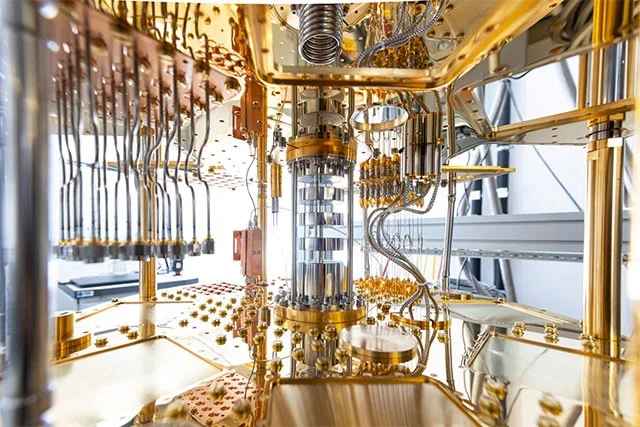
The most notable feature of AWS’s Ocelot quantum chip is its ability to reduce the cost of deploying error correction by up to 90%. AWS published its findings in a paper in the journal Nature, a major step toward making quantum computing accessible to industrial applications.
Speaking about the launch of Ocelot, AWS Quantum Hardware Director Oskar Painter, said:
With recent advances in quantum research, it is no longer a question of whether practical, fault-tolerant quantum computers will be available for real-world applications, but when. Ocelot is an important step on that journey. In the future, quantum chips built on the Ocelot architecture could cost as little as one-fifth of current approaches, thanks to a significant reduction in the amount of resources required for error correction. Specifically, we believe this will accelerate the path to a practical quantum computer by up to five years.
According to AWS, Ocelot consists of 14 main components. These include 5 data qubits (cat qubits), 5 buffer circuits to stabilize the data qubits, and 4 other qubits to detect errors in the data qubits. Amazon has also published a technical paper on Ocelot for those who want to dig deeper into the technical details.
Quantum computing is a complex topic, but we will hear more about breakthroughs in the field over the next decade, so it is useful to have a basic understanding of the basics to help pave the way for the next steps in quantum technology.
Plan a recognizable Halloween 2026 look with pop culture costumes inspired by Spider-Man, Supergirl, Toy Story 5, Moana, Mario, and Wednesday.
Sort leftover Halloween candy safely, share or repurpose sealed treats, and choose food use or compost for pumpkins based on their condition.
Compare workplace Halloween costume choices by respect, dress code, mobility, and safety—and learn when a subtle accessory or a policy check is the better option.
Find a couples costume that fits your style, budget, and comfort level, from Addams Family classics to original inside-joke duos.
Need a last-minute high school Halloween costume? Compare 10 easy closet-based ideas by prep time, comfort, school-day practicality, and simple safety checks.
Use a simple 2026 Halloween decorating timeline for indoor décor, outdoor displays, and fresh pumpkins, with practical adjustments for weather and events.
Mix five vivid, approachable Halloween cocktails with measured recipes, simple prep tips, and an alcohol-free option for your party guests.
Find 15 office-friendly Halloween costume ideas for 2026, with practical checks for dress codes, respectful themes, comfort, and workplace safety.
Plan a fun elementary school Halloween party with easy crafts, games, inclusive treats, costume tips, and a sample 75-minute classroom schedule.
Compare realistic side hustles for 2026 by startup cost, fees, flexibility, and income control, with current tax and scam guidance from official sources.








