Home
» Today
»
Apple iPad mini in Australia: What to Consider Before Buying
Apple iPad mini in Australia: What to Consider Before Buying
Apple announced a redesigned iPad mini with the A20 Pro chip on October 27, 2026. For Australian buyers, the timing is part of the decision: pre-orders open on October 29, and the tablet is scheduled to arrive at Apple Stores and authorized resellers on November 6. It starts at A$1,099 including GST. The key question is whether the mini’s unusually portable size and new OLED screen are worth choosing over a larger, less expensive iPad.
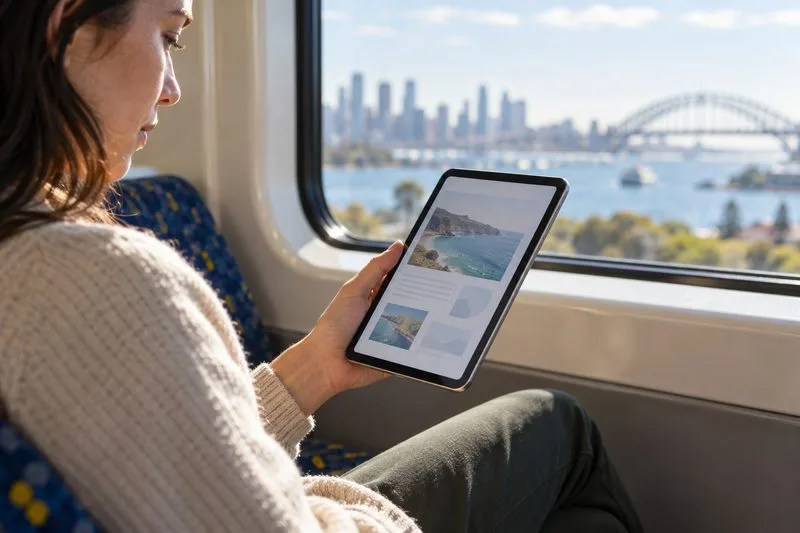
A commuter holds a compact tablet while reading beside a train window.
What changed in the new iPad mini
The 2026 model keeps the mini’s compact footprint but moves to an 8.5-inch OLED Super Retina XDR display, an A20 Pro chip, a thinner 5.4-millimeter body, and an IP67 rating for dust and water resistance. Apple also lists a landscape 12-megapixel Center Stage front camera, stereo audio through its Acoustic Display, Wi-Fi 7, and Apple Pencil Pro support. These are meaningful upgrades for reading, video calls, games, and creative apps, but they do not make the mini a small laptop replacement.
Apple says Australian pre-orders start October 29, with availability beginning November 6, 2026. If you need a tablet before then, compare any available previous-generation iPad mini or another iPad by exact storage, condition, warranty, and return terms. Apple’s announcement confirms launch timing; stock and discounts from individual retailers may differ.
Australian iPad mini prices and storage
Apple’s Australian store listed these standard-glass configurations on October 27. Prices include GST. The Wi-Fi + Cellular version costs A$250 more at each storage tier, before a mobile data plan. Apple also offers a nano-texture glass option on 256GB and 512GB models; check the selected configuration for its current price because that premium is not included below.
Storage
Wi-Fi
Wi-Fi + Cellular
128GB
A$1,099
A$1,349
256GB
A$1,299
A$1,549
512GB
A$1,649
A$1,899
Choose storage around what you keep on the device, not the largest number you can afford. The 128GB model can suit reading, browsing, streaming, and cloud-based work. Consider 256GB if you regularly download shows, games, or work files for trips. The 512GB option is for a substantial offline library or large creative projects. Apple lists a 5-core CPU in the 128GB and 256GB models, while its 512GB configuration has a 6-core CPU and a dual 16-core Neural Engine, so the top tier is not only a storage upgrade.
Decide whether the mini’s size fits your work
The mini’s main advantage is how little space it takes. The new Wi-Fi model weighs 255 grams and is 132.6 millimeters wide; the Cellular model weighs 263 grams. That makes it easier to hold for a long reading session or carry in a small bag than an 11-inch tablet. The format is a natural match for ebooks, travel, recipes, field notes, handheld games, and quick Pencil annotations.
Try the screen size before buying if your routine involves side-by-side apps, long documents, spreadsheets, or extensive typing. At 8.5 inches, pages and controls have less room, and an external keyboard does not change the viewing area. Apple’s nano-texture glass option is available on higher-capacity models and is intended to reduce glare in bright settings; compare it in person if you often work near windows or outdoors.
The IP67 rating means the iPad mini is tested for dust protection and immersion in up to one meter of water for up to 30 minutes under a specified standard. Treat that as resistance, not a waterproof guarantee or permission to use the tablet in water. A protective case remains sensible for daily travel.
Include accessories and connectivity in the budget
Neither Apple Pencil is included with the iPad mini. Apple’s Australian pricing is A$219 for Apple Pencil Pro and A$139 for Apple Pencil (USB-C); the new TechWoven Smart Folio is A$129. If you want handwriting, drawing, or a cover from day one, add those costs before comparing it with another iPad. Both Pencil models are compatible with the new mini.
Cellular is worthwhile if you often work or navigate away from Wi-Fi and prefer a direct mobile connection. It uses eSIM only, so there is no physical SIM tray, and a compatible carrier plan costs extra. Check that your Australian carrier supports eSIM for iPad and that its coverage suits the places you travel. The Wi-Fi-only model may be better value if you can tether to a phone or mostly use the mini at home, work, or on public Wi-Fi.
Compare the alternatives before you buy
Apple’s current Australian store lists the 11-inch iPad with the A16 chip from A$749 and the 11-inch iPad Air with M4 from A$1,249; the Air is also offered in a 13-inch size. The entry-level Air is only A$150 above the mini’s starting price, so it deserves a close look if a larger canvas, keyboard setup, or split-screen work matters more than one-handed portability. The standard iPad is the budget-conscious choice when you want a larger screen and do not need the mini’s OLED display or compact body.
Use this quick check before ordering:
Hold an 8.5-inch tablet and read a full page; decide if the text and controls feel comfortable.
Compare the complete price: storage, Pencil, cover, and any cellular plan.
Pick Wi-Fi + Cellular only if direct mobile access or built-in GPS/GNSS is useful to you.
Check the nano-texture configuration separately if glare reduction matters.
If buying before November 6, verify the exact older model, warranty, return window, and battery condition.
The iPad mini makes the most sense when compactness is a daily benefit, not an occasional convenience. If you expect to type, multitask, or read large documents often, compare the 11-inch iPad and Air in person before paying the mini premium.