Desk Decorating Ideas for a Spooky Office Cubicle

Create a spooky office cubicle with Halloween desk decor ideas that keep your workspace usable, tidy, and mindful of workplace safety.
Apple is losing about $1 billion a year on its Apple TV+ service, according to industry sources. The Cupertino-based tech giant has spent about $5 billion on content production annually since the service launched in 2019, but has begun to cut that spending. In 2024, CEO Tim Cook decided to cut Apple TV+'s content production budget by $500 million, as high-budget movies failed to perform as expected.
It’s not uncommon for tech companies to incur large losses when launching new services to attract customers. Typically, companies keep subscription costs low. Fortunately for Apple, it’s a highly profitable company, so success in other businesses could help it sustain losses while building its streaming service. Apple is now worth nearly $4 trillion, with a net income of $93.7 billion in its most recent fiscal year, so losing $1 billion a year on Apple TV+ is still manageable.
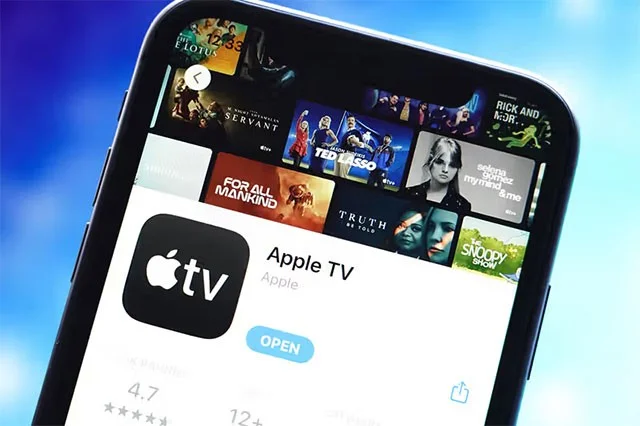
Some of AppleTV’s most popular shows include Severance, Ted Lasso, The Morning Show, Shrinking, and Silo. But despite Apple spending heavily on shows like these, the reality is that they’re still lagging behind their competitors, despite Apple not releasing detailed subscriber numbers.
According to a survey of five analysts from Visible Alpha, Apple TV+ will have about 40.4 million subscribers by the end of 2024. That's much lower than Netflix (301.63 million subscribers), Disney+ (124.6 million), and Warner Bros. Discovery (116.9 million).
Statistics show that as of February 2025, Apple TV+ will account for less than 1% of total TV viewing in the United States. Meanwhile, Netflix will reach 8.2% and Max (HBO Max) will reach 1.2%.
The lower number of Apple TV+ subscribers could be due to a couple of factors. First, the service is tied to the Apple ecosystem and requires users to have an Apple device to do some things, which could put off many potential customers who don’t own an Apple device. Second, Apple seems to be more focused on producing high-quality content that doesn’t necessarily have mass appeal.
Create a spooky office cubicle with Halloween desk decor ideas that keep your workspace usable, tidy, and mindful of workplace safety.
Plan a recognizable Halloween 2026 look with pop culture costumes inspired by Spider-Man, Supergirl, Toy Story 5, Moana, Mario, and Wednesday.
Sort leftover Halloween candy safely, share or repurpose sealed treats, and choose food use or compost for pumpkins based on their condition.
Compare workplace Halloween costume choices by respect, dress code, mobility, and safety—and learn when a subtle accessory or a policy check is the better option.
Find a couples costume that fits your style, budget, and comfort level, from Addams Family classics to original inside-joke duos.
Need a last-minute high school Halloween costume? Compare 10 easy closet-based ideas by prep time, comfort, school-day practicality, and simple safety checks.
Use a simple 2026 Halloween decorating timeline for indoor décor, outdoor displays, and fresh pumpkins, with practical adjustments for weather and events.
Mix five vivid, approachable Halloween cocktails with measured recipes, simple prep tips, and an alcohol-free option for your party guests.
Find 15 office-friendly Halloween costume ideas for 2026, with practical checks for dress codes, respectful themes, comfort, and workplace safety.
Plan a fun elementary school Halloween party with easy crafts, games, inclusive treats, costume tips, and a sample 75-minute classroom schedule.








