Apple Music Classical is now available on the web

Classical music fans fall into two camps. Those who really, really like classical music, and those who aren’t interested in anything else. That might be a bit of a generalization, but it explains why a dedicated classical music streaming service makes more sense than one that’s all about anything else. And now there’s another way to listen to Apple Music Classical.

Apple Music Classical is now available on the web

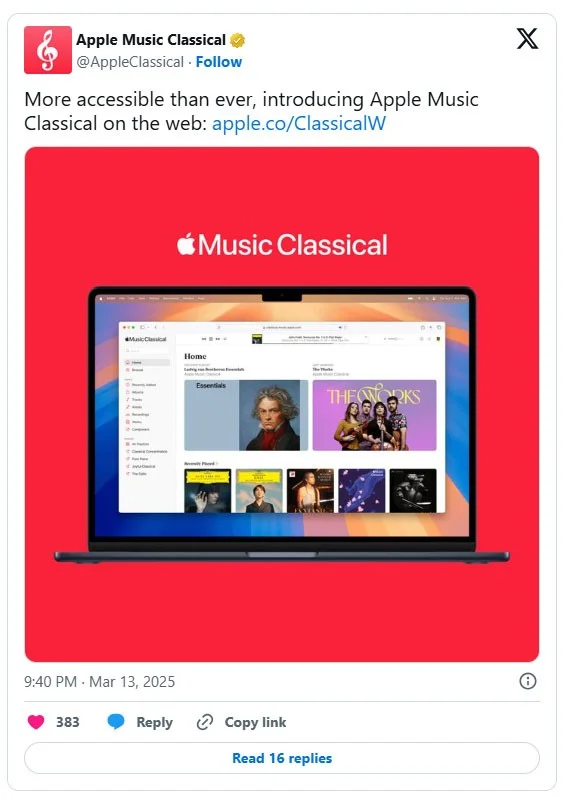
Apple Music Classical is now available on the web, with Apple launching a dedicated web player for its classical music spin-off. Apple Music Classical has been available as an app for iOS, Android, and CarPlay, but now it's also available on the web.

This gives Apple Music subscribers access to the world's largest classical music collection (with over 5 million pieces from both famous and lesser-known composers) directly on the web, meaning they can access it on any device with a web browser.

Apple Music Classical is now available on the web

Upon launching Apple Music Classical for the web, Anjali Malhotra, Global Head of Apple Music Classical, said:

“Apple Music Classical continues to innovate and expand its mission of bringing great musicians and their recordings to music lovers around the world in one app. Now available on the web, Apple Music Classical’s catalog of more than 5 million tracks and 50 million data points is now available to people who primarily use their computers to listen to music.”

It’s clear that Apple decided to bring Apple Music Classical to the web before releasing a dedicated Mac or Apple TV app. On the other hand, if the web player is good enough (and it seems like it actually is), this somewhat eliminates the need for a dedicated Mac or Windows app.

An Apple Music offshoot for classical music fans

Apple Music Classical, as its name suggests, is a branch of Apple Music that's geared specifically toward classical music fans. It's launching in 2023, but it's built on Primephonic, a classical music app Apple acquired in 2021.

While it’s a spin-off of the main Apple Music app that focuses entirely on classical music, access is included as part of the standard Apple Music subscription. And while you can also listen to classical music on the core Apple Music app, Apple Music Classical offers a user interface and features specifically designed to make listening to classical music easier.

Whether you listen to Apple Music Classical in one of its apps or on the web, you'll find a wealth of curated playlists, editorial notes, biographies of famous composers, and more. The new Apple Music Classical web player can be found at classical.music.apple.com.

Leave a Comment

What Young Riders Should Know About Moving Their Motorcycles Across Cities

What Young Riders Should Know About Moving Their Motorcycles Across Cities

Long-distance travel can involve heavy traffic, changing weather conditions, and rider fatigue. If you are also dealing with the responsibilities of moving home, such as packing belongings or coordinating accommodation, a long ride may add unnecessary pressure to an already busy schedule.

Solving Microsoft Teams Shortcut Error Not Opening

Solving Microsoft Teams Shortcut Error Not Opening

Tired of Microsoft Teams shortcut error preventing you from opening the app? Follow our expert, step-by-step guide with the latest fixes for instant resolution. Works on Windows, Mac & web – no tech skills needed!

Solving Microsoft Teams Task Management Sync Error

Solving Microsoft Teams Task Management Sync Error

Tired of Microsoft Teams Task Management Sync Error halting your workflow? Follow our proven, step-by-step fixes to resolve sync issues fast and restore seamless task collaboration. No tech expertise needed!

Troubleshooting Microsoft Teams Wiki Error Formatting

Troubleshooting Microsoft Teams Wiki Error Formatting

Struggling with Microsoft Teams Wiki Error Formatting? This step-by-step guide reveals proven fixes for common wiki tab issues, ensuring smooth editing and collaboration in Teams. Get back to productive wikis fast!

How to Fix Microsoft Teams Installation Error for Linux

How to Fix Microsoft Teams Installation Error for Linux

Struggling with Microsoft Teams installation error on Linux? Discover step-by-step fixes for Ubuntu, Fedora & more. Resolve dependency issues, crashes, and errors quickly with our ultimate guide. Get Teams running smoothly today!

Solving Microsoft Teams Error Page Not Loading

Solving Microsoft Teams Error Page Not Loading

Struggling with Microsoft Teams "Error Page" not loading? Get step-by-step fixes for desktop, web, and mobile. Solve Microsoft Teams Error Page issues quickly and resume seamless teamwork today.

Solving Microsoft Teams Error Screenshot Issues

Solving Microsoft Teams Error Screenshot Issues

Tired of Microsoft Teams "Error Screenshot" blocking your workflow? Get proven, step-by-step solutions to resolve screenshot errors in Teams instantly and boost productivity. No tech skills needed!

How to Fix Microsoft Teams Error U User

How to Fix Microsoft Teams Error U User

Tired of Microsoft Teams "Error U" User blocking your chats? Get proven, step-by-step fixes to clear cache, reset, and restore seamless collaboration instantly.

Where are Microsoft Teams Registry Keys Located on Windows 11?

Where are Microsoft Teams Registry Keys Located on Windows 11?

Unlock the precise locations of Microsoft Teams registry keys on Windows 11. Step-by-step guide to find, access, and safely tweak them for optimal performance and troubleshooting. Essential for IT pros and Teams enthusiasts.

How to Fix Microsoft Teams Training Error Video Lag

How to Fix Microsoft Teams Training Error Video Lag

Tired of Microsoft Teams "Training Error" Video Lag ruining your meetings? Follow our step-by-step guide with the latest fixes for smooth video calls—no more frustration!