Desk Decorating Ideas for a Spooky Office Cubicle

Create a spooky office cubicle with Halloween desk decor ideas that keep your workspace usable, tidy, and mindful of workplace safety.
This week’s Bloomberg Power On newsletter from Apple writer Mark Gurman revealed some ambitious plans from Apple. According to Gurman, Apple is said to want to develop and launch an AI assistant that can act as a user’s personal doctor. This AI assistant will be able to monitor users’ health data to make personalized health care recommendations.
Apple’s secretive Project Mulberry includes a revamped Health app and the aforementioned AI assistant. The goal is to realize Apple’s ambition of creating a “miniature medical lab on your wrist,” while also reinforcing Apple’s biggest contribution to society — healthcare, as CEO Tim Cook has said.
The revamped Health app, Gurman explained, will aggregate data from Apple devices (like the iPhone, Apple Watch, and headphones) and feed it to the AI assistant, which will then analyze it to make recommendations tailored to each user’s specific health condition.
Currently, Apple's own experts are taking on key steps in training this AI assistant, combined with support from third-party doctors in many fields such as sleep research, nutrition, physical therapy, mental health and cardiovascular to build video content for the new Health app. These videos will provide information about the user's current health status and warn of potential risks.
If all goes according to plan, the AI assistant and a brand new Health app will be released with iOS 19.4, which is expected to launch in the spring or summer of 2025.
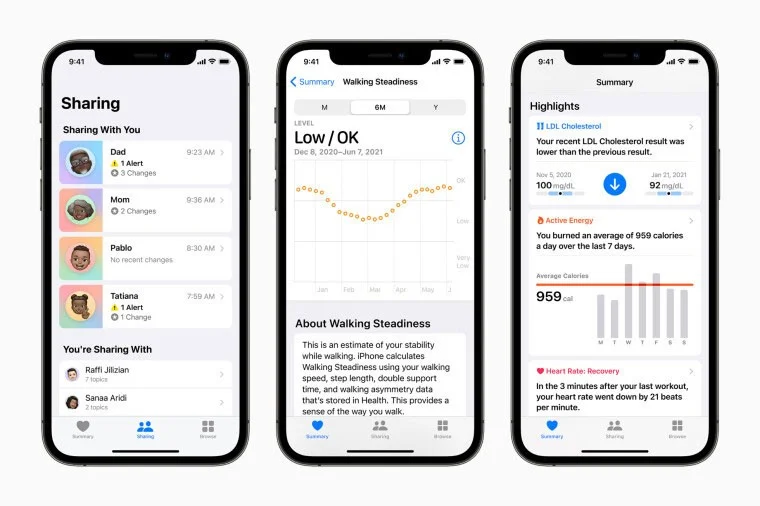
Apple is building a production facility near Oakland, California, where doctors will be able to shoot videos for the app. The company is also looking for a prominent medical expert to serve as the face of the new service, which some inside Apple are calling “Health+.”
The new Health app will focus heavily on diet tracking, while the AI assistant will also integrate nutrition support tools. Additionally, Apple is testing the idea of using the iPhone's rear camera to monitor users' workouts and provide technical correction guidance via the AI assistant. This feature will likely be part of the Apple Fitness+ platform.
Create a spooky office cubicle with Halloween desk decor ideas that keep your workspace usable, tidy, and mindful of workplace safety.
Plan a recognizable Halloween 2026 look with pop culture costumes inspired by Spider-Man, Supergirl, Toy Story 5, Moana, Mario, and Wednesday.
Sort leftover Halloween candy safely, share or repurpose sealed treats, and choose food use or compost for pumpkins based on their condition.
Compare workplace Halloween costume choices by respect, dress code, mobility, and safety—and learn when a subtle accessory or a policy check is the better option.
Find a couples costume that fits your style, budget, and comfort level, from Addams Family classics to original inside-joke duos.
Need a last-minute high school Halloween costume? Compare 10 easy closet-based ideas by prep time, comfort, school-day practicality, and simple safety checks.
Use a simple 2026 Halloween decorating timeline for indoor décor, outdoor displays, and fresh pumpkins, with practical adjustments for weather and events.
Mix five vivid, approachable Halloween cocktails with measured recipes, simple prep tips, and an alcohol-free option for your party guests.
Find 15 office-friendly Halloween costume ideas for 2026, with practical checks for dress codes, respectful themes, comfort, and workplace safety.
Plan a fun elementary school Halloween party with easy crafts, games, inclusive treats, costume tips, and a sample 75-minute classroom schedule.








