Home
» Movie Reviews
»
How to install fingerprint unlock on Samsung Galaxy J7 Prime fastest
How to install fingerprint unlock on Samsung Galaxy J7 Prime fastest
Video How to install fingerprint unlock on Samsung Galaxy J7 Prime fastest
Samsung Galaxy J7 Prime has been equipped with a fingerprint sensor to help users unlock the screen more easily. Helps users to better secure their phone. Today I will guide you how to enable this feature.
1. Benefits of using fingerprint sensor .
Unlock the device quickly with just one light touch.
Open a utility application on your phone.
Support for payment authentication in the interface, purchase application (Momo).
2. Detailed instructions for setting fingerprint sensor
Quick start Guide:
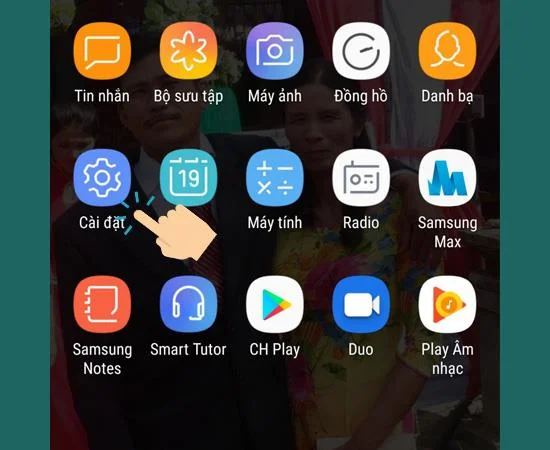
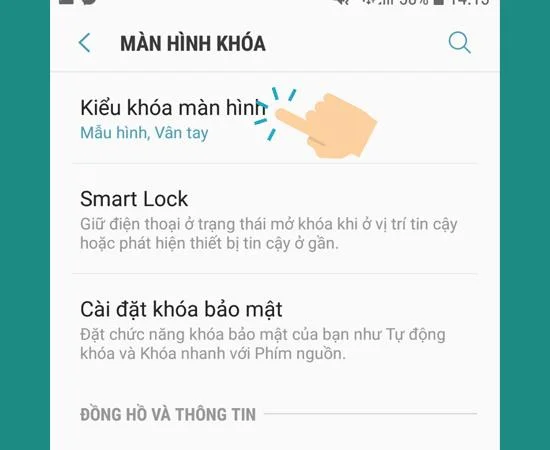
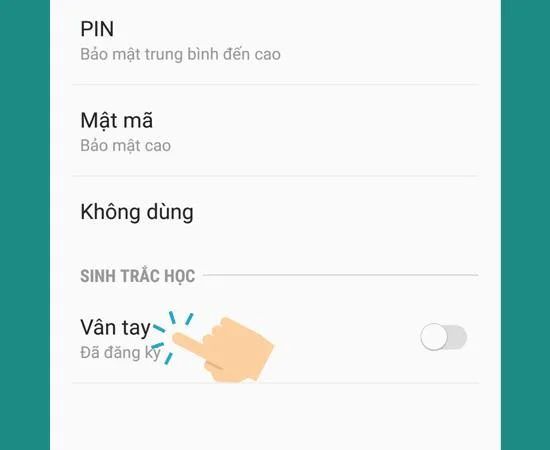
In C installs -> Screen lock -> Type screen lock -> Fingerprint -> Scan fingerprint until a public-detector> Complete or add fingerprint other.
Step 6: Click Finish to complete the fingerprint sensor.
Or select Add another fingerprint code so you can unlock with many different fingerprints.
After 6 steps above you have added a fingerprint sensor for your phone, and from there your device will be more secure and you can also use a more convenient way.