When using a Windows computer, sometimes you want to shut down the computer, but instead of the Shut down command as usual, the computer shows Update and shut down. So what is Update and shut down, and what if you accidentally shut down your computer while updating? Check out the answer in the article below!
1. Common update notifications on Windows
1.1 What is Update and Shut Down?
When using Windows, especially Windows 10, users must be familiar with the operating system constantly being updated, sometimes to fix problems or add new features to the operating system.
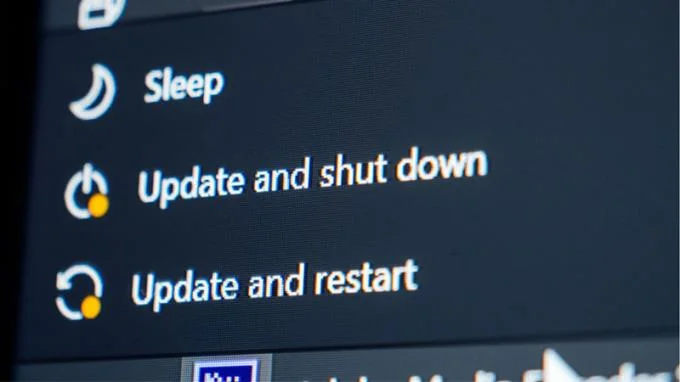
Update and shut down is an update and shutdown command. Instead of shutting down the computer as usual, this command requires an update first, then the machine will be turned off automatically.
1.2 What is Update and restart?
An alternative command for Restart - Restart, Update and restart requires an update first, then reboot.
It will take a while until the Windows update is complete, after which it will restart and the new update will be available.
![What is update and shut down? Is it okay to shut down the computer while updating?]()
2. Is it okay to turn off the computer when the computer or laptop is updating?
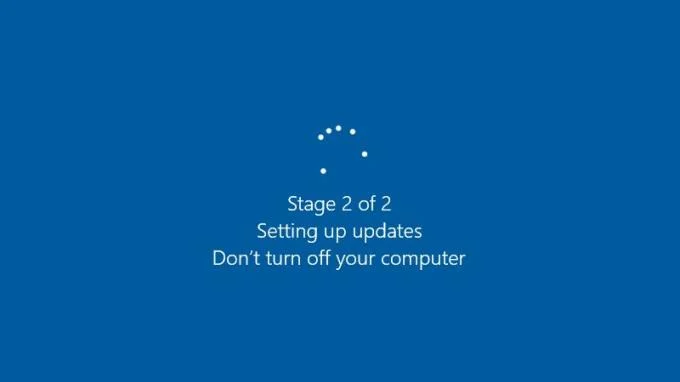
Before choosing to update again, the screen will display a message asking the user not to turn off the device during the update process.
The reason for this is because if you shut down your computer while the update has not been completed, it is very likely that the update will conflict, leading to a software error. And more importantly, you may have to reinstall Windows on your computer to continue using it as normal.
![What is update and shut down? Is it okay to shut down the computer while updating?]()
3. What to do when Windows has been updated for too long?
Usually, on a laptop, the time to complete the update process is not long. However, depending on the age of the machine and the speed of the internet connection, sometimes users will have to wait longer.
But if your machine has been updated for more than 30 minutes and still has not finished it, it is probably stuck or frozen during the update process.
To fix this, try shutting down and then on again. If the update is really stuck, after restarting, the update will be completed.
Note : The update process may take a long time because your device is old or the network connection is not stable, shutting down your computer when the update is not finished will cause you to update again. Therefore, only when you are sure that the device is faulty and ready to accept the risk of having to update again, should you proceed to shutdown and re-open it.
See also :
>>> What is the new Vietnamese Percussion EVKey? How to download and use the software EVKey
>>> How to create USB Boot, create a Windows installation USB with Rufus is simple and effective
Just now is some information about Update and shut down, what happens when you shutdown during the update process and what to do if the update takes too long. Hope the article was useful to you, thank you for watching!