










Pop Culture Costume Ideas That Will Dominate Halloween 2026

Plan a recognizable Halloween 2026 look with pop culture costumes inspired by Spider-Man, Supergirl, Toy Story 5, Moana, Mario, and Wednesday.
ASUS' ZenFone line has been around for a while now, and has recently garnered attention for being highly competitive (like the ZenFone 10 and ZenFone 9 before it). So what happens when everything is crammed into an ultra-flagship phone?
Meet the ASUS ZenFone 11 Ultra, with a new design, significantly larger display and battery, and an upgraded camera system.
Specifications
The new ZenFone is larger
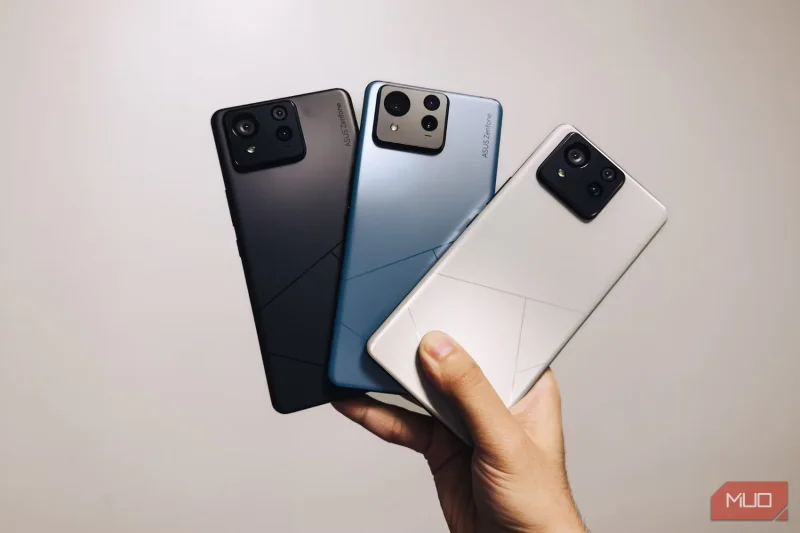
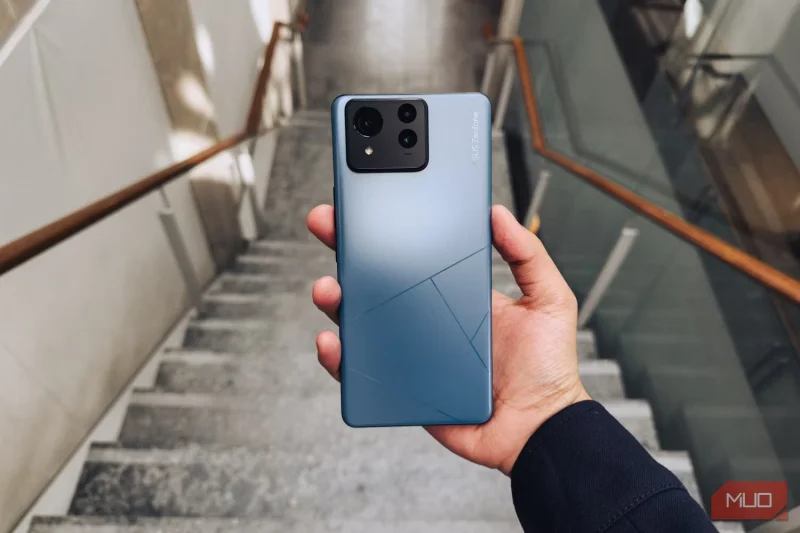
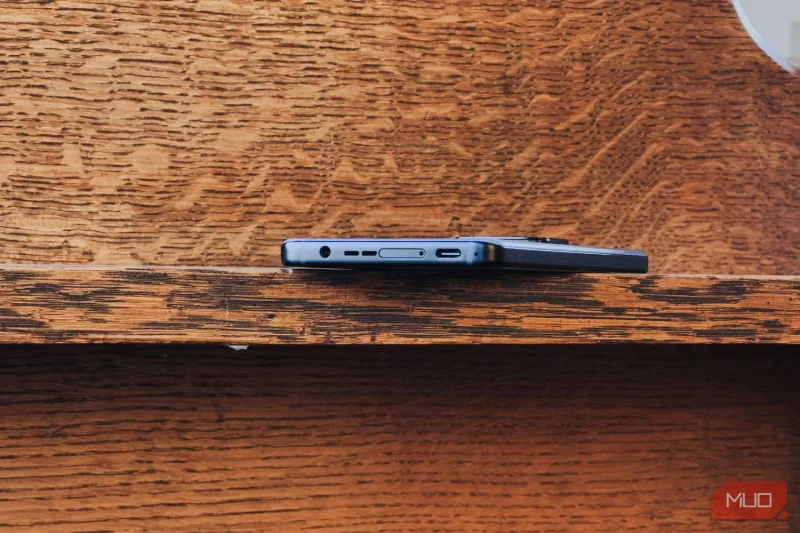
As mentioned earlier, the ZenFone 11 Ultra ditches the compact design of its predecessors. While it’s sad to see the diminutive form factor go, the larger ZenFone is still a beautiful device. The back of the phone is finished in a matte glass and metal finish, with the ASUS logo subtly etched into it. The combination of the curved back and flat aluminum edges of the ZenFone 11 Ultra makes for a solid and comfortable grip.
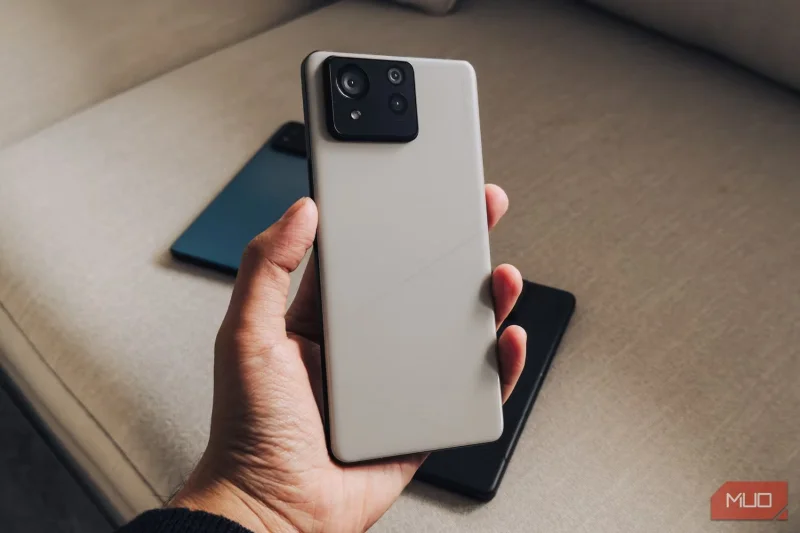
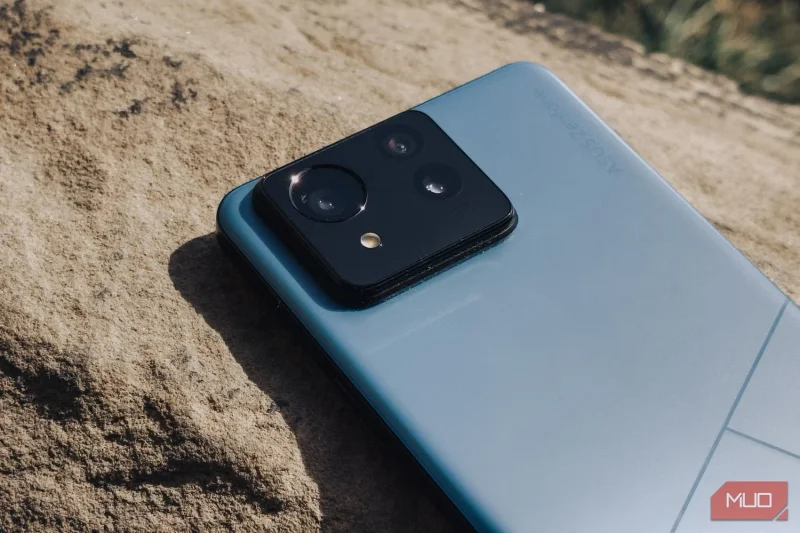
One major design aspect that stands out with the ZenFone 11 Ultra is its camera bump, which resembles the Galaxy Note 20 Ultra. But it's clear that this camera bump looks out of proportion with the slim back.
Beautiful display
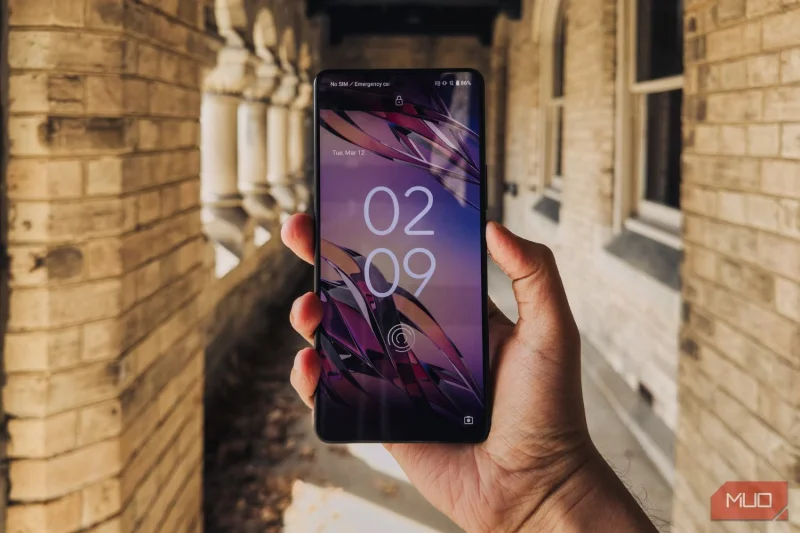
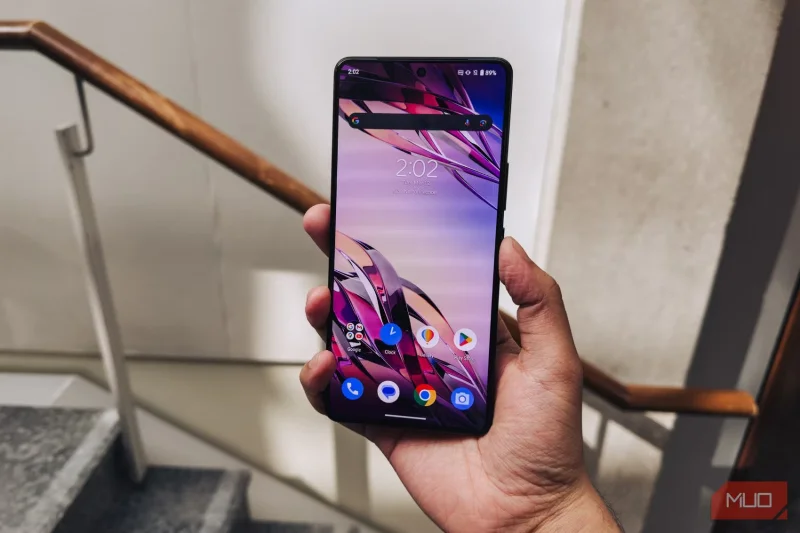
The larger 11 Ultra houses a 6.78-inch OLED display with vibrant colors and deep contrast. The ZenFone offers a refresh rate of up to 144Hz when you enter the device's gaming mode, but in normal use it automatically adjusts to around 120Hz.
Compared to other high-end smartphones like the Samsung Galaxy S24 Ultra , the ZenFone's display is almost on par, but not quite stellar. The screen-to-body ratio is around 88%, and the bezels are almost uniform across the board, save for the slightly larger bottom bezel.
The display is only a 1080p panel, though. Compared to similarly priced flagship phones like the OnePlus 12, which get significantly brighter at 2,500 nits and can go up to 1440p, the ZenFone's panel doesn't look too impressive.
Top camera
In terms of camera system, ZenFone 11 Ultra is equipped with a 50MP main sensor with 6-axis hybrid gimbal stabilization, a 32MP telephoto lens that offers 3x optical zoom and up to 30x digital zoom, and a new 13MP ultra-wide camera that helps reduce lens distortion.
In practice, the cameras are pretty good, offering great dynamic range, accurate colors, and consistency across the three sensors. The camera system does give photos a watercolour effect, tries to sharpen them, and reduces noise, but the end result can feel a little over-processed. These can be fixed with some lighting correction and a software update to the camera.
Gaming phone performance
When it comes to performance and battery life, this is where the ZenFone 11 Ultra really shines. The device is powered by a Qualcomm Snapdragon 8 Gen 3 chipset and comes with up to 16GB of RAM and 512GB of storage.
The ZenFone scored 2,242 single-core and 6,920 multi-core on Geekbench 6. The ZenFone 11 Ultra's OS runs really smoothly on this chip.
There’s no fancy design or flashy new software features to draw attention to, the ZenFone 11 Ultra basically runs like a stock Android phone, but with some ASUS software tweaks added. Things like high-performance mode, which kicks in when you launch a game, are great, and enable the 144Hz refresh rate. However, the phone does get hot when loading high-performance games like Genshin Impact.
Battery lasts for days
Battery life on the ZenFone 11 Ultra is excellent. The phone has a large 5500mAh battery, which ASUS advertises as lasting over 26 hours on a single charge, but in real-world use this means the phone can easily last the next day without needing a charge.
The phone also charges very quickly, with a maximum charging speed of 65W that can reach 100% in 39 minutes, and offers wireless charging up to 15W.
Should I buy ZenFone 11 Ultra?
Overall, the ASUS ZenFone 11 Ultra is a solid choice for anyone looking for a capable phone in 2024. The ZenFone 11 Ultra delivers great performance and battery life, on top of that it has a high refresh rate display and offers gamer-specific software features.
The ZenFone 11 Ultra is recommended for those who want a gaming phone that doesn't look too flashy. The ASUS ZenFone 11 Ultra is a significant departure from its predecessors, with a new larger body and an expansive 6.78-inch OLED display. The phone has a significantly large 5,500mAh battery, with standout features including strong performance powered by the Snapdragon 8 Gen 3 chipset. However, the phone's camera system, while offering pretty good color accuracy and consistency across the entire camera array, suffers from over-processing, which detracts from the overall experience.
Plan a recognizable Halloween 2026 look with pop culture costumes inspired by Spider-Man, Supergirl, Toy Story 5, Moana, Mario, and Wednesday.
Sort leftover Halloween candy safely, share or repurpose sealed treats, and choose food use or compost for pumpkins based on their condition.
Compare workplace Halloween costume choices by respect, dress code, mobility, and safety—and learn when a subtle accessory or a policy check is the better option.
Find a couples costume that fits your style, budget, and comfort level, from Addams Family classics to original inside-joke duos.
Need a last-minute high school Halloween costume? Compare 10 easy closet-based ideas by prep time, comfort, school-day practicality, and simple safety checks.
Use a simple 2026 Halloween decorating timeline for indoor décor, outdoor displays, and fresh pumpkins, with practical adjustments for weather and events.
Mix five vivid, approachable Halloween cocktails with measured recipes, simple prep tips, and an alcohol-free option for your party guests.
Find 15 office-friendly Halloween costume ideas for 2026, with practical checks for dress codes, respectful themes, comfort, and workplace safety.
Plan a fun elementary school Halloween party with easy crafts, games, inclusive treats, costume tips, and a sample 75-minute classroom schedule.
Compare realistic side hustles for 2026 by startup cost, fees, flexibility, and income control, with current tax and scam guidance from official sources.








