Home
» Wiki
»
Beware of BigMama: Free VPNs Cause Many Privacy Issues
Beware of BigMama: Free VPNs Cause Many Privacy Issues
BigMama is a VPN service that advertises itself as a secure way to browse the internet without restrictions. They offer a free VPN that allows users to have unlimited VPN - but it comes with a catch!
Free VPN services like BigMama are appealing because they offer many of the benefits of using a VPN without the cost. However, free VPNs often come with hidden trade-offs, and WIRED reports that BigMama sells premium VPN services that take advantage of users' IP addresses.
By connecting to BigMama, you are essentially agreeing to let others use your IP address. This can have serious consequences. For example, if a third party uses your IP for illegal activities, your address could come up in investigations. The allure of ‘free’ quickly wears off when you realize what you are giving up: Control over how you use your Internet connection.
BigMama is not alone. Several free VPN services use similar tactics to profit from their users. It's a reminder that "free" often comes with hidden costs, especially when it comes to online security.
How does BigMama make money using your IP address?
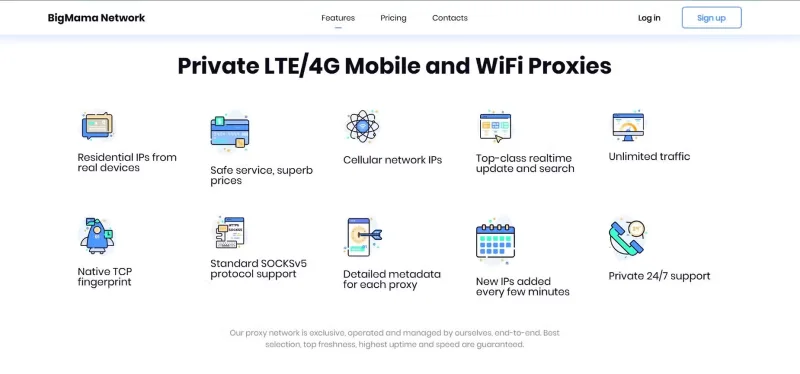
BigMama P2P Proxy
BigMama acts as a residential proxy network. Unlike premium VPN services that have dedicated servers, BigMama uses a peer-to-peer (P2P) network to tunnel data. In a P2P setup, data is routed through a network of connected devices, essentially using one user's device to handle traffic for another user. This creates a residential proxy network, shifting the responsibility for tunneling data from BigMama's servers to the end user's machine.
So while free users enjoy the benefits of a “free” VPN, BigMama uses the network they create with your device and sells premium subscriptions to customers willing to pay. You get to enjoy the VPN for free, premium customers get to enjoy a cheap residential proxy service, and BigMama makes a profit. Seems like a win-win situation, right?
No, at least not for free users. The company benefits from this setup by effectively monetizing the Internet connection, computer hardware resources, and IP address your ISP provides you. Residential proxies are popular because they appear more legitimate than traditional data center proxies. Businesses use them to bypass geographic restrictions, while cybercriminals exploit them for more nefarious purposes, such as launching cyberattacks or committing fraud. This means your IP address could be linked to these activities!
While BigMama claims to screen buyers and prevent illegal activities, enforcement is difficult. When someone connects to your IP address using BigMama VPN, they can take actions that damage your digital reputation or even get you into legal trouble.
Is this VPN service legal?
BigMama operates legally because it covers its activities in its terms of service. When users sign up, they agree (often unwittingly) to allow their Internet connection to be used as part of a proxy network. This agreement is buried in fine print where most users never bother to look.
The company justifies its actions by arguing that it provides a valuable service while maintaining transparency. However, the reality is that most users do not read the terms and conditions. This lack of informed consent raises ethical concerns. The line between voluntarily providing your connection for others to use and inadvertently granting access due to vague legal language is blurred.
Regulatory oversight of such activities is limited. BigMama’s actions, while ethically questionable, fall within a legal gray area. This makes the need for stronger consumer protections when it comes to online security tools all the more important.
Safer options for online privacy
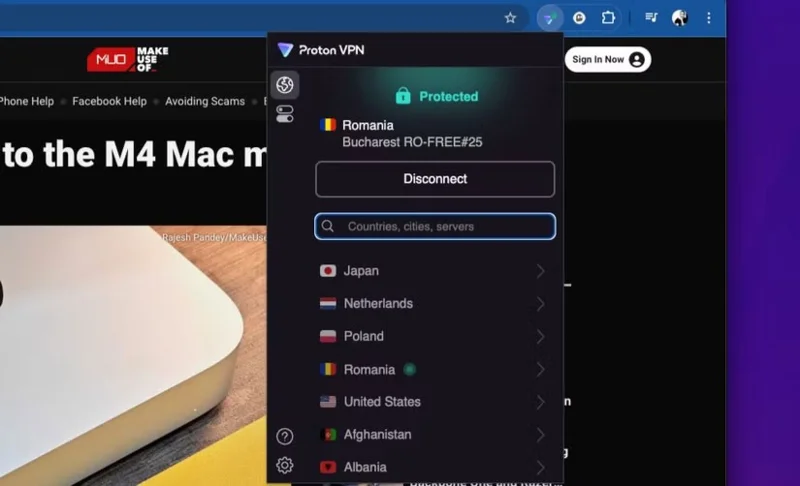
ProtonVPN Chrome extension connected
For those looking for real privacy and security, free VPNs like BigMama aren’t the way to go. There are reliable alternatives, many of which offer affordable or even free plans without compromising online safety. Here are a few options:
Proton VPN (Free Plan) : Proton VPN offers a free plan with no data limits. It uses strong encryption and has a strict no-logs policy, ensuring your activity stays private.
Windscribe (Free Plan) : Offers 10GB of free data per month, along with strong encryption and built-in ad blocking features. This plan has a transparent no-logs policy. The company is based in Canada, has a good track record of transparency, and is trusted by customers.
Hide.me (Free Plan) : Another VPN provider that has a free plan with 10GB of data per month. This plan promises no logging and offers advanced security protocols to protect user data. Hide.me is rated 4.5 out of 5 stars on Trustpilot and is one of the best VPNs that don’t require a subscription.
Free VPNs like BigMama may seem cost-effective, but the risks to user privacy far outweigh the benefits. Choosing a trustworthy VPN with clean, ethical practices is essential to protecting your digital security.