When to Start Decorating for Halloween in 2026

Use a simple 2026 Halloween decorating timeline for indoor décor, outdoor displays, and fresh pumpkins, with practical adjustments for weather and events.
The Bluetooth Special Interest Group (Bluetooth SIG) announced the specifications for the next generation of the technology, called “Bluetooth 6.0,” this week. The technology brings a number of improvements to the wireless protocol, but one of them will help Apple improve its Find My network for tracking devices.
Bluetooth 6.0 comes with true distance awareness
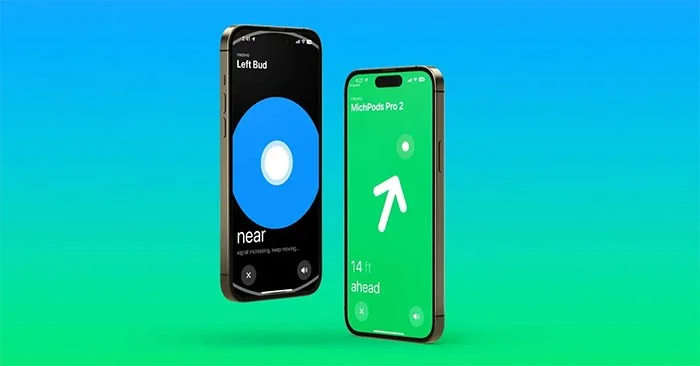
Bluetooth SIG has published a paper (via BGR) detailing all the new information about Bluetooth 6.0. One of the highlights is Bluetooth Channel Sounding, which is described as an improvement that brings “true proximity awareness.”
The description is pretty clear in saying that “Find My solutions can be significantly improved” with Bluetooth 6.0, as it unlocks “centimeter-level accuracy over significant distances.” In other words, Bluetooth 6.0 is expected to provide precise distance between devices.
Since Apple’s Find My network relies on Bluetooth, having improved proximity awareness technology would certainly make it easier for users to find their lost devices. Currently, Apple relies on ultra-wideband technology to accurately measure the distance between devices. It enables the Precision Finding feature for iPhone, Apple Watch, and AirTag users.
Bluetooth Channel Sounding also adds an extra layer of security for authentication, which is useful for digital keys. Additionally, Bluetooth 6.0 can also transmit larger data frames and allows for lower latency for audio applications.
Unfortunately, there are no details on when Apple will adopt Bluetooth 6.0. Since the new protocol has just been announced, it could be at least a year before we see the first devices equipped with the new Bluetooth version.
Use a simple 2026 Halloween decorating timeline for indoor décor, outdoor displays, and fresh pumpkins, with practical adjustments for weather and events.
Mix five vivid, approachable Halloween cocktails with measured recipes, simple prep tips, and an alcohol-free option for your party guests.
Find 15 office-friendly Halloween costume ideas for 2026, with practical checks for dress codes, respectful themes, comfort, and workplace safety.
Plan a fun elementary school Halloween party with easy crafts, games, inclusive treats, costume tips, and a sample 75-minute classroom schedule.
Compare realistic side hustles for 2026 by startup cost, fees, flexibility, and income control, with current tax and scam guidance from official sources.
Upgrade your home office ergonomics with current OSHA and NIOSH guidance on chair fit, monitor height, laptop setup, lighting, and movement.
Learn why emotional intelligence matters in leadership, where it helps most, how to strengthen it, and how to tell whether your approach is working.
A practical roadmap for moving into tech without a degree: choose an accessible role, build job-ready skills, prove them with projects, and use hiring feedback to improve.
Build a credible LinkedIn personal brand in 2026 with current profile, content, newsletter, analytics, verification, and visibility guidance from LinkedIn.
Quiet quitting and quiet firing are catchy labels, not diagnoses. Learn what is verified, what depends on context, and what employees and managers can do next.








