Desk Decorating Ideas for a Spooky Office Cubicle

Create a spooky office cubicle with Halloween desk decor ideas that keep your workspace usable, tidy, and mindful of workplace safety.
Are those expired tea bags buried in your pantry still good? The answer may surprise you!
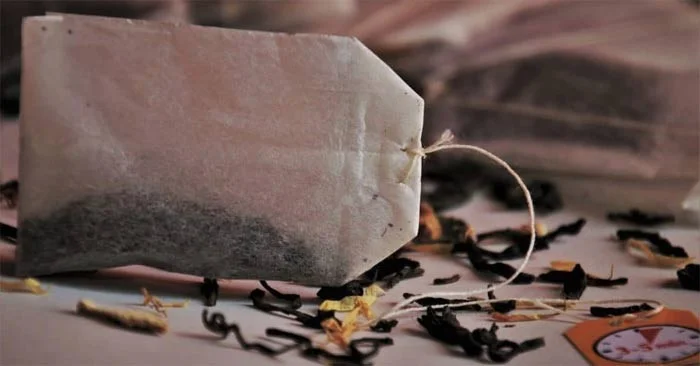
Although tea bags have an expiration date, just because that date has passed doesn't mean they're bad. Before you throw them away, find out if your old tea bags are still safe to drink and how to store different types of tea to keep them fresher longer .
Can expired tea bags be reused?
The answer is yes. Tea is still safe to drink after the date listed on the packaging. Tea actually has a “best by” date, not an expiration date. Manufacturers put “best by” dates on beverages like tea to estimate when they will start to lose flavor and freshness, while the expiration date tells you when the product is no longer safe to consume.
Tea bags can still be safe to drink after their “best by” date. Some teas can retain their flavor for months after their “best by” date has passed. So don’t be upset when you take those old tea bags out of the cupboard and find they’re 2, 5, or even 10 years old. You can still make a great cup of tea from them.
Some tea bags may go bad before their “best before” date. That date means nothing if the tea has been stored improperly and has absorbed too much moisture. So always check your tea bags carefully before brewing to make sure they haven’t gone bad.
The term “spoiled” can be subjective when it comes to old tea bags. Any tea bag that has mold or discoloration or smells bad should be thrown in the trash. But if it just loses its smell or flavor, you can still drink it safely.
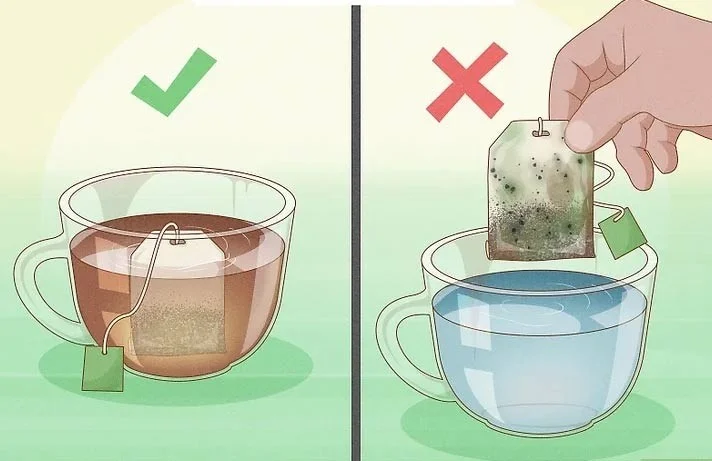
Mold growth is always a bad sign, whether in tea or any other food or beverage. If you see any green, white, or black spots on your tea bag or tea leaves, throw it away immediately! Drinking moldy tea exposes you to toxins that can make you dangerously ill.
Even fresh tea bags bought at the store can get moldy. The presence or absence of mold often depends on factors beyond your control, such as where the tea was grown and how the manufacturer processed and stored the tea leaves.
Most teas lose their flavor when stored beyond their best-before date. If your tea bag has no smell, it means your brewed tea will also have no taste. However, if you don’t mind the lack of flavor, you can still drink it. Meanwhile, a musty or rancid smell means the tea bag is damp and has gone bad.
With some teas, you can tell if it's ready to brew by the color of the leaves in the bag. The color change is most noticeable in green tea, as fresh green tea leaves should be pale green, not brown or yellow.
If the look and smell of the old tea bag doesn't give you any clues, try brewing a cup of tea. Take a sip, and if it tastes stale or bitter, it's best to stop using it.
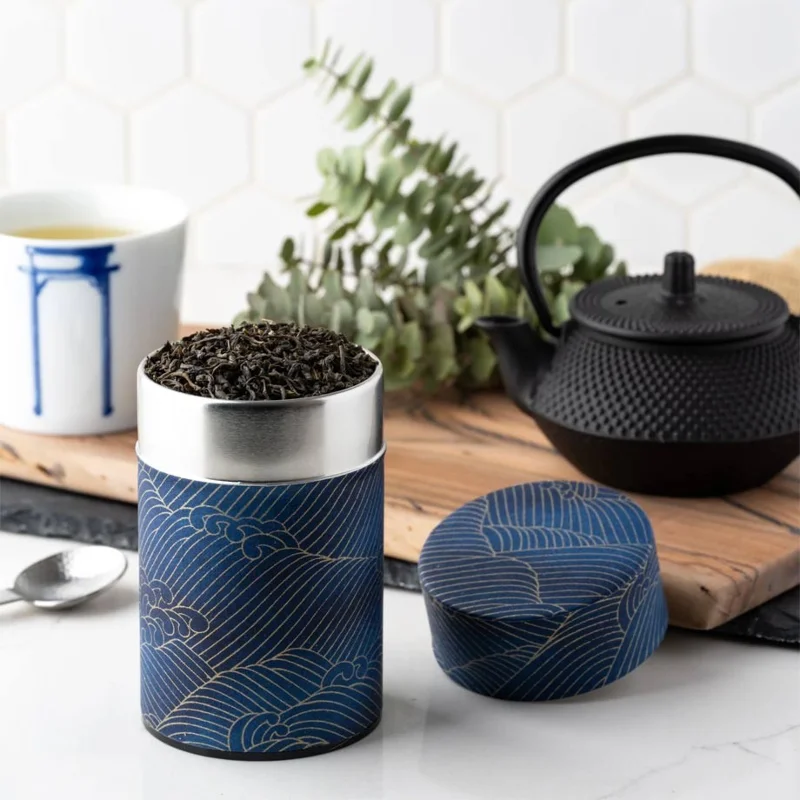
Store your tea bags in an airtight container . This will minimize their exposure to oxygen, sunlight, and moisture, all of which can cause your tea to spoil faster. It will also help your tea stay flavorful and drinkable for as long as possible!
Choose tin, glass, ceramic, or metal containers with tight-fitting lids . Avoid plastic containers, as these absorb odors and can alter the flavor of your tea. Purchase separate containers for each type of tea to keep their flavors and aromas distinct.
Avoid exposing your tea bags to sunlight. Light and heat from the sun will cause tea to deteriorate and lose color, aroma, and flavor more quickly. Using an opaque container can completely block light from penetrating your tea bags.
Keep tea bags separate from other items with strong odors. Tea leaves absorb flavors from anything they are stored with that has a strong odor. For example, don't store black tea next to herbal teas or coffee containers.
Avoid storing your tea bags near heat or boiling water. Heat accelerates oxidation in the tea leaves, which changes their flavor. The only temperature you want to apply to your tea bags is boiling water! Store your tea bags in a cool, dry pantry or cupboard. An airtight environment will increase the freshness of your tea and provide an extra layer of protection against harmful outside elements.
Sprinkle tea bags around smelly areas like trash cans, refrigerators, and shoes. The tea will absorb and help reduce unpleasant odors.
Using wet tea bags to clean glasses and mirrors will effectively remove dirt, fingerprints and other types of contaminants.
Pour the tea brewed from the expired tea bag onto plants that prefer acidic soil, such as hydrangeas, evergreens, etc. Then, add the tea bag to compost to enrich the soil.
Apply wet, expired tea bags to red, inflamed areas of your body, such as bug bites, pimples, or puffy eyes. The tea's natural antioxidants will help reduce inflammation. Once the tea bags are dry, remove them from your skin.
Create a spooky office cubicle with Halloween desk decor ideas that keep your workspace usable, tidy, and mindful of workplace safety.
Plan a recognizable Halloween 2026 look with pop culture costumes inspired by Spider-Man, Supergirl, Toy Story 5, Moana, Mario, and Wednesday.
Sort leftover Halloween candy safely, share or repurpose sealed treats, and choose food use or compost for pumpkins based on their condition.
Compare workplace Halloween costume choices by respect, dress code, mobility, and safety—and learn when a subtle accessory or a policy check is the better option.
Find a couples costume that fits your style, budget, and comfort level, from Addams Family classics to original inside-joke duos.
Need a last-minute high school Halloween costume? Compare 10 easy closet-based ideas by prep time, comfort, school-day practicality, and simple safety checks.
Use a simple 2026 Halloween decorating timeline for indoor décor, outdoor displays, and fresh pumpkins, with practical adjustments for weather and events.
Mix five vivid, approachable Halloween cocktails with measured recipes, simple prep tips, and an alcohol-free option for your party guests.
Find 15 office-friendly Halloween costume ideas for 2026, with practical checks for dress codes, respectful themes, comfort, and workplace safety.
Plan a fun elementary school Halloween party with easy crafts, games, inclusive treats, costume tips, and a sample 75-minute classroom schedule.








