Leftover Halloween Candy and Pumpkins: What to Do Next

Sort leftover Halloween candy safely, share or repurpose sealed treats, and choose food use or compost for pumpkins based on their condition.
Apple's 15W MagSafe wireless chargers will be banned from sale in China from September 1.
China's telecom regulator has issued a ban on wireless chargers using certain frequencies, which are used to regulate radio waves in the aviation and telecommunications industries, starting next month. Wireless chargers that do not meet the requirements will not be allowed to be manufactured or imported into China.
Accordingly, China only allows wireless chargers to operate on frequency bands 100-148.5 kHz, 6765-6795 kHz and 13553-13567 kHz.
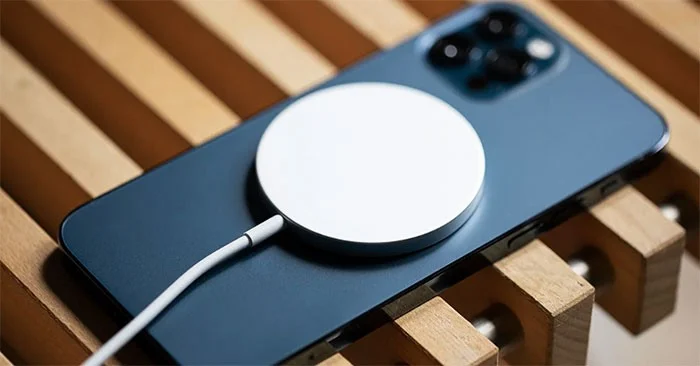
MagSafe uses a 360 kHz frequency, so in order to work in China, Apple would have to change the operating frequency for MagSafe technology here or reduce the power to 7.5W so that the wireless charger operates at 127.7 kHz. However, this means that charging times will be much longer than devices with higher transmission power.
However, the use and sale of products purchased or imported before September 1 are not affected by this regulation.
MagSafe technology was launched in 2020 with the iPhone 12, and is considered to have many advantages, such as the ability to attach additional tripod accessories, car mounts, wallets, and backup batteries to the iPhone.
MagSafe offers 15W charging speeds, twice as fast as Apple's previous wireless charging technology. However, compared to the 50W wireless charging that is popular on high-end Chinese smartphones, Apple's charging speed is still much slower.
Sort leftover Halloween candy safely, share or repurpose sealed treats, and choose food use or compost for pumpkins based on their condition.
Compare workplace Halloween costume choices by respect, dress code, mobility, and safety—and learn when a subtle accessory or a policy check is the better option.
Find a couples costume that fits your style, budget, and comfort level, from Addams Family classics to original inside-joke duos.
Need a last-minute high school Halloween costume? Compare 10 easy closet-based ideas by prep time, comfort, school-day practicality, and simple safety checks.
Use a simple 2026 Halloween decorating timeline for indoor décor, outdoor displays, and fresh pumpkins, with practical adjustments for weather and events.
Mix five vivid, approachable Halloween cocktails with measured recipes, simple prep tips, and an alcohol-free option for your party guests.
Find 15 office-friendly Halloween costume ideas for 2026, with practical checks for dress codes, respectful themes, comfort, and workplace safety.
Plan a fun elementary school Halloween party with easy crafts, games, inclusive treats, costume tips, and a sample 75-minute classroom schedule.
Compare realistic side hustles for 2026 by startup cost, fees, flexibility, and income control, with current tax and scam guidance from official sources.
Upgrade your home office ergonomics with current OSHA and NIOSH guidance on chair fit, monitor height, laptop setup, lighting, and movement.








