Desk Decorating Ideas for a Spooky Office Cubicle

Create a spooky office cubicle with Halloween desk decor ideas that keep your workspace usable, tidy, and mindful of workplace safety.
According to The Elec, Beijing Oriental Electronics (BOE), a Chinese display manufacturer, sent its leaders to Apple headquarters, expressing its desire to continue producing displays for the iPhone 14, a smartphone line expected to launch in September. Previously, BOE was discovered to have arbitrarily adjusted the screen parameters of the iPhone 13.
Specifically, BOE was found to have changed the width of the circuit board on the thin-film transistor of the screen without Apple's approval to increase the rate of products meeting quality standards.
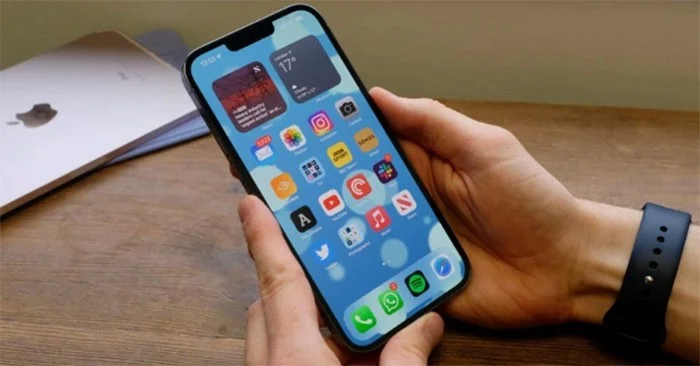
Along with Samsung and LG Display, BOE is the screen supplier for the iPhone 13. In early May, Apple terminated its contract with BOE after discovering the above fraud, just 7 months after the company participated in the production of screens for the iPhone 13. Not only that, BOE also faces the risk of losing 30 million screen orders for the iPhone 14 from Apple.
According to The Elec, BOE sent senior leaders and some employees to Apple's headquarters in Cupertino (USA) to explain the incident and expressed its desire to continue producing screens for the iPhone 14. However, Apple has not yet given a clear response on this matter and BOE has not yet received an order to produce screens for the iPhone 14.
If it receives an order from Apple, BOE can produce screens as early as this June.
According to some information, Apple is expected to split 30 million screen orders between LG Display and Samsung Display instead of choosing BOE. Samsung is expected to provide 6.1-inch and 6.7-inch screens for the iPhone 14 Pro duo, while the 6.7-inch screen for the iPhone 14 Pro Max will be manufactured by LG.
In 2020, Apple partnered with OLED to supply OLED screens for the iPhone 12. However, due to the low quality of the products, the partnership ended. In 2021, Apple chose BOE again to supply screens for the iPhone 13, making the company the third largest supplier after Samsung and LG Display.
According to 9to5mac, Apple always sets very high standards for its products, so the quality rate is always a challenge for Apple's suppliers. Even Samsung Display - the company that owns the advanced production line, once recorded a product quality rate of less than 60%. This could be the reason why BOE quietly adjusted the parameters to increase screen production.
Create a spooky office cubicle with Halloween desk decor ideas that keep your workspace usable, tidy, and mindful of workplace safety.
Plan a recognizable Halloween 2026 look with pop culture costumes inspired by Spider-Man, Supergirl, Toy Story 5, Moana, Mario, and Wednesday.
Sort leftover Halloween candy safely, share or repurpose sealed treats, and choose food use or compost for pumpkins based on their condition.
Compare workplace Halloween costume choices by respect, dress code, mobility, and safety—and learn when a subtle accessory or a policy check is the better option.
Find a couples costume that fits your style, budget, and comfort level, from Addams Family classics to original inside-joke duos.
Need a last-minute high school Halloween costume? Compare 10 easy closet-based ideas by prep time, comfort, school-day practicality, and simple safety checks.
Use a simple 2026 Halloween decorating timeline for indoor décor, outdoor displays, and fresh pumpkins, with practical adjustments for weather and events.
Mix five vivid, approachable Halloween cocktails with measured recipes, simple prep tips, and an alcohol-free option for your party guests.
Find 15 office-friendly Halloween costume ideas for 2026, with practical checks for dress codes, respectful themes, comfort, and workplace safety.
Plan a fun elementary school Halloween party with easy crafts, games, inclusive treats, costume tips, and a sample 75-minute classroom schedule.








