Pop Culture Costume Ideas That Will Dominate Halloween 2026

Plan a recognizable Halloween 2026 look with pop culture costumes inspired by Spider-Man, Supergirl, Toy Story 5, Moana, Mario, and Wednesday.
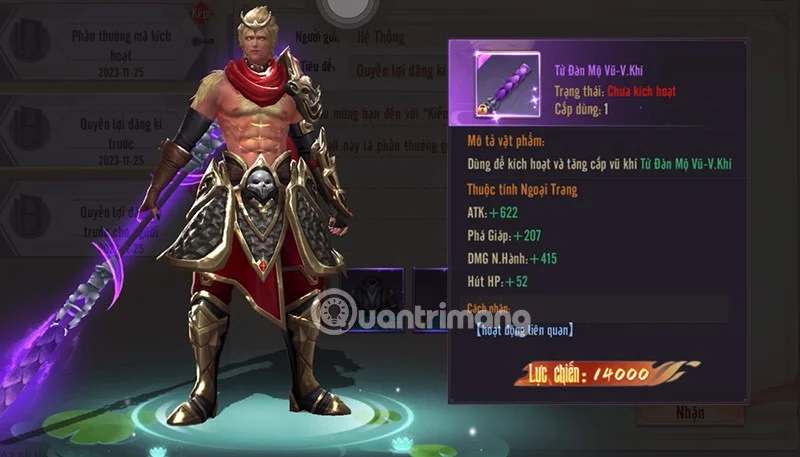
Get the Sword Realm 3D code and use it on your character to receive attractive rewards when you first enter the game. Whenever you receive a gift, use it on your character to upgrade your character and strengthen your weapons, assistants or similar things. Follow the Sword Realm 3D game code table below and redeem the code as soon as there is a new code.
Table of Contents
| Code | Bonus when entering code | Time of use |
KV666 |
Enter this code to receive a reward including a certain amount of gold ingots, primary enhancement stones, high enhancement stones, feathers, and a reward chest. | Still in use (New) |
KV777 |
Enter this code to receive a reward including a certain amount of gold ingots, primary enhancement stones, high enhancement stones, feathers, and a reward chest. | Still in use (New) |
KV888 |
Enter this code to receive a reward including a certain amount of gold ingots, primary enhancement stones, high enhancement stones, feathers, and a reward chest. | Still in use (New) |
KV999 |
Enter this code to receive a reward including a certain amount of gold ingots, primary enhancement stones, high enhancement stones, feathers, and a reward chest. | Still in use (New) |
FB777 |
Enter this code to receive a reward including a certain amount of gold ingots, primary enhancement stones, high enhancement stones, feathers, and a reward chest. | Still in use (New) |
HAPPYDAY |
Enter this code to receive a reward including a certain amount of gold ingots, primary enhancement stones, high enhancement stones, feathers, and a reward chest. | Still in use (New) |
HAVEFUN |
Enter this code to receive a reward including a certain amount of gold ingots, primary enhancement stones, high enhancement stones, feathers, and a reward chest. | Still in use (New) |
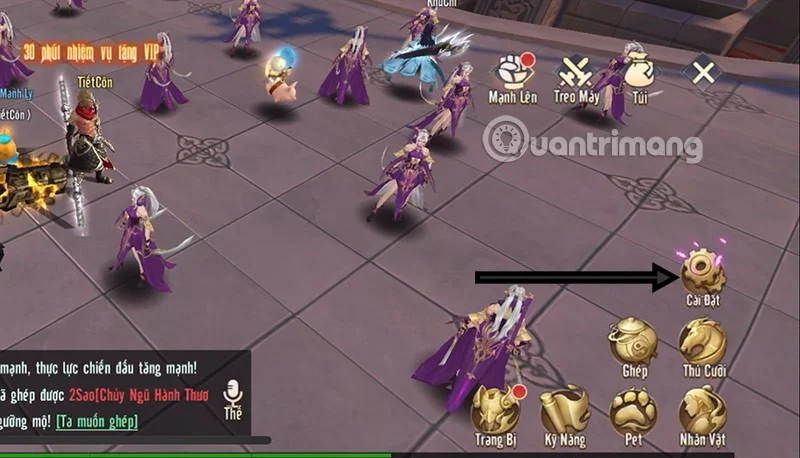
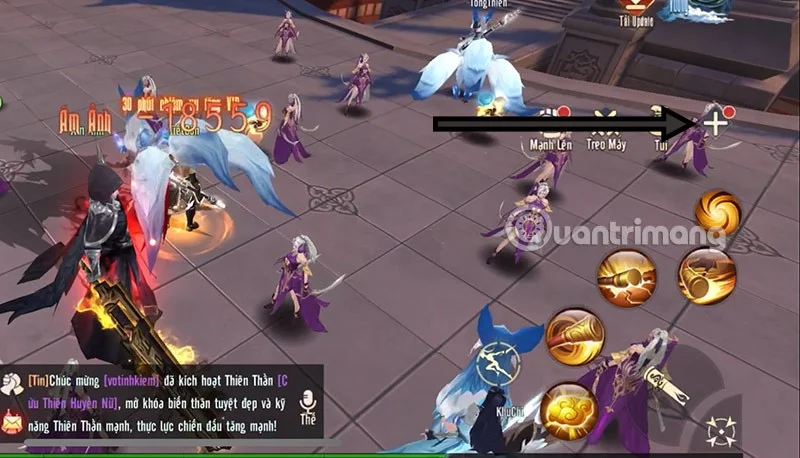
Step 1: First select the hide feature icon as shown below.
Step 2: Select Settings.
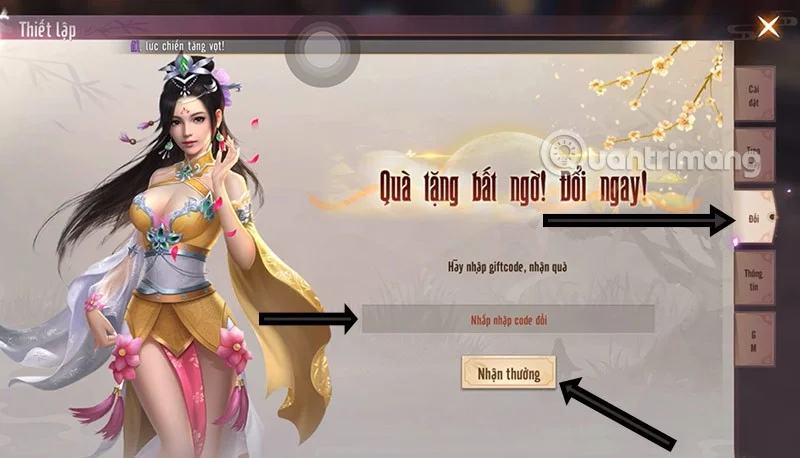
Step 3: Select the Redeem feature in the Settings window, enter the code in the code input box and select Receive Reward.
Step 4: If the code is still valid, you will immediately see the message "Gift received successfully, please send it via email". Now return to the main screen.
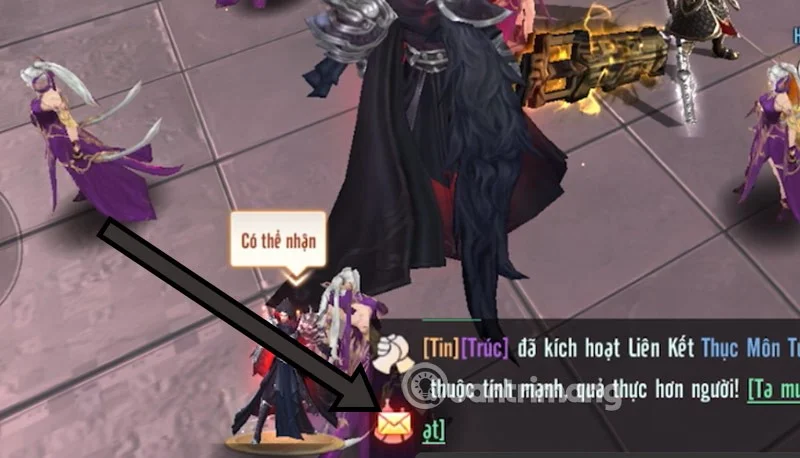
Step 5: In the chat window below, you will see the Mail icon light up, select that Mail icon.
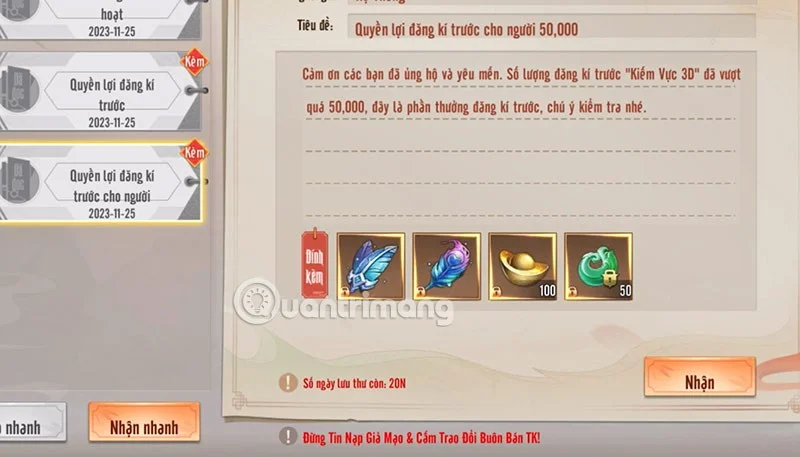
Step 5: Here you will immediately see the list of letters that you have redeemed from the gift code as well as letters sent from the game publisher announcing upcoming events. Reward letters and compensation letters sent from the game publisher will also be here. Select Receive Quickly to receive all letters with attached gifts.
Get more codes for Sword Realm 3D the easiest way is probably just by saving this website. Quantrimang.com will regularly update the latest codes from the game publisher, along with events that you can do tasks to earn codes from.
Or you can actively follow the game publisher's social media pages on Facebook , Youtube , Discord or Twitter. Game publishers often release the latest game codes for players on their official social media platforms. Along with that are content related to game updates or similar.
Why can't I change the code?
There are several reasons why you cannot redeem your Sword Realm 3D code, including:
Plan a recognizable Halloween 2026 look with pop culture costumes inspired by Spider-Man, Supergirl, Toy Story 5, Moana, Mario, and Wednesday.
Sort leftover Halloween candy safely, share or repurpose sealed treats, and choose food use or compost for pumpkins based on their condition.
Compare workplace Halloween costume choices by respect, dress code, mobility, and safety—and learn when a subtle accessory or a policy check is the better option.
Find a couples costume that fits your style, budget, and comfort level, from Addams Family classics to original inside-joke duos.
Need a last-minute high school Halloween costume? Compare 10 easy closet-based ideas by prep time, comfort, school-day practicality, and simple safety checks.
Use a simple 2026 Halloween decorating timeline for indoor décor, outdoor displays, and fresh pumpkins, with practical adjustments for weather and events.
Mix five vivid, approachable Halloween cocktails with measured recipes, simple prep tips, and an alcohol-free option for your party guests.
Find 15 office-friendly Halloween costume ideas for 2026, with practical checks for dress codes, respectful themes, comfort, and workplace safety.
Plan a fun elementary school Halloween party with easy crafts, games, inclusive treats, costume tips, and a sample 75-minute classroom schedule.
Compare realistic side hustles for 2026 by startup cost, fees, flexibility, and income control, with current tax and scam guidance from official sources.








