Device Links
Discord is a VoIP and instant messaging platform commonly used to send messages, images, audio, and video on various subjects. If you use Discord, you have seen comments suddenly disappear as they get deleted.

Discord does not currently allow you to see who deleted a message, even if you have admin powers over the channel the message originated from. This is to protect users’ privacy, but there are a few workarounds you can use to log deleted comments.
Read the article below to learn how to check who deleted messages in Discord.
Reasons to Save Deleted Discord Messages
Like most places on the internet, some people like to send hateful messages and content to others. These messages are often sent and then deleted by the sender minutes or even seconds later. Doing this ensures that the recipient sees the message but doesn’t have enough time to screenshot the message to report it.
Another reason a comment might be deleted is that a bot misread it. Most Discord servers have automatic bots that scan comments for offensive language. Since this is a computer program, they often misread comments and delete them. If you have a way to capture deleted comments, you can locate them in the log, copy and paste them into Discord, and repost them. Just edit the comment a little to avoid being deleted again.
How to Check Who Deleted Messages in Discord on a PC
If you are not an admin of the Discord server on which you want to see deleted messages, you can still find the logs of deleted messages using a web plug-in. Remember that this plug-in will only monitor the Discord server from the time you enable it moving forward. There is no way to find historical logs. However, people who send hateful messages and delete them will likely do it again.
Follow the process outlined below to access deleted logs in a Discord server.
Step 1: Acquire Web Browser Plug-In
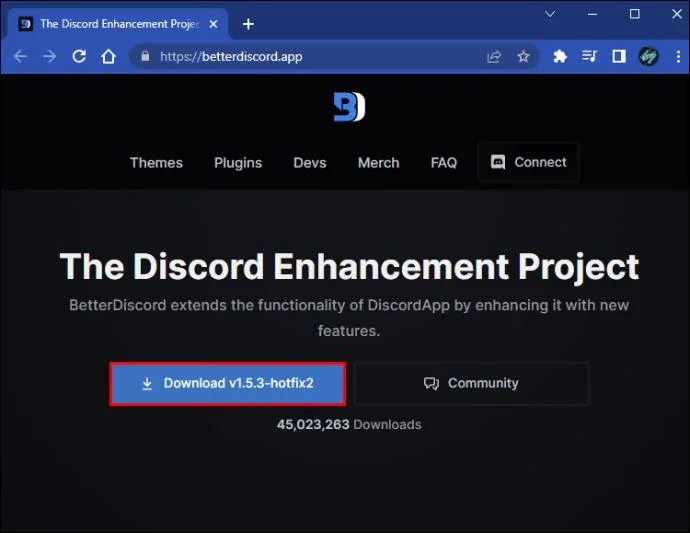
- Download the Better Discord application.

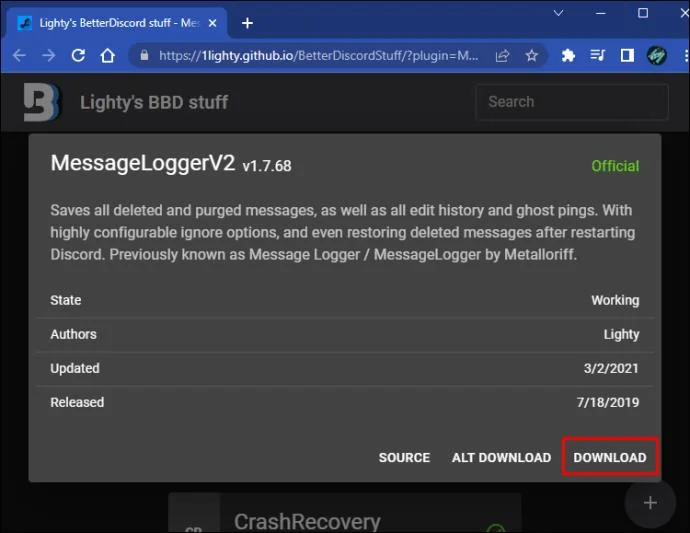
- Download MessageLoggerV2.

Step 2: Add MessageLoggerV2 to Plug-Ins
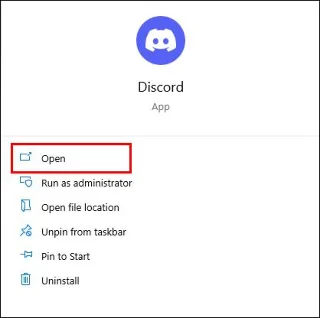
- Open Discord on your desktop.

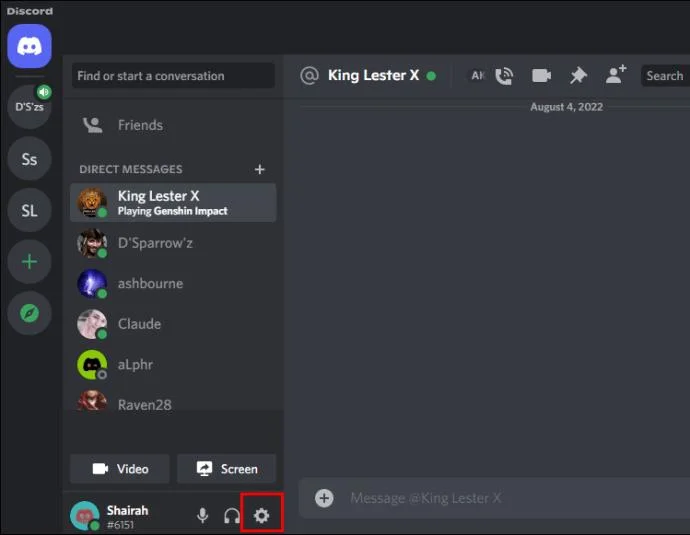
- Click the gear icon to select “User Settings.”

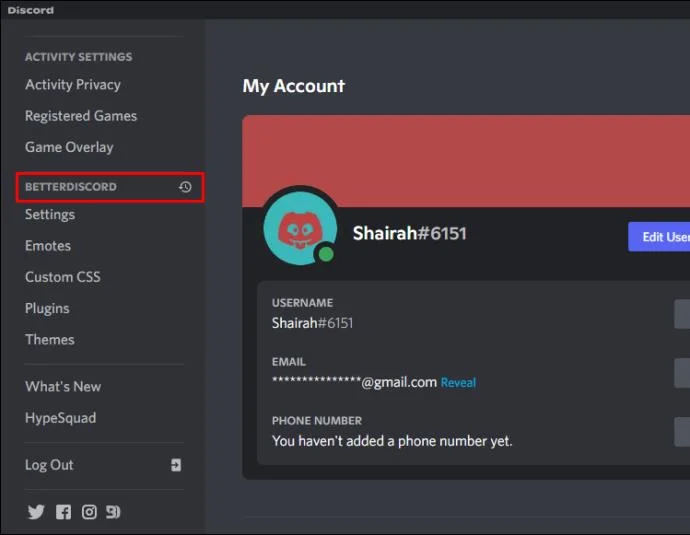
- Scroll down until you see BetterDiscord section.

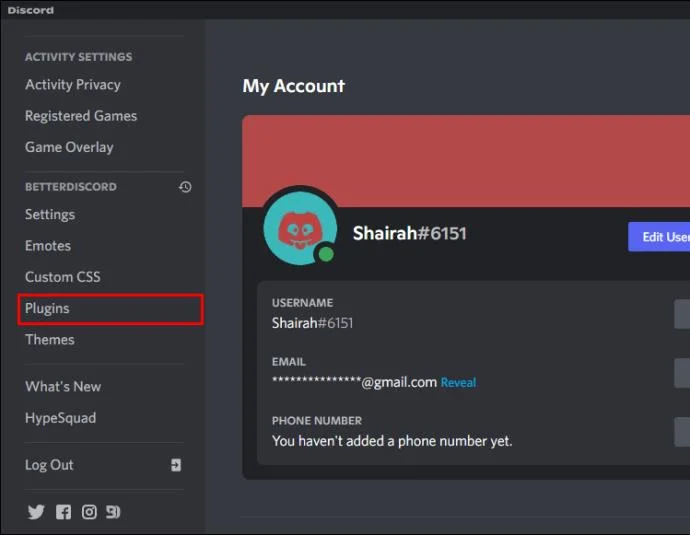
- Select “Plug-ins” and then click “Open Plug-ins.”

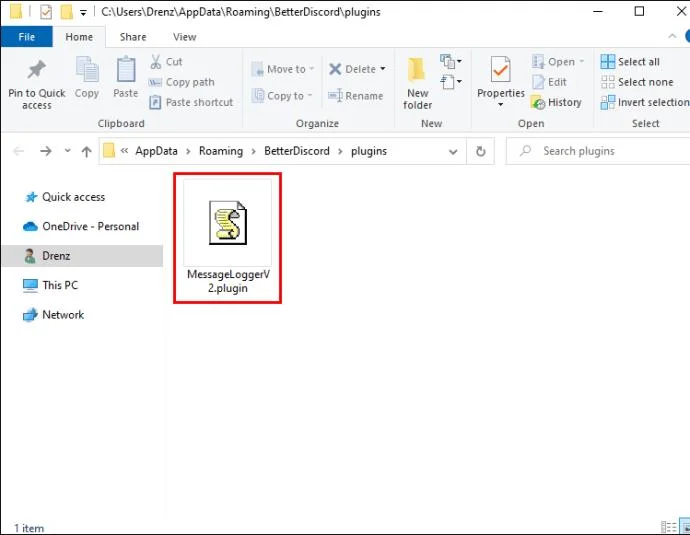
- In a separate window, open the folder you saved MessageLoggerV2 to when you downloaded it.

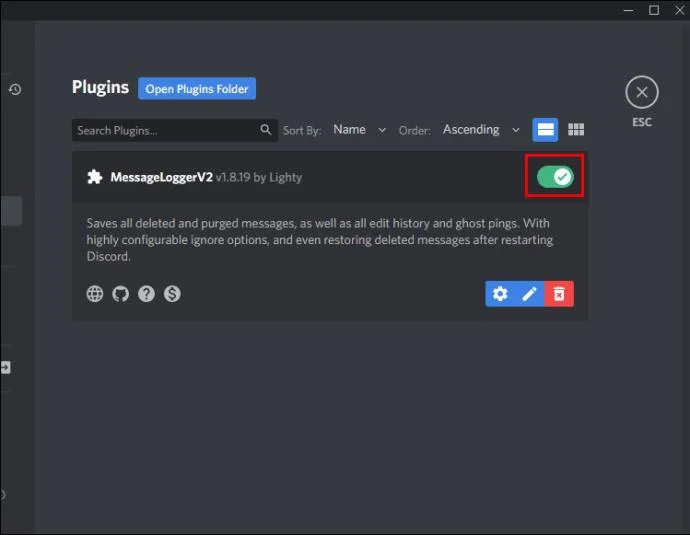
- Drag the MessageLoggerV2 plug-in into the Plug-ins folder on Discord. Enable the “Toggle” to activate the plug-in.

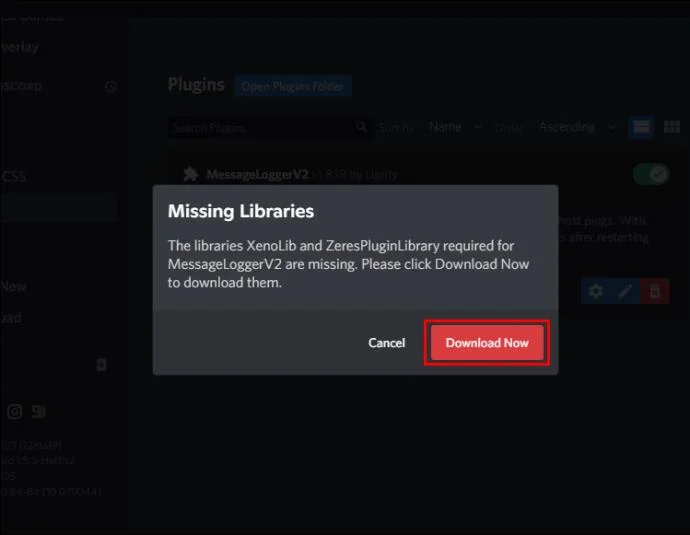
- If you receive a warning about missing libraries, click “Download Now” to install.

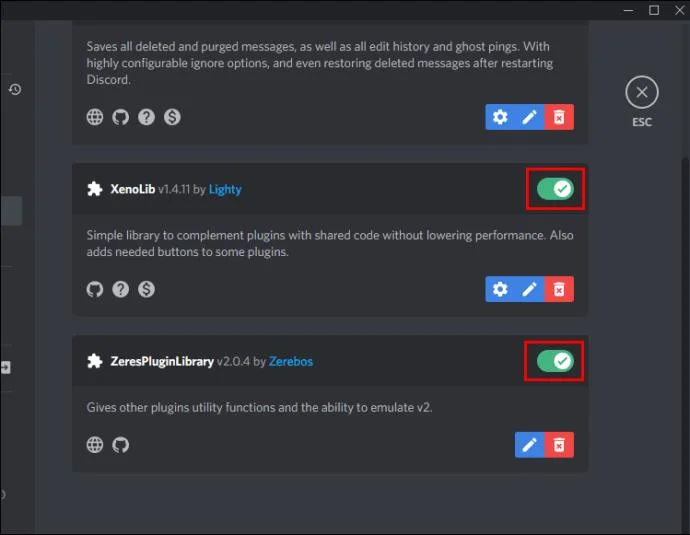
- When the download completes, enable the “XenoLib” and “ZeresPlug-inLibrary.”

Step 3: Select the Server
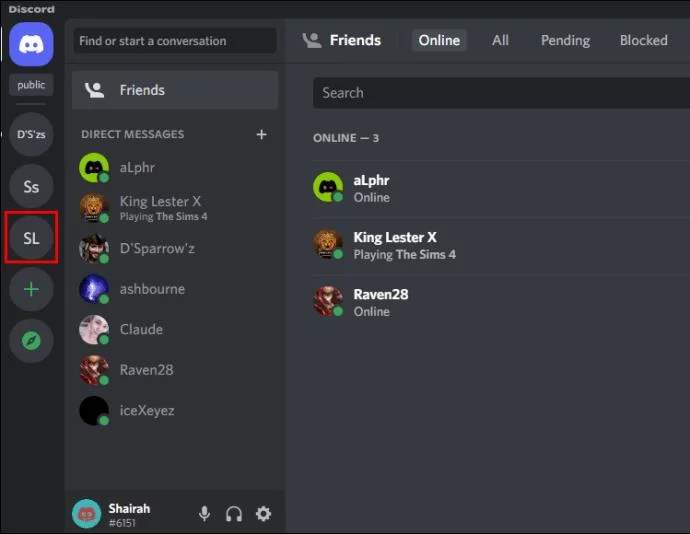
- In Discord, find the server you want to monitor.

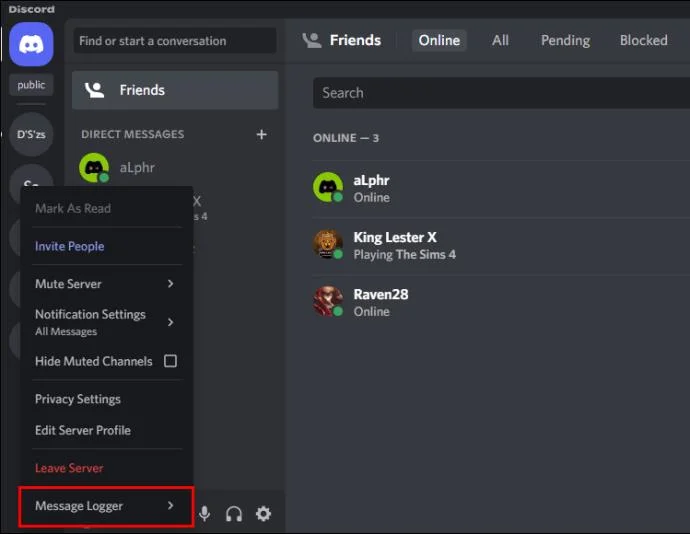
- Right-click on the server’s name. When the navigation window appears, select “Message Logger.”

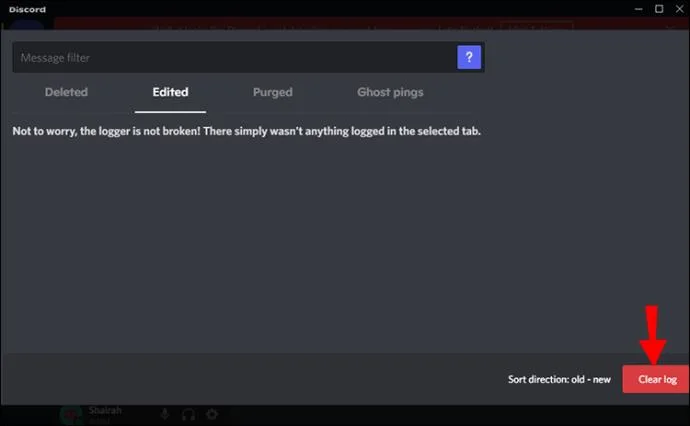
- The log window will appear. Click on “Open Logs” and then the “Clear log” button.

You will now be able to see deleted messages moving forward.
Can You Check Who Deleted Messages in Discord on an iPhone?
There is no way to see deleted messages in Discord on an iPhone. Apple has the iPhone operating system, iOS, locked down. Even if you install plug-ins on your computer and activate them in the PC version of Discord, you won’t be able to access that information on your iPhone.
If you only use Discord on an iPhone, you must download Discord to your computer and install a plug-in like the MessageLoggerV2 plug-in we’ve outlined above.
How to Check Who Deleted Messages in Discord on an Android
Android is open-source software, so there is a way to install a plug-in on your phone. Using the BlueCord plug-in will allow you to check who deleted messages in Discord on an Android.
Follow the instructions below to side-load the plug-in to your phone.
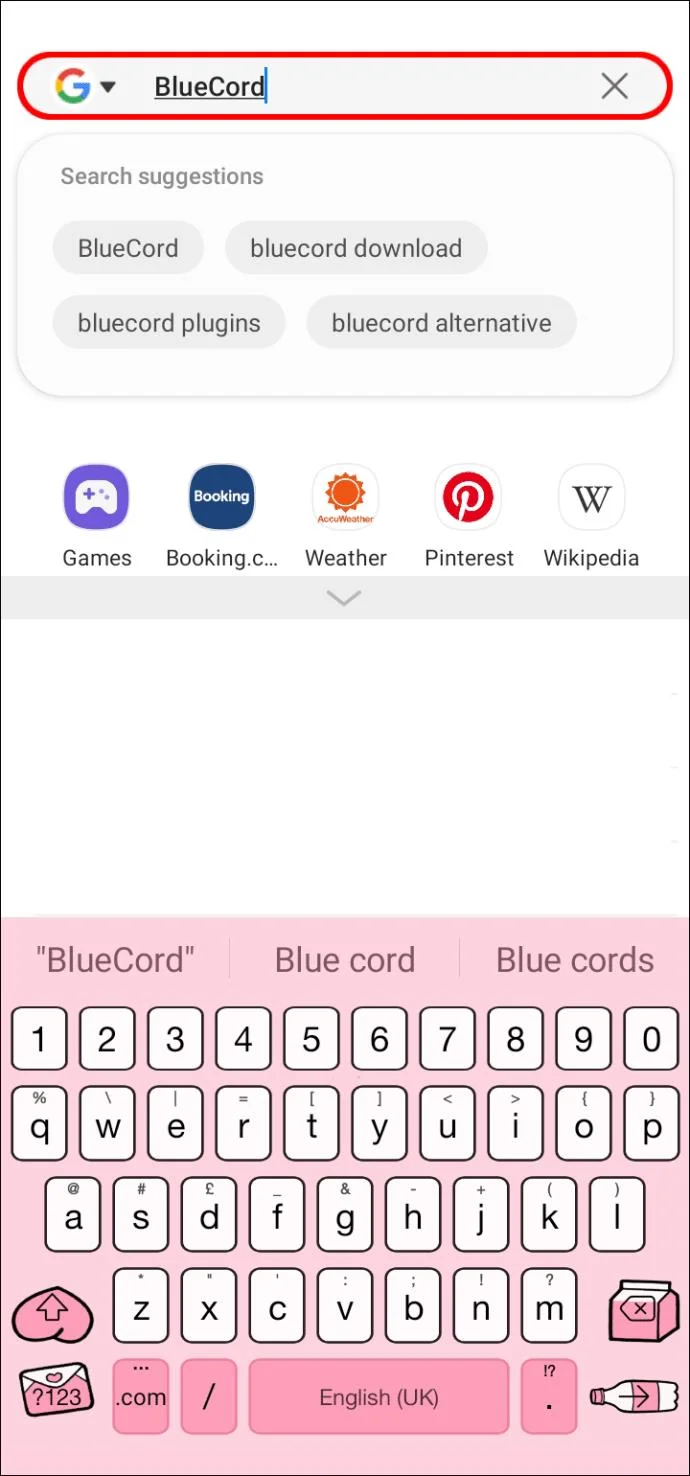
- Go to the BlueCord website on your mobile browser using the search bar.

- Click “Download (Direct).” This will install an app on your phone.Tap on the Discord icon in the bottom-right corner.

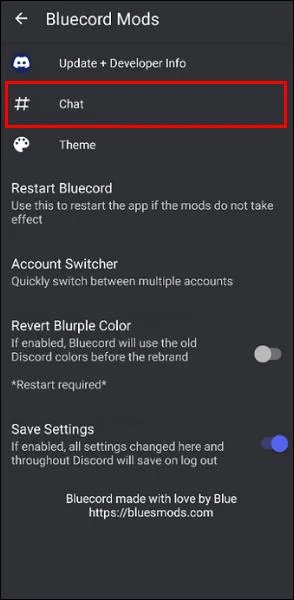
- Select “BlueCord Mods” and then tap on “# Chat.”

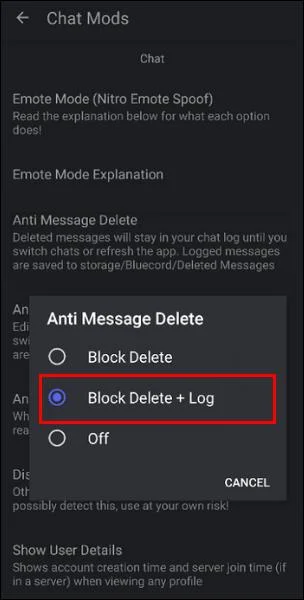
- Scroll down to “Anti Message Delete” and tap on it. Then select “Block Delete + Log.”

Whenever a message is deleted in Discord, you will see a red “Deleted” tag in the BlueCord log. Please note that the chats will appear normal if you’re in the Discord app. You can only see the delete activity in the BlueCord app.
Discord Messages: Deleted But Never Gone
Deleting messages and other content in Discord will immediately erase the Discord servers’ data. This is part of Discord’s user privacy policy, and there is no way to retrieve it once it’s gone.
However, with third-party plug-ins, you can log message data as it comes in. If it’s deleted, you have a record for future use. Any hateful Discord comments you’ve captured in your log can be reported to Discord here.
Have you ever needed to find a deleted Discord message? Did you successfully install and use one of the message logging plug-ins mentioned in this article? Let us know all about it in the comments section below.