
Trail Blazers vs Warriors: Portland Wins 116–94 — Score and Replay Guide, Updated 5:14 p.m. AEDT
Portland beat Golden State 116–94 in the NBA Cup. Find the official final score, box score, play-by-play and Australian replay options.
Last verified: November 27, 2026, 12:00 UTC (07:00 EST)
A noticeable spike in search queries regarding data breaches reflects a growing concern among Canadian internet users about unauthorized credential exposure, compromised personal accounts, and digital identity theft. Heightened search volumes typically follow public breach disclosures, high-profile phishing waves, or automated credential-stuffing attacks against popular online portals. When personal details leak onto dark-web forums or paste sites, threat actors rapidly deploy automated scripts against multiple digital services, turning a single compromised password into widespread identity exposure. Knowing how to immediately check your exposure status, audit active digital logins, and implement robust authentication barriers provides immediate protection against subsequent unauthorized account access.
Search trend monitoring indicates an influx of inquiries related to potential breach exposure, driven largely by consumer vigilance following news of compromised enterprise databases, retail services, and federal portal credential-stuffing incidents. In credential-stuffing attacks—such as those historically observed targeting services like the Canada Revenue Agency (CRA) and GCKey accounts—attackers test stolen combinations of usernames and passwords harvested from unrelated breaches against banking and government services. Because many people continue to reuse passwords across multiple personal, professional, and financial accounts, the exposure of an email address on an obscure web forum can quickly ripple into high-risk platforms.
Determining your exposure level does not require specialized technical expertise. Several established public and built-in security platforms aggregate breach records while preserving user privacy:
If an email verification or browser notification confirms that your credentials were included in a breach, executing prompt containment steps minimizes the window of opportunity for unauthorized intrusion:
When sensitive personal data—such as Social Insurance Numbers (SIN), birth dates, or home addresses—is exposed alongside login credentials, the risk extends toward financial identity theft. Canadian consumers should monitor credit reports routinely through credit bureaus Equifax Canada and TransUnion Canada. If you suspect your SIN or government credentials have been targeted, contact the relevant issuing agency, place a fraud alert on your credit files, and report suspicious transactions to your financial institution and the Canadian Anti-Fraud Centre (CAFC).
No. Searching an email address on Have I Been Pwned is safe and does not expose your data. The service only checks public records of historical breaches against the email address you submit. It never requests or stores active passwords during an email search.
Credential stuffing is an automated cyberattack where threat actors take massive lists of leaked username and password pairs from one breach and test them across hundreds of unrelated websites, banking portals, and government platforms. It succeeds because millions of users reuse identical login details across multiple services.
If you suspect unauthorized access to a Canadian federal or provincial service account—such as CRA My Account or Service Canada—immediately change your credentials, verify that the contact email and direct deposit details on file have not been altered, and contact the agency's official fraud helpline directly.
Portland beat Golden State 116–94 in the NBA Cup. Find the official final score, box score, play-by-play and Australian replay options.

Stay safer during hot weather with practical heatwave tips: hydrate, cool your home, protect at-risk people, and recognize heat exhaustion and heatstroke.

The Spurs beat the Lakers 99–96 in San Antonio. See where to track NBA scores, box scores, game updates, and Australian tipoff times.
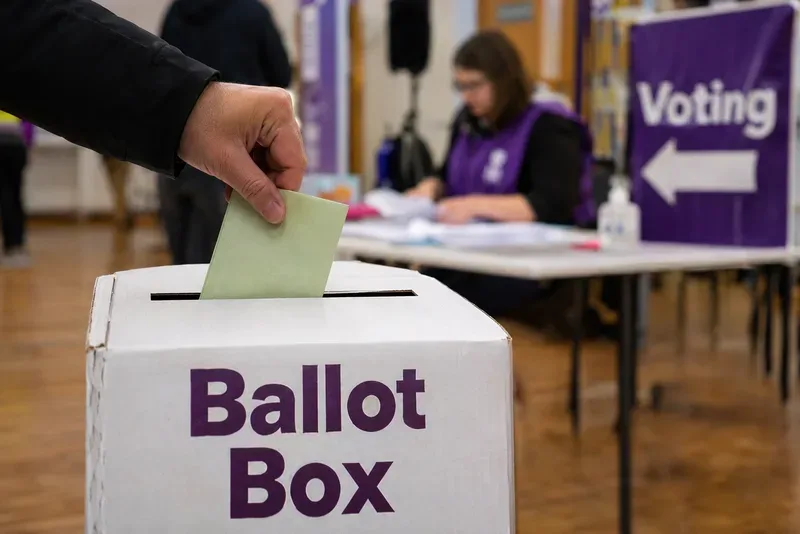
Find the latest Victoria election count on the VEC website and ABC tracker, understand preferences and seat totals, and check the 2026 declaration timeline.

Seattle hosts Edmonton at 7 p.m. PST after Kaapo Kakko’s late two-goal surge gave the Kraken a 4–2 win. Canadian start times, storylines and lineup notes.

Toronto beat Brooklyn 124-100 in the NBA Cup group-stage finale. See Scottie Barnes’ 34 points, Immanuel Quickley’s triple-double and what’s next.

Kyle Connor scored twice as Winnipeg beat New York 3–1. See the pregame context, scoring turns, goalie performances and what the result means.

Comprehensive preview of Golden State Warriors vs. Portland Trail Blazers: tactical breakdowns, key matchups, rebounding battles, and what to watch.

Learn how prospector David Hole found the 17-kilogram Maryborough meteorite, what its H5 chondrite classification means, and how its age differs from its time on Earth.

A clear guide to the Pacers–76ers NBA Cup matchup: group stakes, earlier meetings, key players, injury context, and the Indianapolis tipoff converted to Australian time.