When to Start Decorating for Halloween in 2026

Use a simple 2026 Halloween decorating timeline for indoor décor, outdoor displays, and fresh pumpkins, with practical adjustments for weather and events.
If you have a smart home , chances are you've used an assistant like Alexa, Google Assistant , or Siri. But do these popular home assistants use AI to work, and if so, how?
Do virtual assistants like Alexa use AI?
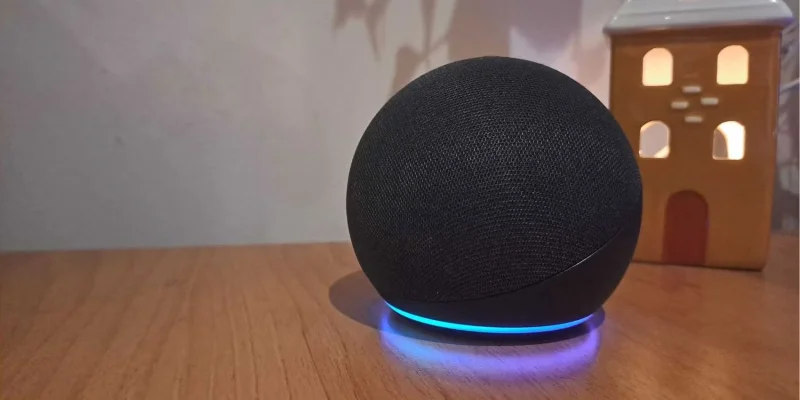
Since virtual assistants can listen for voice commands, they benefit from AI- based language processing , as it helps them better understand and respond to voice commands and questions.
All virtual assistants are different and the type of AI they use is different. However, Machine Learning is a common technology used by most virtual assistants. Siri, Alexa, and Google Assistant all use AI and Machine Learning to interpret requests and perform tasks.
Alexa uses Machine Learning and NLP (natural language processing) to process requests. “Natural language” is the language used in human conversations that happens naturally. To best process voice commands, the virtual assistant relies on NLP to fully understand what is being asked.
However, Amazon itself calls this natural language understanding NLU. Amazon claims that it uses NLU to “infer the actual meaning of the speaker, not just the words they say .” Amazon uses an example here, saying that NLU helps Alexa provide a weather forecast if a user asks what it’s like outside. While it doesn’t specifically say “weather forecast,” NLU still allows Alexa to recognize what the user is asking.
Furthermore, Amazon states that NLU is “all about giving computers the necessary context behind what we say and the flexibility to understand many variations in how we say the same things .” In short, NLU provides the means to better identify what users are asking when they communicate verbally.
Google Assistant uses NLP and some complex algorithms to process voice requests and engage in two-way conversations. Features like Look and Talk, coming in 2022, use these algorithms to determine whether you, as a user, are just passing by the Nest Hub or intend to interact with it.
Since then, Google Assistant has undergone a number of updates. In January 2024, Google announced that it would be removing less-used features such as media alerts and voice control from Google Play Books.
Finally, there is Apple’s Siri . Siri currently uses AI for its functions, using both NLP and Machine Learning. Like the other two virtual assistants discussed here, Siri recognizes voice triggers and can recognize the “Hey Siri” trigger phrase using a recurrent neural network.
AI assistants are also moving towards using Generative AI . This is a newer type of AI that is currently being used in tools like ChatGPT .
Both Google and Alexa are currently developing Generative AI capabilities for their voice assistants. Google is using Gemini , its own large language model (LLM). Amazon, on the other hand, is developing its own LLM, which is currently being called “Alexa AI.”
As Amazon has stated, Alexa AI will enable a number of perks, including continued conversations without repeating the wake word, more personalized responses, and control of multiple connected devices through a single request.
In July 2023, it was announced that Apple was developing its own LLM, called Ajax, which would be used in its chatbot, Apple GPT . In early 2024, reports began to emerge that Apple was working on improving Siri using Generative AI. In a Bloomberg Power On report, it was stated that Apple was “planning an overhaul” of Siri.
More specifically, it is reported that Apple is developing AI code, both for Siri and the Apple Care service. More information about these developments could be revealed in 2024.
Should Siri, Alexa, and Google Assistant be considered AI?
Given how much virtual assistants rely on AI, either through NLP or Machine Learning, it is natural to classify them as AI in their entirety. Voice assistants like Alexa, Google Assistant, and Siri are often referred to as AI tools due to their frequent use of NLP and Machine Learning.
Although these virtual assistants have many other features that do not use AI, they rely heavily on AI to function. Therefore, they can be considered AI.
The Future of AI in Virtual Assistants
One thing many virtual assistant providers have in common is that they are now working on using Generative AI in their systems.
Generative AI is a specific field of AI that uses artificial neural networks and Deep Learning to generate text or media content based on user prompts (which can also be in the form of text or images). The introduction of Generative AI in virtual assistants is being done through the integration of LLM.
In the future, AI could potentially provide virtual assistants with the following capabilities:
As AI continues to become more sophisticated, we can expect our trusty voice assistants to become more capable, helping us with everything. AI has the potential to bring existing technologies into a new era of possibilities, and voice assistants are no exception.
Use a simple 2026 Halloween decorating timeline for indoor décor, outdoor displays, and fresh pumpkins, with practical adjustments for weather and events.
Mix five vivid, approachable Halloween cocktails with measured recipes, simple prep tips, and an alcohol-free option for your party guests.
Find 15 office-friendly Halloween costume ideas for 2026, with practical checks for dress codes, respectful themes, comfort, and workplace safety.
Plan a fun elementary school Halloween party with easy crafts, games, inclusive treats, costume tips, and a sample 75-minute classroom schedule.
Compare realistic side hustles for 2026 by startup cost, fees, flexibility, and income control, with current tax and scam guidance from official sources.
Upgrade your home office ergonomics with current OSHA and NIOSH guidance on chair fit, monitor height, laptop setup, lighting, and movement.
Learn why emotional intelligence matters in leadership, where it helps most, how to strengthen it, and how to tell whether your approach is working.
A practical roadmap for moving into tech without a degree: choose an accessible role, build job-ready skills, prove them with projects, and use hiring feedback to improve.
Build a credible LinkedIn personal brand in 2026 with current profile, content, newsletter, analytics, verification, and visibility guidance from LinkedIn.
Quiet quitting and quiet firing are catchy labels, not diagnoses. Learn what is verified, what depends on context, and what employees and managers can do next.








