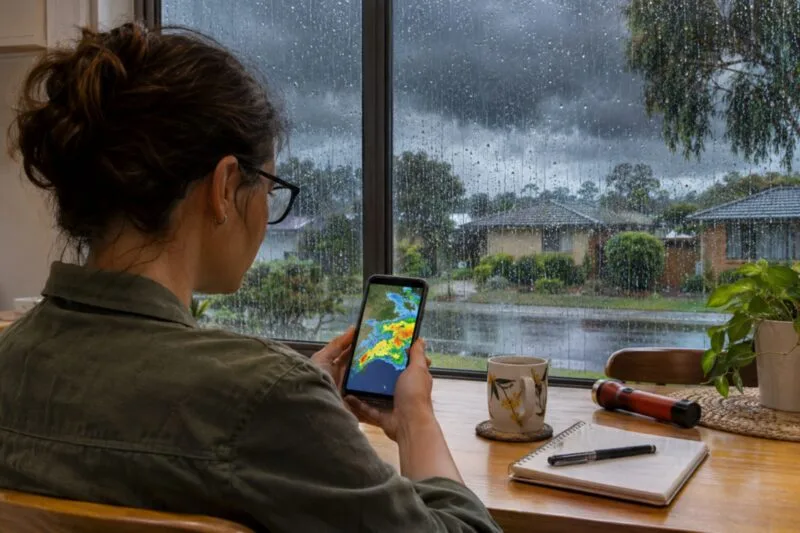
How to Read Australian Weather Radar During Severe Weather
Learn how to track storm movement on Australia’s Bureau of Meteorology radar, interpret rain colors, and use official warnings when radar has limits.
Verified November 27, 2026, at 9:06 p.m. UTC. The Department for Work and Pensions (DWP) says it took some online services offline as a precaution after identifying a cyber incident. It says regular benefit and pension payments are not affected and will be paid as normal. If you cannot attend an appointment or update your circumstances while services are unavailable, DWP says you will not be sanctioned for that reason. Check the department’s official GOV.UK incident notice for the latest information.

Start with the DWP notice linked above. It is a GOV.UK news story published November 27, 2026, and its update history records additions made that day, including advice about benefit helplines and missed appointments. Check the page directly when you need a status update: a social media post, search result, or message from an unknown sender may be old, incomplete, or misleading.
The notice does not give a restoration time. It says DWP is working with the National Cyber Security Centre and the Government Cyber Coordination Centre to investigate and restore services while minimizing disruption. Until DWP posts more information, claimants should not assume a service is back simply because an old link or search result opens.
The GOV.UK sign-in page explains that a Universal Credit account is normally used to view statements and payment dates, check to-do items, report changes, and message a case manager or work coach through the journal. During this incident, the service may be unavailable. DWP’s incident notice is the better place to check service status; the sign-in page explains the account’s usual functions.
If you need help, use the usual helpline for your benefit. Find the correct number using GOV.UK’s benefits and claims directory, rather than relying on a number in an unsolicited message or an unverified post. DWP says staff will support customers through their usual benefit lines.
If you cannot update your circumstances or attend an appointment because of the service disruption, DWP says you will not be sanctioned for being unable to do so during the incident. The same notice says sanctions processed earlier will still apply. Keep a note of what you were trying to do and when, and follow the official notice for any later instructions. Do not treat the temporary assurance as permission to ignore unrelated claim requirements.
When the account is available again, use the official GOV.UK link to sign in and check your journal and to-do list. DWP guidance says the journal is the usual place to communicate with a work coach or case manager, but replies may take a few days. If a deadline or appointment is urgent while access is down, contact the usual benefit line for advice rather than guessing whether an online task has been completed.
DWP says it will never ask for personal information by text or email, and it will not ask you to click links. Treat messages that request bank details, passwords, one-time security codes, or payment as suspicious. Do not reply or use the message’s links or phone number. Instead, open GOV.UK yourself and find the relevant benefit page or contact number. For additional advice, see the scam and phishing guidance linked in DWP’s notice.
Do not post your National Insurance number, bank information, claim details, or screenshots containing personal information on social media. If you believe someone has accessed your Universal Credit account, DWP’s account guidance advises changing your password and contacting Universal Credit. Use official contact details you locate independently.
The confirmed public information is limited: DWP says it identified a cyber incident, took some online services offline as a precaution, and is investigating with national cyber security partners. It says regular benefit and pension payments are not affected. The notice does not establish that claimant data was stolen, identify an attacker, or give a recovery timetable. Do not treat speculation about those points as confirmed fact.
A separate statement from Northern Ireland’s Department for Communities says some shared DWP online services, including Universal Credit, were unavailable there, and says DfC telephone and in-person advice remained available. Claimants should use the contact routes and official updates for their own part of the UK; arrangements and phone numbers can differ.
DWP says regular benefit and pension payments are not affected and will be paid as normal. Check its notice for any subsequent update.
DWP says customers who cannot update their circumstances or attend an appointment because of the incident will not be sanctioned for that reason. Sanctions processed earlier still apply.
DWP has not published a restoration time in the notice checked for this article. Check the official incident page for new information.
Learn how to track storm movement on Australia’s Bureau of Meteorology radar, interpret rain colors, and use official warnings when radar has limits.

Use the Bureau of Meteorology’s radar to track rain near you, then check official flood warnings and river conditions. Learn what radar can—and cannot—tell you.
Steelers vs Broncos live updates, game recap, and highlights as Pittsburgh defeats Denver 24-5 behind Mason Rudolph and a dominant defensive display.
Suspecting food poisoning after Thanksgiving dinner? Discover key symptoms, timelines, immediate self-care steps, and when to seek urgent medical care.

Ireland defeated Australia 38–14 in the Nations Championship fifth-place playoff. Check the final score, try scorers, match timeline, and replay streaming options.
Southampton secured a vital 2-0 win over Middlesbrough at St Mary's Stadium on Friday, November 27, 2026. Get live match updates, goals, and analysis.

The Devils beat the Flames 5–3 in Newark, scoring three times in the third period. See the final score, period breakdown, key scorers, and game details.

Igor Jesus put Nottingham Forest 1–0 ahead of Chelsea at halftime. See the verified goal and key first-half moments from Nov. 27.

Compare Rogers, TELUS, and Bell phone plans by local coverage, high-speed data, roaming, discounts, and device costs before choosing a Canadian carrier.