Pop Culture Costume Ideas That Will Dominate Halloween 2026

Plan a recognizable Halloween 2026 look with pop culture costumes inspired by Spider-Man, Supergirl, Toy Story 5, Moana, Mario, and Wednesday.
Along with a host of new features, Apple introduced a new flashlight feature on iOS 18 for iPhone models with Dynamic Island. This feature allows you to adjust not only the brightness but also the shape of the light beam, helping you control how wide or narrow the illuminated area is.
But if you have an iPhone 14 Pro or later with iOS 18 (currently in beta), you'll get a more versatile flashlight with an improved UI.
How to turn on Flash light on iPhone
Since the new flashlight beam control feature only works on iPhone 14 Pro, 14 Pro Max, 15, 15 Plus, 15 Pro, and 15 Pro Max , older models will still have the same experience as on iOS 17 and earlier versions.
To get started, turn on the flashlight by tapping the control in Control Center, or tapping the flashlight icon on the Lock Screen, or asking Siri or using any other method to turn it on. When activated, a new animated slider with a modern user interface will appear at the top of the screen, providing a more intuitive and interactive experience.
On iOS 17 and earlier, you can only adjust the flashlight brightness after tapping the Control Center button to open the flashlight brightness slider. This slider is not available on the Lock Screen (it can only be enabled in Control Center) and Dynamic Island, although you can ask Siri to change the brightness.
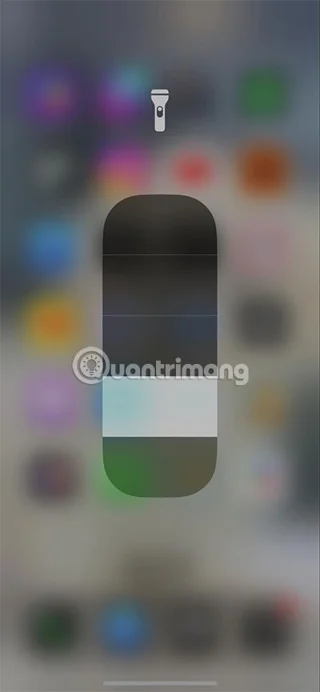
The new brightness slider on iOS 18 offers the following functions:
Adjust brightness: Swipe your finger horizontally (up or down) across the interface to adjust the flashlight's brightness. It's similar to how it works in Control Center on iOS 17 and earlier, but you can access more than four brightness levels for fine-tuning control.
Beam Shape Control: Swipe your finger vertically (left or right) across the interface to adjust the beam shape between wide, medium, and focused beams. This is a new feature that you can't get on iOS 17 and earlier versions.
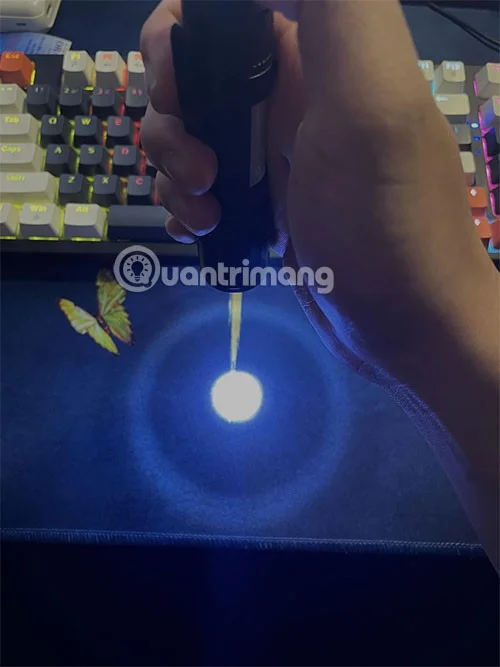
On/Off Switch: Tap the flashlight or anywhere else on the interface to turn the flashlight on or off.
If the new slider closes while you're still using the flashlight but haven't finished adjusting, simply tap Dynamic Island to reopen the interface.
This new flashlight feature ensures a seamless experience, allowing you to quickly adjust brightness and beam without having to navigate to Control Center.
Plan a recognizable Halloween 2026 look with pop culture costumes inspired by Spider-Man, Supergirl, Toy Story 5, Moana, Mario, and Wednesday.
Sort leftover Halloween candy safely, share or repurpose sealed treats, and choose food use or compost for pumpkins based on their condition.
Compare workplace Halloween costume choices by respect, dress code, mobility, and safety—and learn when a subtle accessory or a policy check is the better option.
Find a couples costume that fits your style, budget, and comfort level, from Addams Family classics to original inside-joke duos.
Need a last-minute high school Halloween costume? Compare 10 easy closet-based ideas by prep time, comfort, school-day practicality, and simple safety checks.
Use a simple 2026 Halloween decorating timeline for indoor décor, outdoor displays, and fresh pumpkins, with practical adjustments for weather and events.
Mix five vivid, approachable Halloween cocktails with measured recipes, simple prep tips, and an alcohol-free option for your party guests.
Find 15 office-friendly Halloween costume ideas for 2026, with practical checks for dress codes, respectful themes, comfort, and workplace safety.
Plan a fun elementary school Halloween party with easy crafts, games, inclusive treats, costume tips, and a sample 75-minute classroom schedule.
Compare realistic side hustles for 2026 by startup cost, fees, flexibility, and income control, with current tax and scam guidance from official sources.








