Looking for fun free games on Steam? The platform hosts hundreds of high-quality free-to-play titles across every genre, from fast-paced shooters to relaxing simulators. This guide explains exactly how to locate, install, and enjoy the best options without spending money.
Why Fun Free Games on Steam Stand Out
Steam's free section includes both major releases backed by large studios and creative indie projects. Many of these games receive regular updates and maintain active communities, giving you long-term entertainment value. You only need a free Steam account and a stable internet connection to get started.
Before diving in, make sure your PC meets the minimum system requirements listed on each game's store page. Most free titles run well on modest hardware, but checking ahead prevents download issues later.
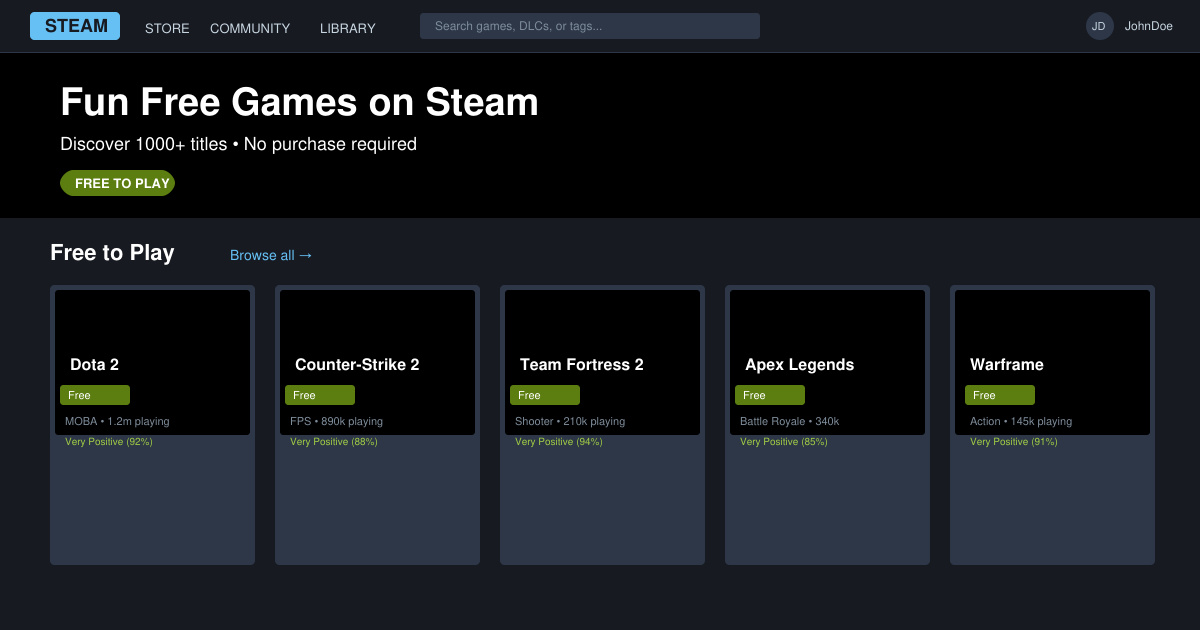
How to Discover Fun Free Games on Steam
-
Open the Steam Store and navigate to the Free to Play section
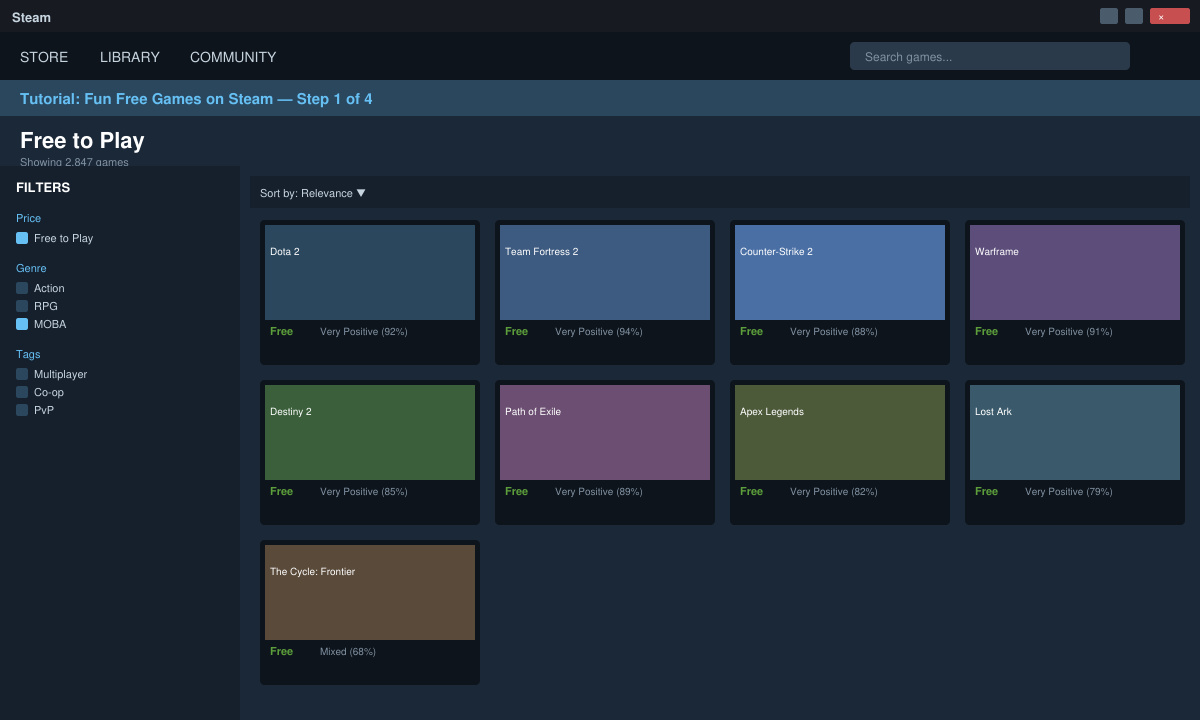
Launch the Steam desktop client or visit store.steampowered.com in your browser. Click the "Games" menu at the top, then select "Free to Play" from the dropdown. This filters the entire catalog to show only games that require no purchase.
-
Use tags and filters to narrow down options
On the Free to Play page, locate the sidebar filters. Check boxes for genres like Action, Simulation, or Strategy. Add tags such as "Multiplayer" or "Co-op" if you prefer social play, then sort results by "Release Date" or "Reviews" to surface newer or highly rated titles.
-
Read recent reviews before installing
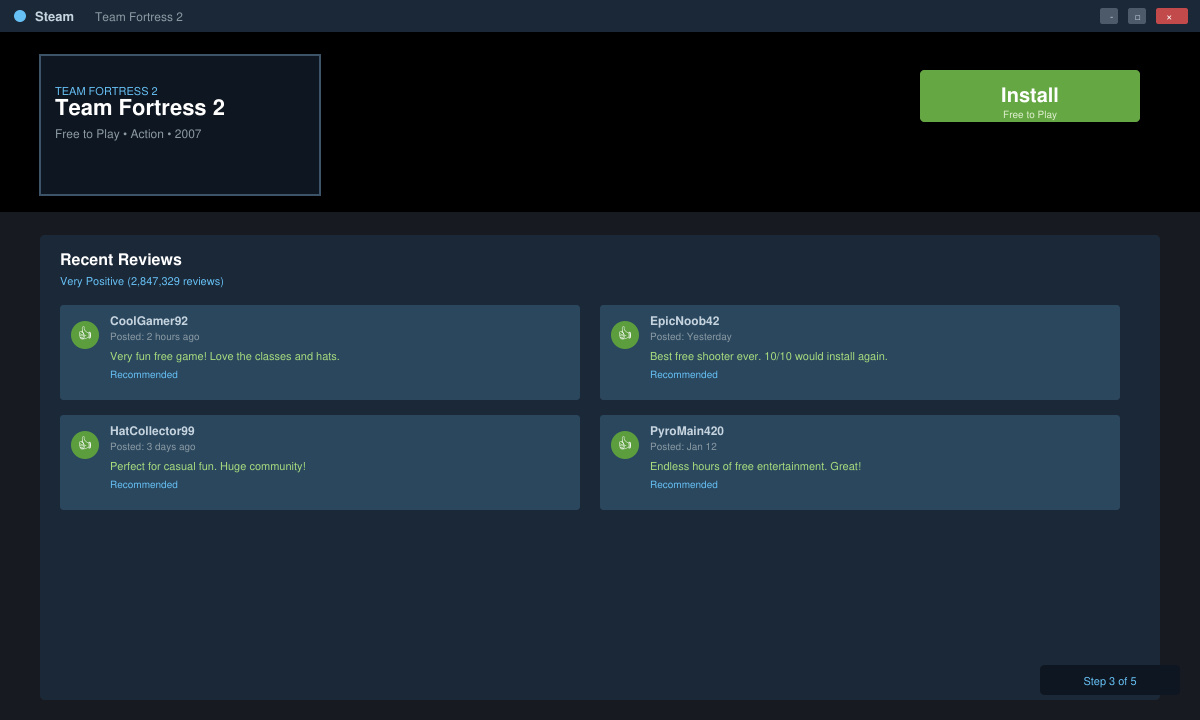
Click any game thumbnail to open its store page. Scroll to the Recent Reviews section and read the last 30 days of player feedback. Look for comments about performance, balance updates, and whether the game still feels enjoyable after the initial hours.
-
Install and launch directly from your library
Once you decide on a title, click the green "Install" button. Steam downloads the files automatically. After installation completes, the game appears in your Library. Click Play to launch it and create an account if the title requires one.
Tips for Avoiding Common Issues With Fun Free Games on Steam
- Always download games through the official Steam client instead of third-party sites to avoid malware.
- Check the "Free to Play" label on the store page one more time before clicking install, as some games offer paid expansions that are easy to confuse with the base game.
- If a game fails to launch, verify your graphics drivers are up to date through the device manager or the GPU manufacturer's software.
- Disable any VPN during the first launch if you experience connection errors, then re-enable it afterward for regular play.
Frequently Asked Questions About Fun Free Games on Steam
Do fun free games on Steam require a credit card?
No. You only need a free Steam account. Payment information is optional and only requested if you decide to buy cosmetic items or expansions later.
Can I play fun free games on Steam offline?
Some titles support offline modes after the initial download, but most require an internet connection at least once per session for anti-cheat or account verification.
Are there age restrictions on free Steam games?
Yes. Each game shows its age rating on the store page. Steam also lets you set family sharing restrictions in the account settings to control what younger players can access.
Conclusion
With the steps above you can quickly find and enjoy fun free games on Steam that match your preferred style and hardware. Start exploring the Free to Play section today and build a library of quality titles at no cost.








